27
AUTOMATIC CONTROL UNIT, OMD100
AUTOMATIC CONTROL UNIT, OMD100
—
7. Using automatic control unit OMD100
—
7.1 Interface
7.1.1 Keypad
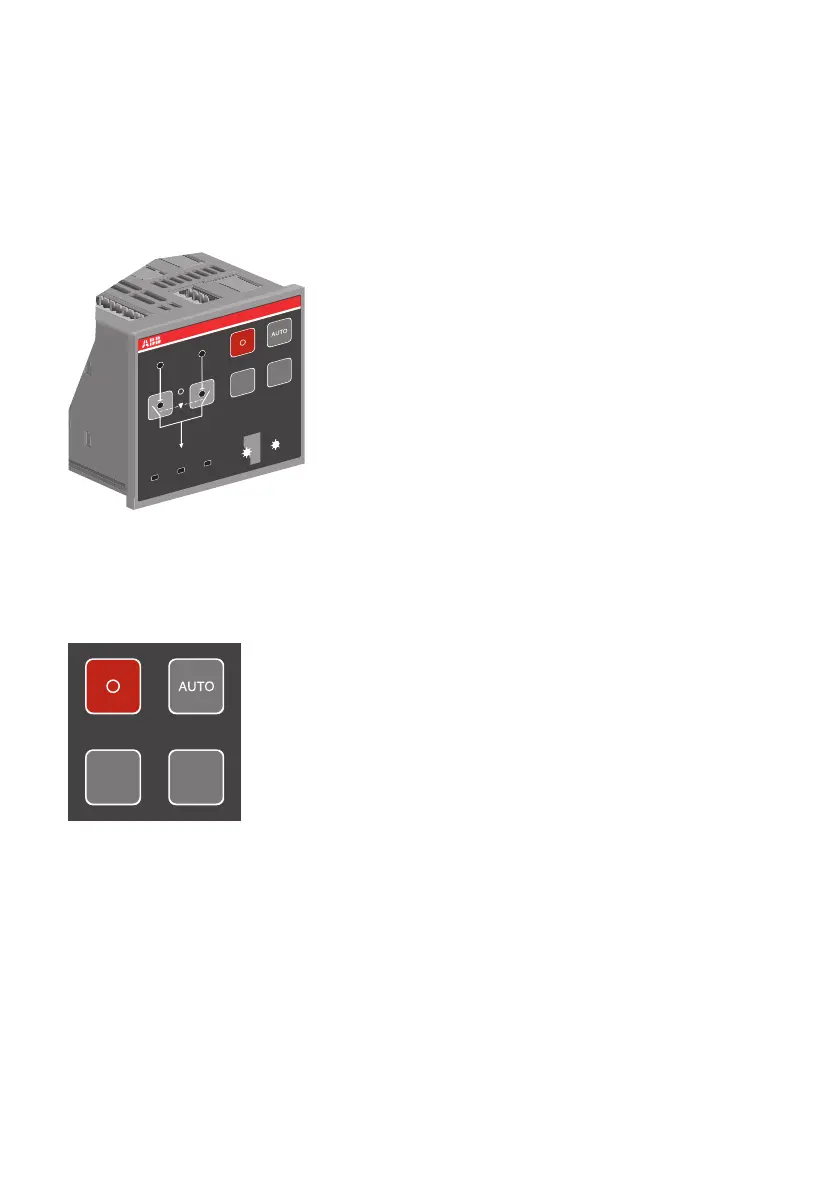
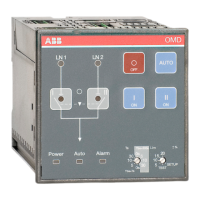
Figure 7.1 Interface of OMD100
Figure 7.2 Keypad on OMD100
AUTO key
Selecting the automatic control unit OMD100 to the manual or automatic mode. An active alarm
can reset by the AUTO key.
O key
Setting the motorized change-over switch OTM_C to the OFF position in manual and auto mode;
both switches (I and II) are in the OFF position. After pressing the O-key the automatic control unit
OMD100 is always in manual mode.
I
I
II
II
OMD
OFF
ON ON
20
5
10
15
+
-
%
0s
5
10
30
0s
5
10
30
Ts
Tbs=300s
Tbs=Ts
Lim
SETUP
TEST
LN 1 LN 2
Power
Auto Alarm
KA00291
I II
OFF
ON ON
KA00294


 To Next Page