35
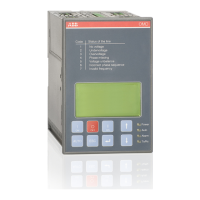
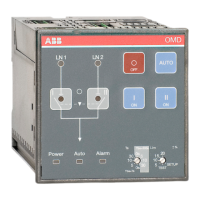
AUTOMATIC CONTROL UNIT, OMD100
AUTOMATIC CONTROL UNIT, OMD100
State Action
Switching from position
I to position O fails.
After 3 seconds the
Alarm LED blinks and
the I LED is ON.
The alarm can be reset by pressing the AUTO key.
If the alarm does not disappear, please check that the handle has been
removed from the change-over switch and the change-over switch is
not padlocked from the front panel.
If the alarm can be reset but it activates again after trying to operate
the switch, please check that the Motor/Manual selector of the change-
over switch (only with motorized change-over switches OTM160...2500_
CM) is in Motor (M) position and check the fuse (F1) of the motor
operator.
Switching from position
II to position O fails.
After 3 seconds the
Alarm LED is blinking
and the II LED is ON.
The alarm can be reset by pressing the AUTO key.
If the alarm does not disappear, please check that the handle has been
removed from the change-over switch and the change-over switch is
not padlocked from the front panel.
If the alarm can be reset but it activates again after trying to operate
the switch, please check that the Motor/Manual selector of the change-
over switch (only with motorized change-over switches OTM160...2500_
CM) is in Motor (M) position and check the fuse (F1) of the motor
operator.
Switching from position
O to position I fails.
After 3 seconds the
Alarm LED and the
I LED are blinking.
The alarm can be reset by pressing the AUTO key.
If the alarm does not disappear, please check that the handle has been
removed from the change-over switch and the change-over switch is
not padlocked from the front panel.
If the alarm can be reset but it activates again after trying to operate
the switch, please check that the Motor/Manual selector of the change-
over switch (only with motorized change-over switches OTM160...2500_
CM) is in Motor (M) position and check the fuse (F1) of the motor
operator.
Switching from position
O to position II fails.
After 3 seconds the
Alarm LED and the II
LED are blinking.
The alarm can be reset by pressing the AUTO key.
If the alarm does not disappear, please check that the handle has been
removed from the change-over switch and the change-over switch is
not padlocked from the front panel.
If the alarm can be reset but it activates again after trying to operate
the switch, please check that the Motor/Manual selector of the change-
over switch (only with motorized change-over switches OTM160...2500_
CM) is in Motor (M) position and check the fuse (F1) of the motor
operator.
—
9. Troubleshooting
—
9.1 OMD100
Table 9.1 Fault situations in OMD100


 To Next Page