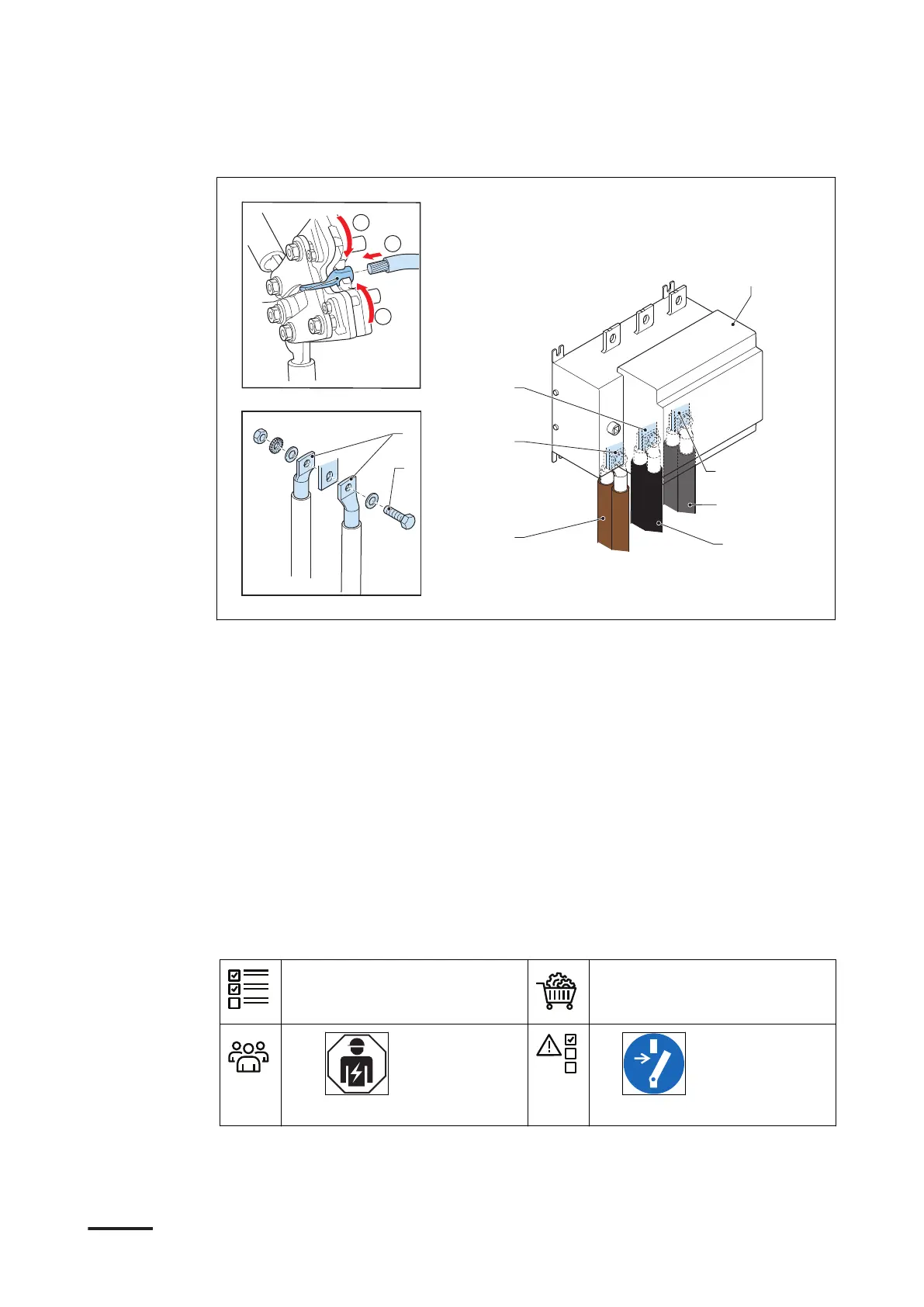
Procedure
1. Prepare the wires.
a. Cut the wires (A), (B) and (C) to the length that is sufficient for connection to
the connector on the manual switch (D).
b. Attach the cable lugs (E) to the end of the wires. Use the crimp plier tool.
2. Attach the wires to the connectors. Use the fasteners.
• Brown L1 wire (A)(2x) to the connector (F)
• Black L2 wire (B)(2x) to the connector (G)
• Gray L3 wire (C)(2x) to the connector (H)
Use the fasteners (I).
3. Tighten the fasteners to the correct torque. For the specification, refer to
section 10.7.
5.7.3 Connect the wires of the AC input cable (Terra 180)
Preliminary requirements
• The front door is open.
• Cable lugs M11
• Fasteners M11
•
Installation engineer
•
Installation
68 9AKK108467A6398-EN | 002









 To Next Page