ABEM Terrameter LS
6
Note! The power panel can get hot when operating, especially
when transmitting with high power. Be careful when
handling the Terrameter LS in order to avoid burning
anything. See also chapter 2.5 The Power Supply.
2.3 The Built-in GPS Receiver
Terrameter LS has a built-in GPS receiver that automatically saves positioning data
along with all measurements. In order to function well the built-in antenna in the
handle of the instrument must be able to receive signals from a sufficient number of
satellites. This will normally not function indoors and in outdoor areas with limited
viewing angle towards the sky the function can be limited, for example in a forest.
Figure 5. The GPS antenna is integrated in the left side of the handle
2.4 The User Interface Panel
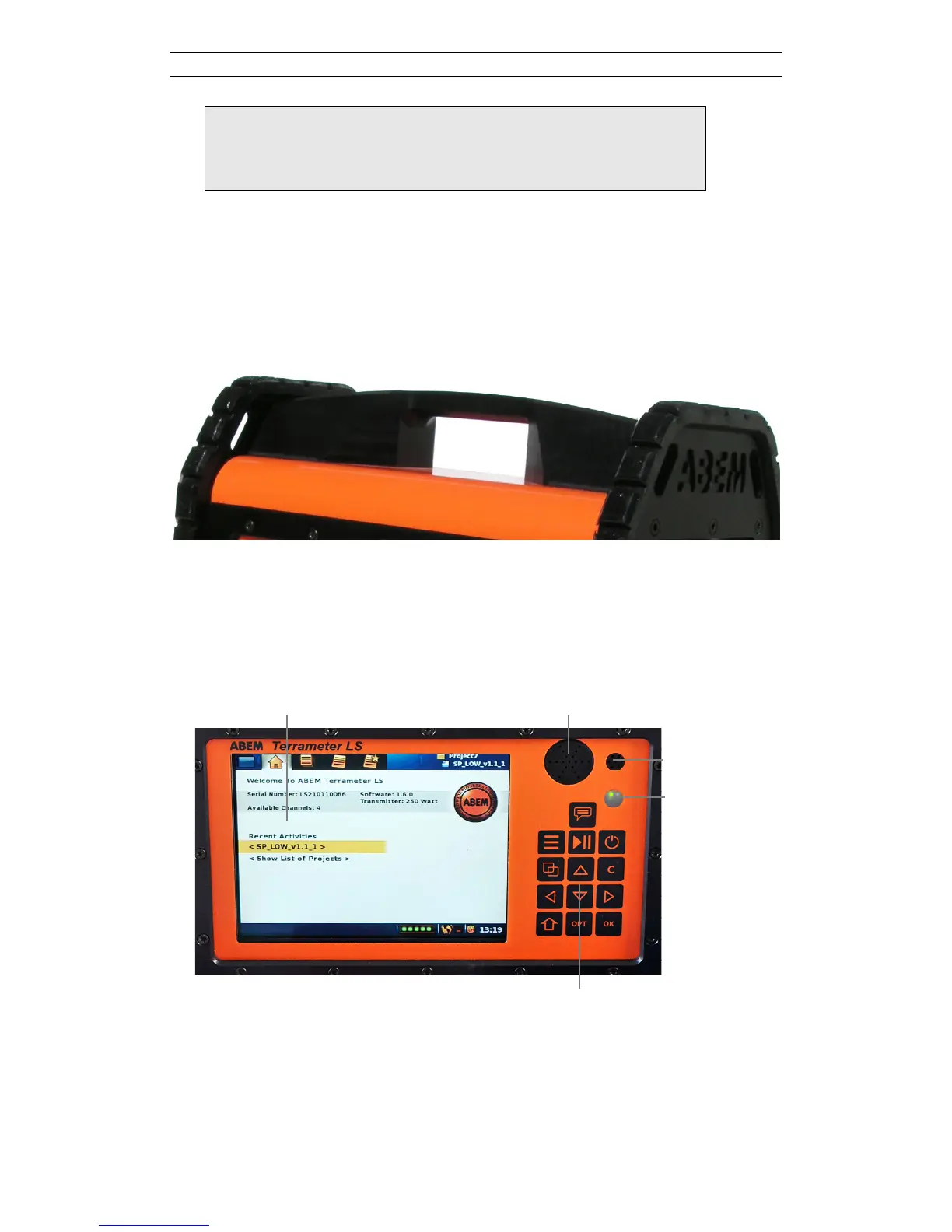
All interaction with the Terrameter LS is done through the user interface panel.
Figure 6 points out the parts of the user interface panel.
Figure 6. The user interface panel
There are two LED’s shown through the LED Window:
- The red LED indicates disk activity
- The green LED is a heartbeat indicator meaning that the software is alive



 To Next Page