46
SCANNING
Here you can configure the way your scanning keyboard works.
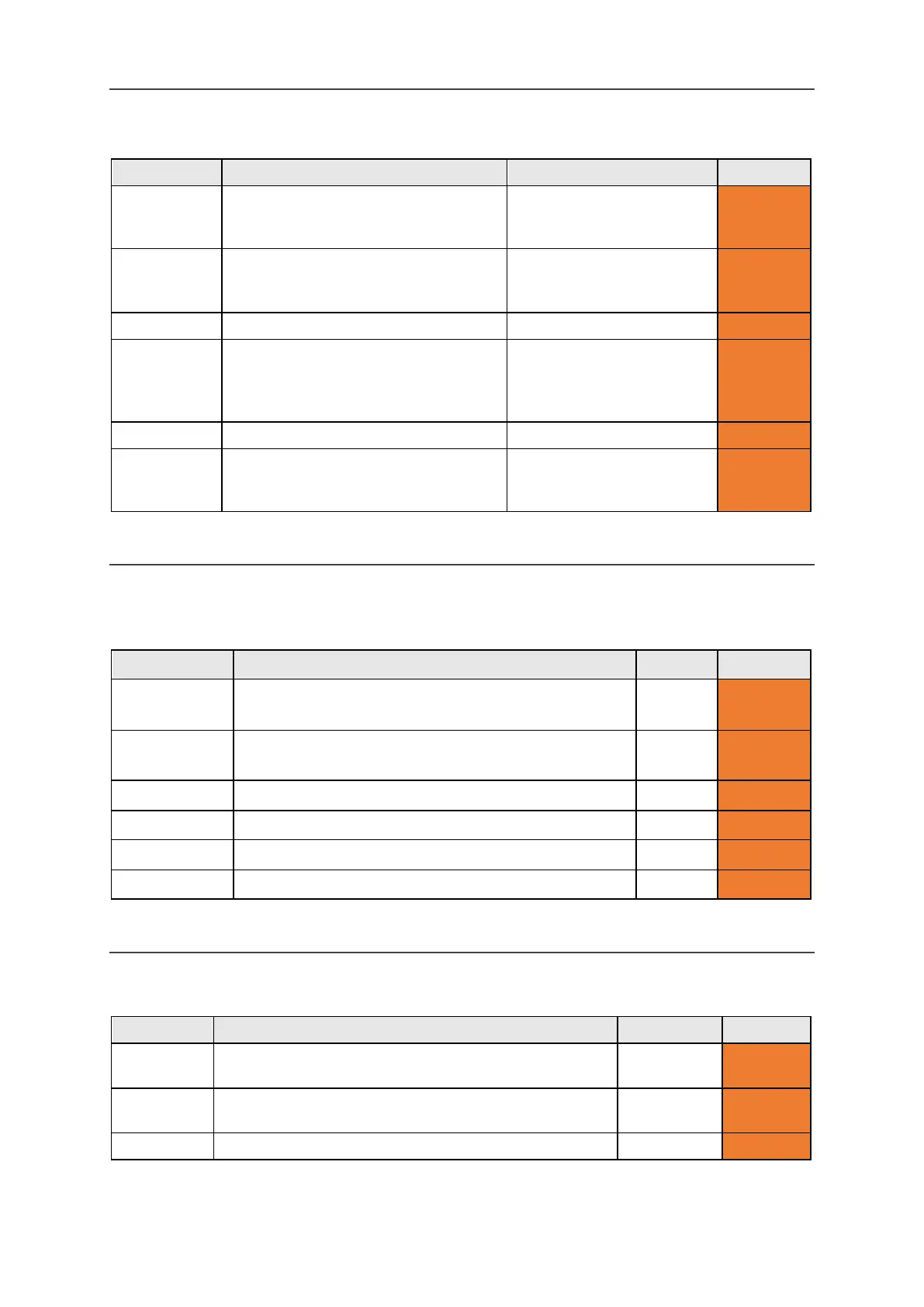
Setting Description Values User Level
Scan Pattern Configure the sequence used to scan
the keyboard (see Scanning for more
Row / Column, Key by Key,
Half and Half (split)
Advanced
Scan Sound Set the sound used to indicate scan
progress.
Announce, Beep, Click,
Ascending Tones,
Advanced
Select the volume for the scan sound.
Tone/Click Volume: 0-10 (5)
Any Key
Scanning
Turn on 'Any Key Scanning'
(the keyboard will scan, and pressing
any key will select the current scan
On, Off Advanced
Scan Speed Select how fast to scan keys.
Scan
Timeout
Select the number of times the scan
will loop before reverting back to the
1-10 loops (4) Advanced
PHONE
Here you can connect to your mobile device via Bluetooth in order to use SMS texting and make
mobile phone calls.
Setting Description Values User Level
Bluetooth
Activation
Switch Bluetooth on or off. On, Off Advanced
Bluetooth
Pairing
Browse currently available Bluetooth devices. - Advanced
Send SMS Send an SMS using a paired Bluetooth device. - Advanced
Phone call Make a telephone call using a paired Bluetooth device. - Advanced
Inbox Here you will find your recently received text messages. - Advanced
Outbox Here you will find your recently sent text messages. - Advanced
POWER
Set the power levels at which you will be reminded to charge your Lightwriter.
Alarm level
Set the power level at which the device will show an alert.
0-100 (10%)
Advanced
Alarm level
Set the power level at which the device will make a sound.
0-100 (5%)
Advanced
Action level Set the power level at which the device will shut down.
www.sentient-healthcare.ie



 To Next Page