75
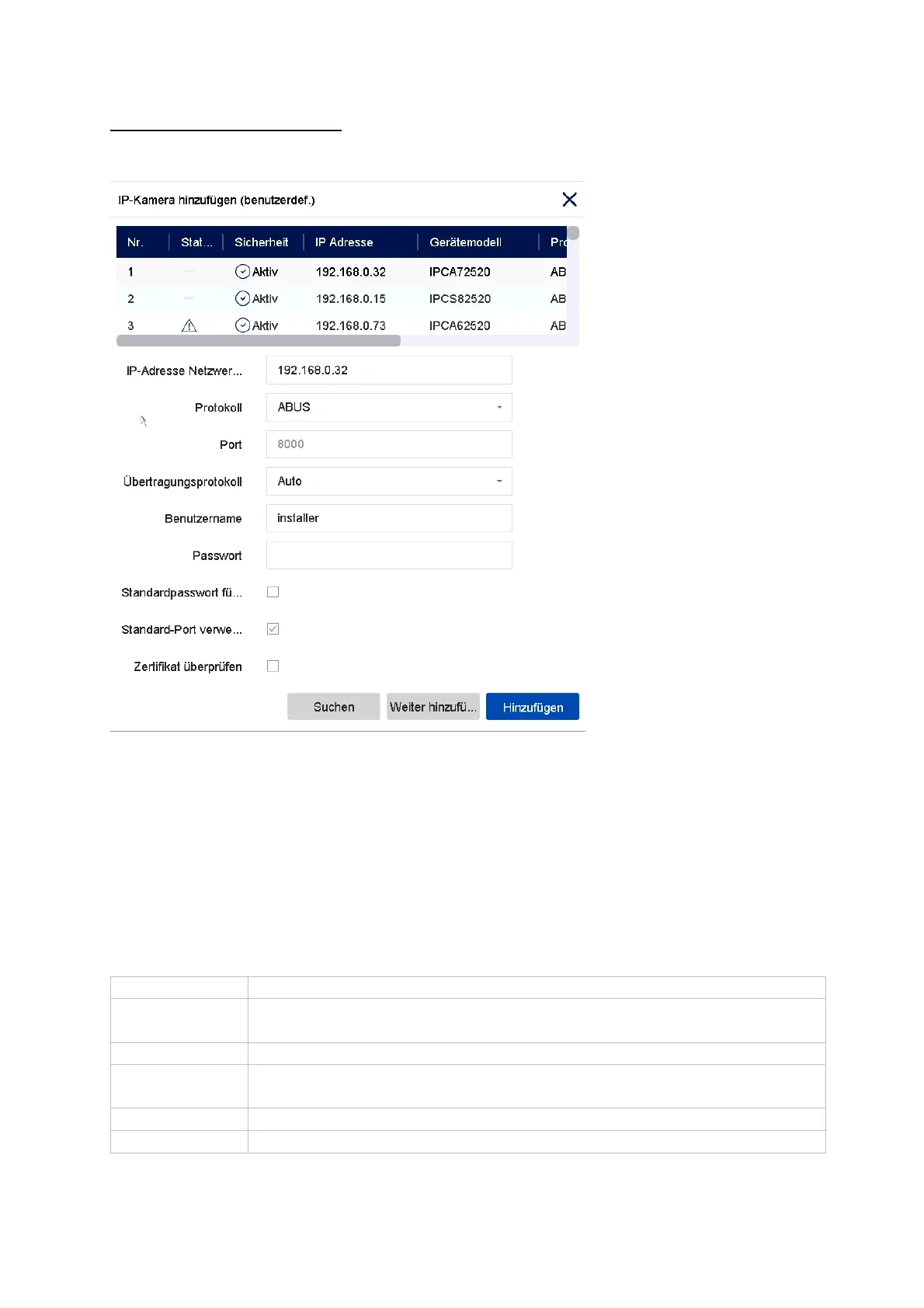
Manual Add / Custom Add
Here you can manually add network cameras by entering the IP address, protocol
and specifying the port and user ID, or edit settings of cameras that have already
been added. This menu can also be used to add network cameras from other
manufacturers, as well as ONVIF-compatible cameras and RTSP profiles.
Select a camera from the list and add/change the corresponding parameters, if
necessary.
Alternatively, you can add cameras by clicking on the buttons at the top of the menu.
IP address IP address of the camera
Protocol Manufacturer Communication protocol. For cameras from ABUS,
please select ABUS as the protocol.
Port Communication port of the camera
usuall
port 80 or 8000
Transmission
protocol
Auto (recommended) , UDP, TCP
Username User name of the admin account of the camera
Password Password of the admin account of the camera



 To Next Page