86
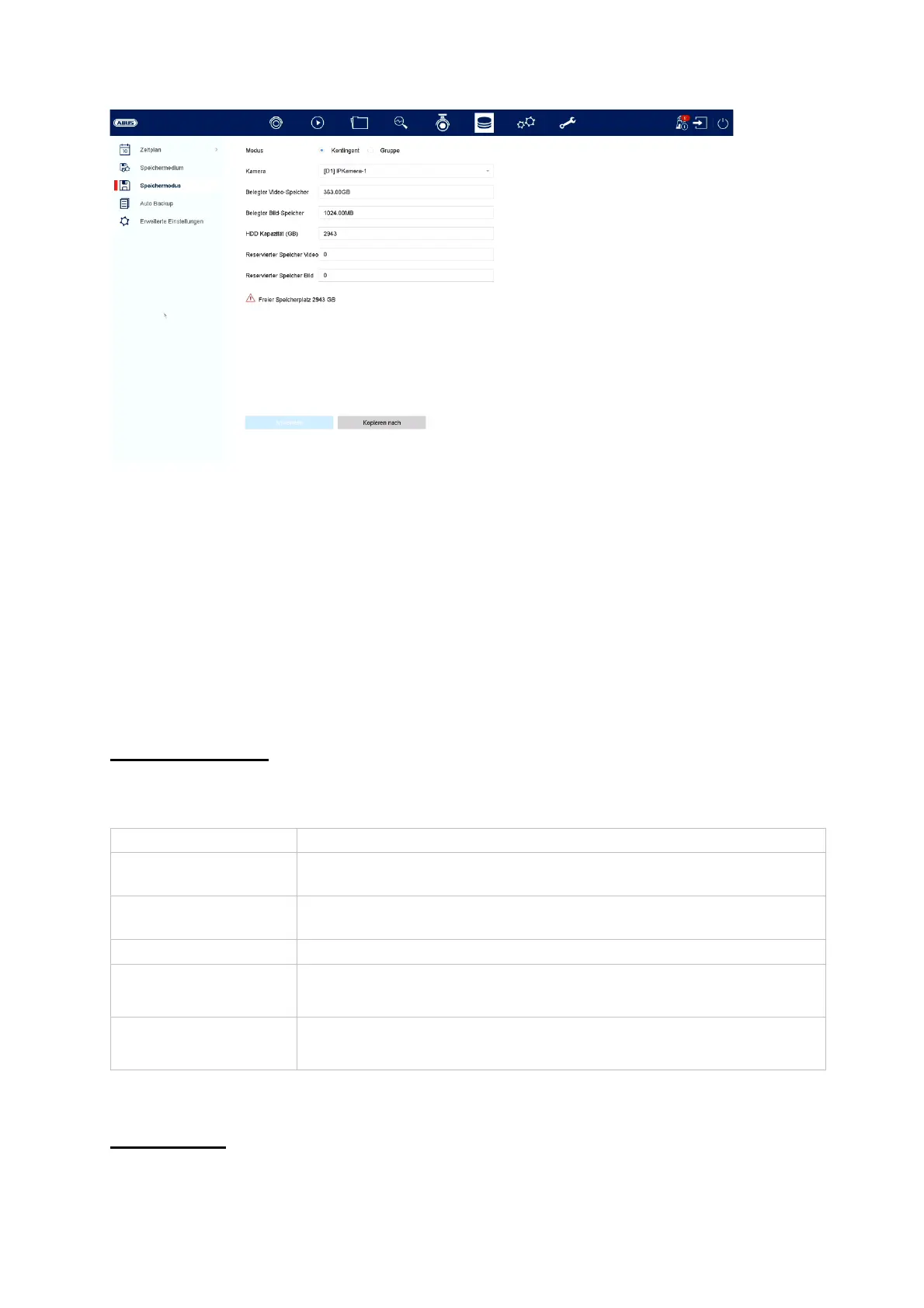
In this menu you set the storage mode of the recorder. Two different storage modes
are available, either to distribute video data to all hard disks or to enable specific
write operations to individual data media.
Mode: Contingent
In this mode, the video data is written distributed over the total number of all
connected data carriers.
Mode: Group
Camera Select the camera
Occupied video
memor
Currently used video memory on the data carrier network
Occupied image
memor
Currently used image memory on the data carrier network
HDD capacity (GB) Shows the total storage space in GB
Reserved memory
"Video
Set the maximum recording size for video on the data carrier
group per camera
Reserved memory
"Images
Set the maximum recording size for images on the data
carrier group per camera



 To Next Page