38
• Display lighting
The back lighting of the display illuminates when the control
panel is touched. If no further entries are made on the panel,
the lighting switches off automatically after 1 minute.
5. Installation
1. Open the cover screws and remove the cover from the base of
the dialer.
Mark the three holes on the wall using the base of the dialer as a
drilling template. Drill the holes.
Feed all connection lines through the rear opening, or use the cable
cut-outs on the top or bottom of the dialer. Attach the dialer to the wall.
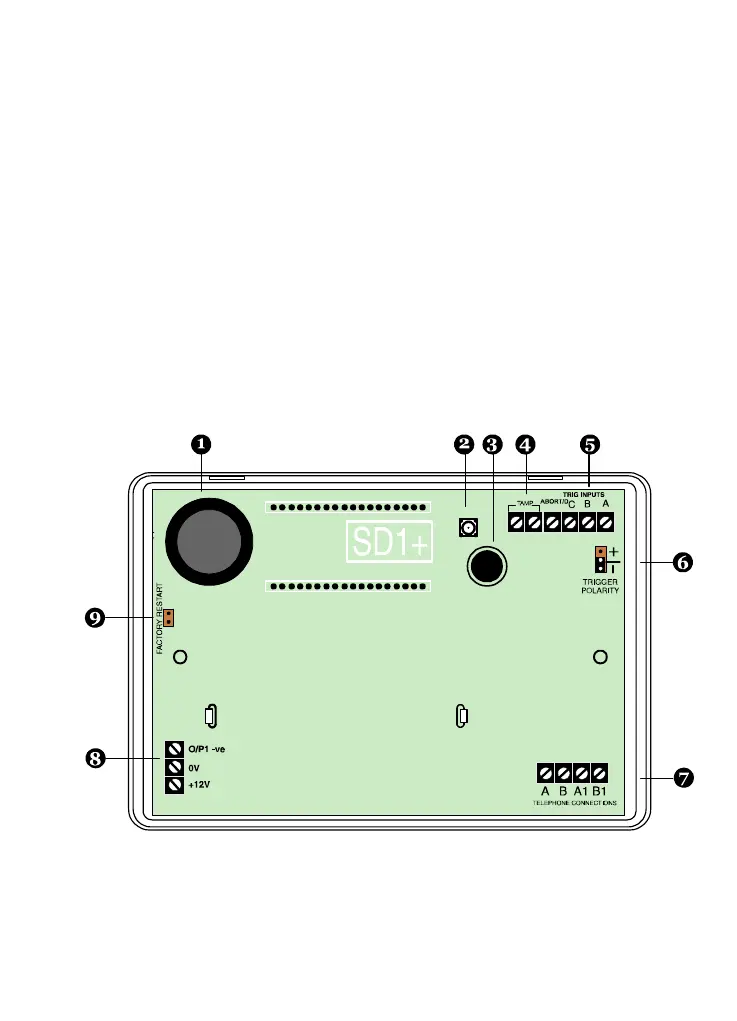
6. Board overview



 To Next Page