System displays / Systemoperation
76
System displays / Systemoperation
Status displays
The following status displays provide information about
the operating status:
LEDs on the top of the device
acoustic signal tones
icons (display elements) on the monitor.
Note the remarks in the separate quickstart guide.
Refer to the overview on page 75.
Lit blue without
flashing
The device is switched off or
the status display has been
manually deactivated in the
menu.
General
The device can be controlled using the following:
a USB mouse
Web interface
CMS software
Operating with a mouse
The further descriptions contained in this user
guide involve using a mouse.
The device is suitable for use with a USB mouse.
Connect the mouse to the USB port.
Single click:
Selection in the menu, activation of an input
field or a tab, display of the Quick Set
menu.
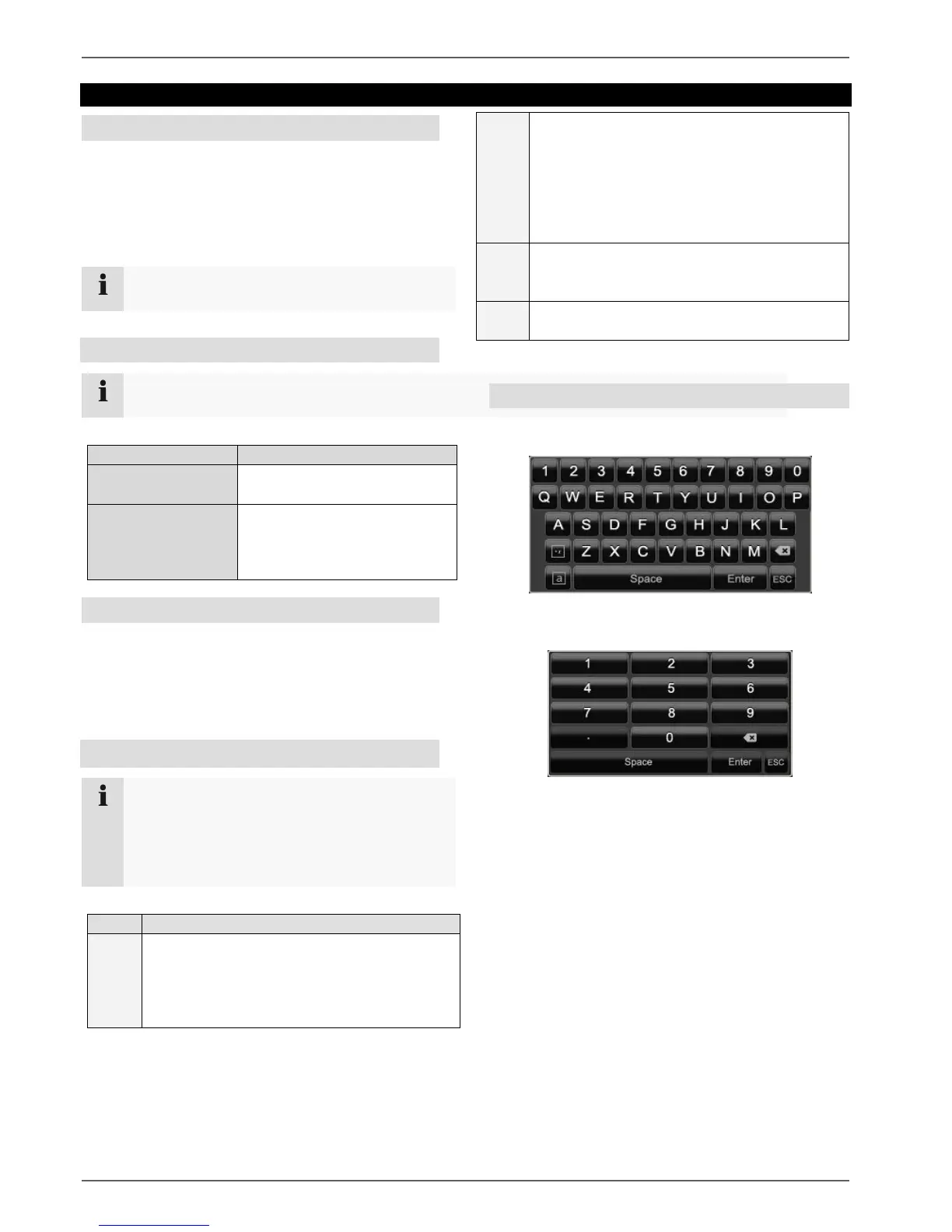
On-screen keyboard
If you click with the mouse in a text input field, the on-
screen keyboard appears:
For simple figure input, the following on-screen
keyboard appears:
The keys have exactly the same function as a
computer keyboard.
To input a figure, click on it with the left mouse key.
To finish the entry, click on Enter.
To delete the figure in front of the cursor, click on
.
To switch between upper and lower case text, click
on the framed a. The active setting is indicated
above the keyboard.
To cancel an entry, or to leave the field, click on
ESC.
Switch between the screen display of single
and multiple images in the live view and
during playback.
Click and drag:
Set up private masks or zones.
Open the pop-up menu.
Return to the previous menu.
Display previous/next camera.



 To Next Page