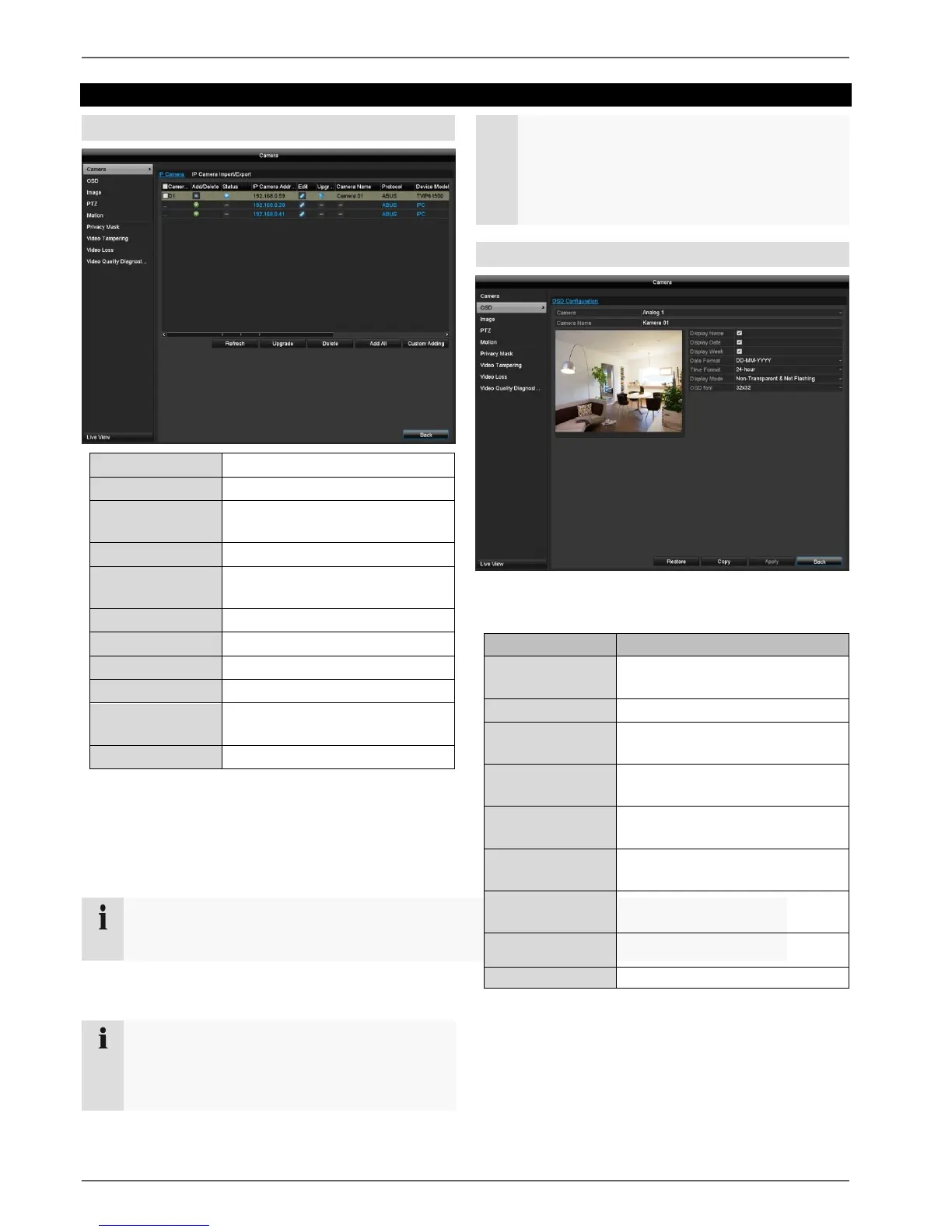
Adds a new network camera
Shows the IP address set for the
camera
Shows the name of the network
camera
Shows the selected protocol
Adds all existing network
cameras
Settings for custom adding
Click the + sign to add a network camera.
Click "Refresh" to search the network for existing ABUS
network cameras.
Click "Add All" to add all existing network cameras.
In some cases, you need to manually enter the
user names, password and http port afterwards.
The available bandwidth shows you how much bandwidth
is still available for setting up the network cameras.
One network camera can be added to recorder
TVVR33004 and two cameras to recorder
TVVR33008.
The following cameras are compatible with the
recorders:
TVIP11560; TVIP21560; TVIP41500; TVIP41660;
TVIP61500; TVIP61550; TVIP82900
OSD
Select the camera channel to be processed under
"Camera".
Selection of the camera channel
to be processed
Allocation of camera name
Activate/deactivate display of
camera name in the live view
Activate/deactivate display of
date in the live view
Display the calendar week for the
playback search
Select the display format for the
date of the playback search
Select the display format for the
time of the playback search
Settings for displaying the
camera name and date



 To Next Page