Camera
100
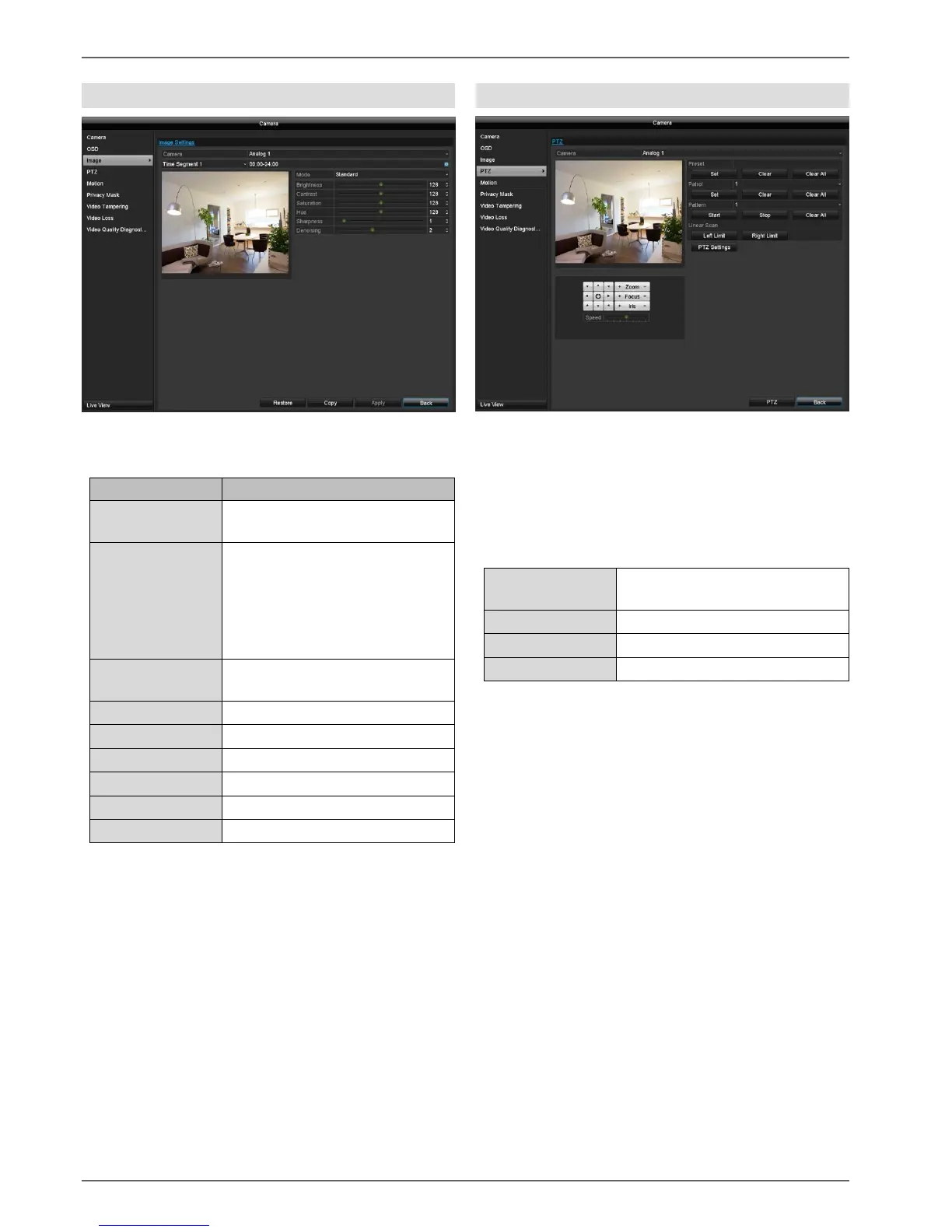
Image
Select the camera channel to be processed under
"Camera".
Selection of the camera channel
to be processed
The image settings can be set to
two different time segments per
camera (e.g. day/night). Time
Segment 2 is only available if an
adjustment is being carried out to
Time Segment 1.
Preset for indoor, low light
conditions and outdoor.
All image adjustments are made locally on the recorder
(recorder signal input). Dependent on the camera model,
additional image adjustments are carried out in the
camera OSD.
PTZ
Select the camera channel to be processed under
"Camera". When an analogue HD PTZ camera is being
used, the control signals are transferred directly via the
BNC cable.
Select the camera channel to be processed under
"Camera".
The following actions are programmable:
Saving of individual preset
positions.
Saving of motion pattern.
Saving and retrieving presets
1. Use the arrow keys to navigate the camera to the
desired image section.
2. Save the preset position by selection of a preset
number in the Preset input field. Input the desired
number via the keypad and press the "Set"
button in the Preset menu.
3. Click on the "PTZ" button and in the "General"
tab, select the position on the keypad. Press the
"Call Preset" button to go to the saved Presets
Setting up and calling up patrols
1. Create several presets to use for the patrol
2. Click on “Set” to configure the patrol. Define a
preset with dwell time and speed for each key
point.
3. Add more presets to set up the required patrol.
4. Click on the "PTZ" button and in the "General"
tab, select the position on the keypad. Press the
"Call Patrol" button to go to the saved patrol.



 To Next Page