HDD
111
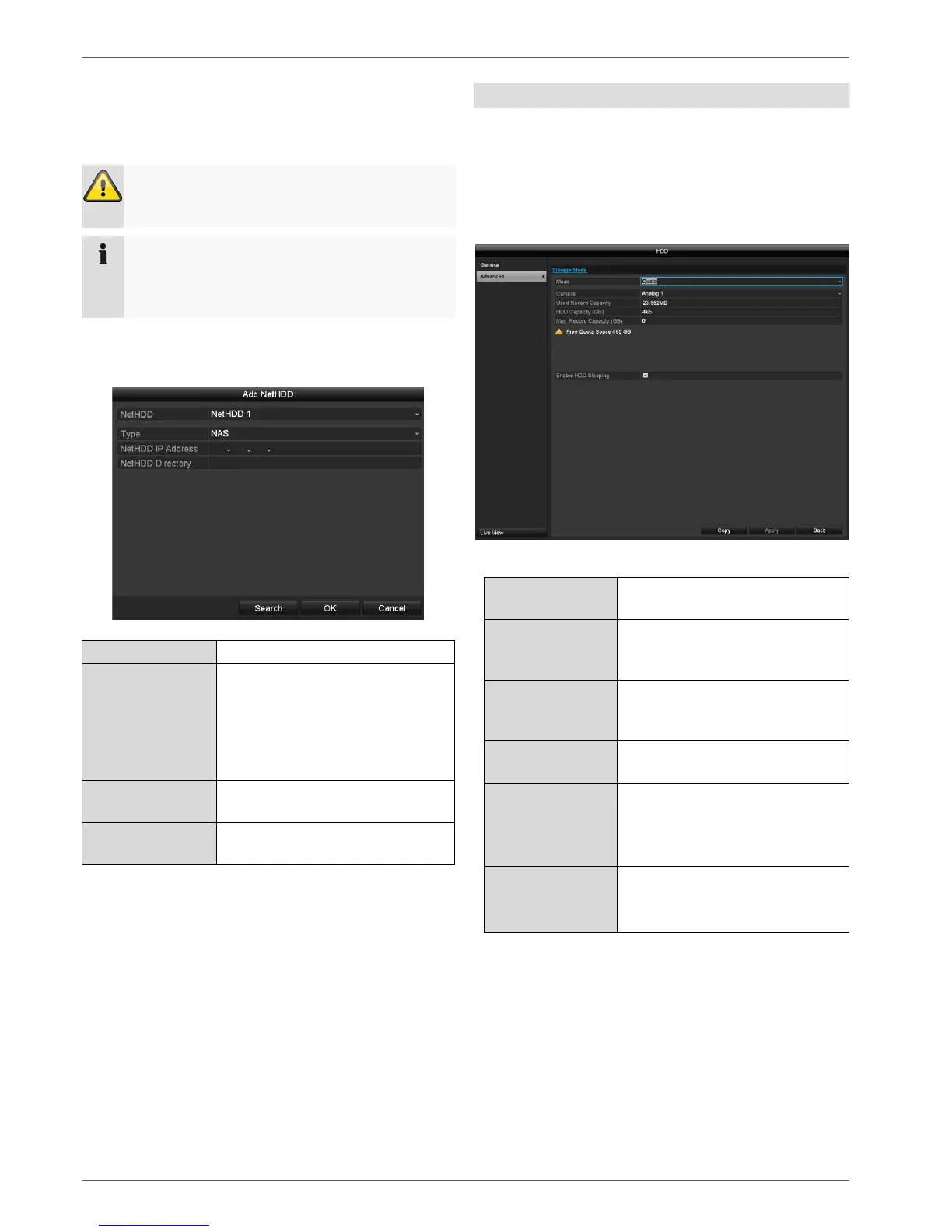
Add NetHDD
Additional data storage devices can be added to enable
storage across the network.
Click on Add to add a NetHDD.
Click on Search to identify the network storage and then
click on OK to add the NetHDD.
The NetHDD must be initialised before use.
Advanced settings
Here you can define the settings for the storage mode.
Mode: Quota
In this mode, video data is divided between the total
number of data storage devices connected and written
onto them.
Selection of the camera channel
to be processed
Video storage space currently in
use on the linked data storage
devices.
Picture storage space currently
in use on the linked data storage
devices.
Total available hard disk drive
capacity (in GB).
Max. Record
Capacity (GB)
Specify the maximum video
recording size on the linked data
storage devices for each
camera.
When this function is activated,
idle hard disk drives go into
standby mode.
1. Use Copy to specify if the setting is to be applied to
all cameras.
2. Confirm the settings by clicking on Apply and exit the
menu by clicking on OK.
When using NetHDDs, ensure that your network is
of a sufficient size.
The playback of recorded data may be slower if
you use NetHDDs than if you are using the
internal hard disk drives.
Choose from eight NetHDDs.
NAS: For this setting, your
network storage must support the
NFS file system.
IP SAN: For this setting, your
network storage must support the
iSCSI protocol.
Enter the network storage IP
address.
Enter the storage path or iSCSI
target.



 To Next Page