Contents
Configuring the device
Note
Note the remarks in the separate quickstart guide.
• Carry out the individual steps in the ‘setup wizard’,
see page14.
• The following settings are configured one after the
other: (Sequence)
Select the operator console language
Administrator configuration
Time settings (date, time etc.)
Access point settings
Network settings
Hard disk drive management (initialisation
etc.)
Camera settings
Recording settings
Note
From the ABUS home-page (www.abus.com),
find out if new firmware updates are available
for this device and install these.
Note
Later alteration of date and time can lead to loss
of data.
Note the explanation of:
Description
PAGE10
Live view
PAGE18
Playback
PAGE23
Network
PAGE29
Recording
PAGE43
Data export
PAGE49
Fault rectification
PAGE54
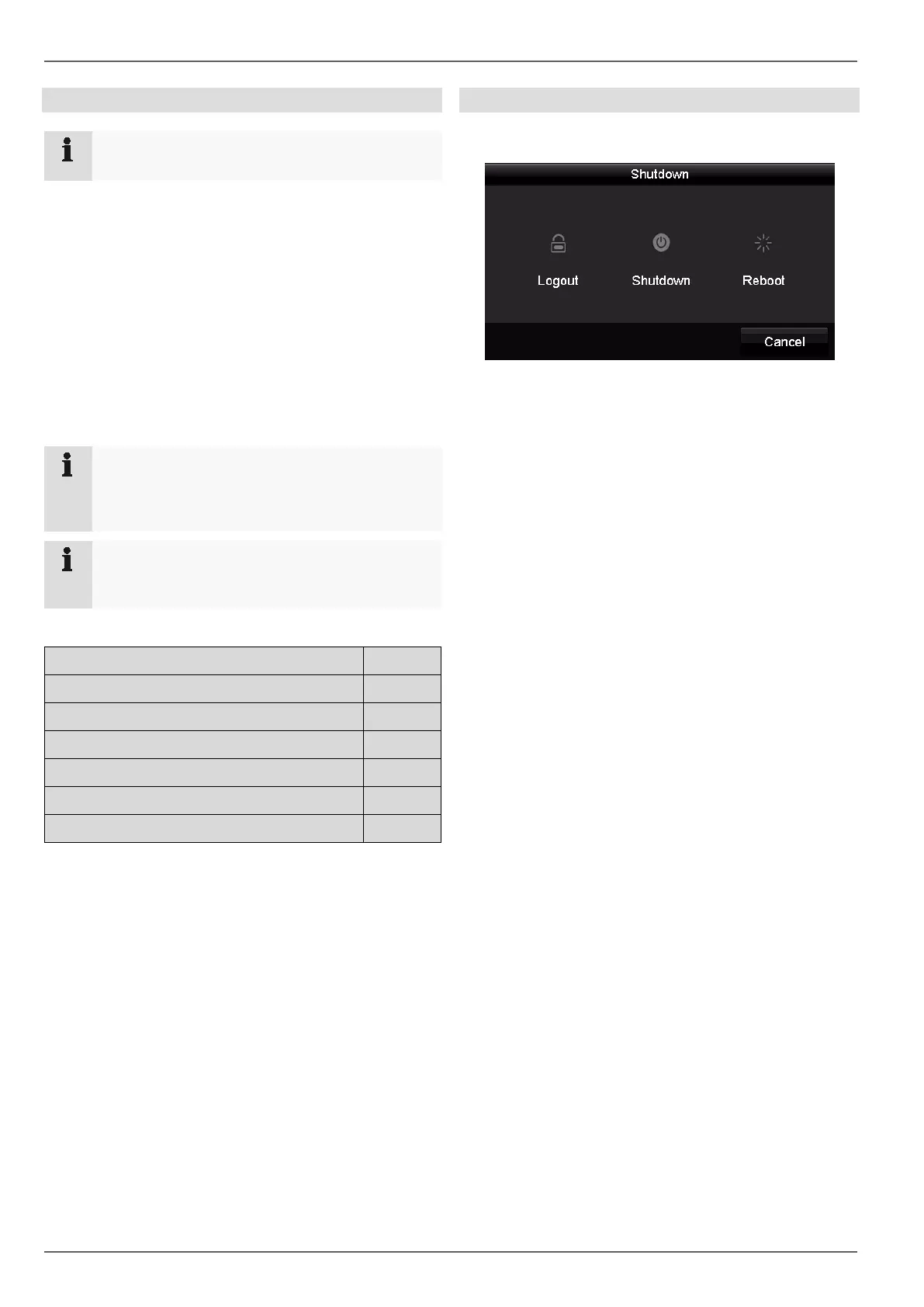
Switching off the device, locking, rebooting
In the main menu, click on Shutdown. The overview ap-
pears.
1. To switch off, select the Shutdown option and con-
firm the query with Yes. The device is switched off.
Now pull out the plug of the power supply unit.
2. To lock the system, select the left hand symbol Log-
out. The user interface is locked. To reach the menu,
a password must be entered.
3. To reboot, select the right hand symbol Reboot. The
device carries out a reboot.
Switching on the device
• Plug in the power supply unit to start the device.
13



 To Next Page