Camera
Camera
Camera
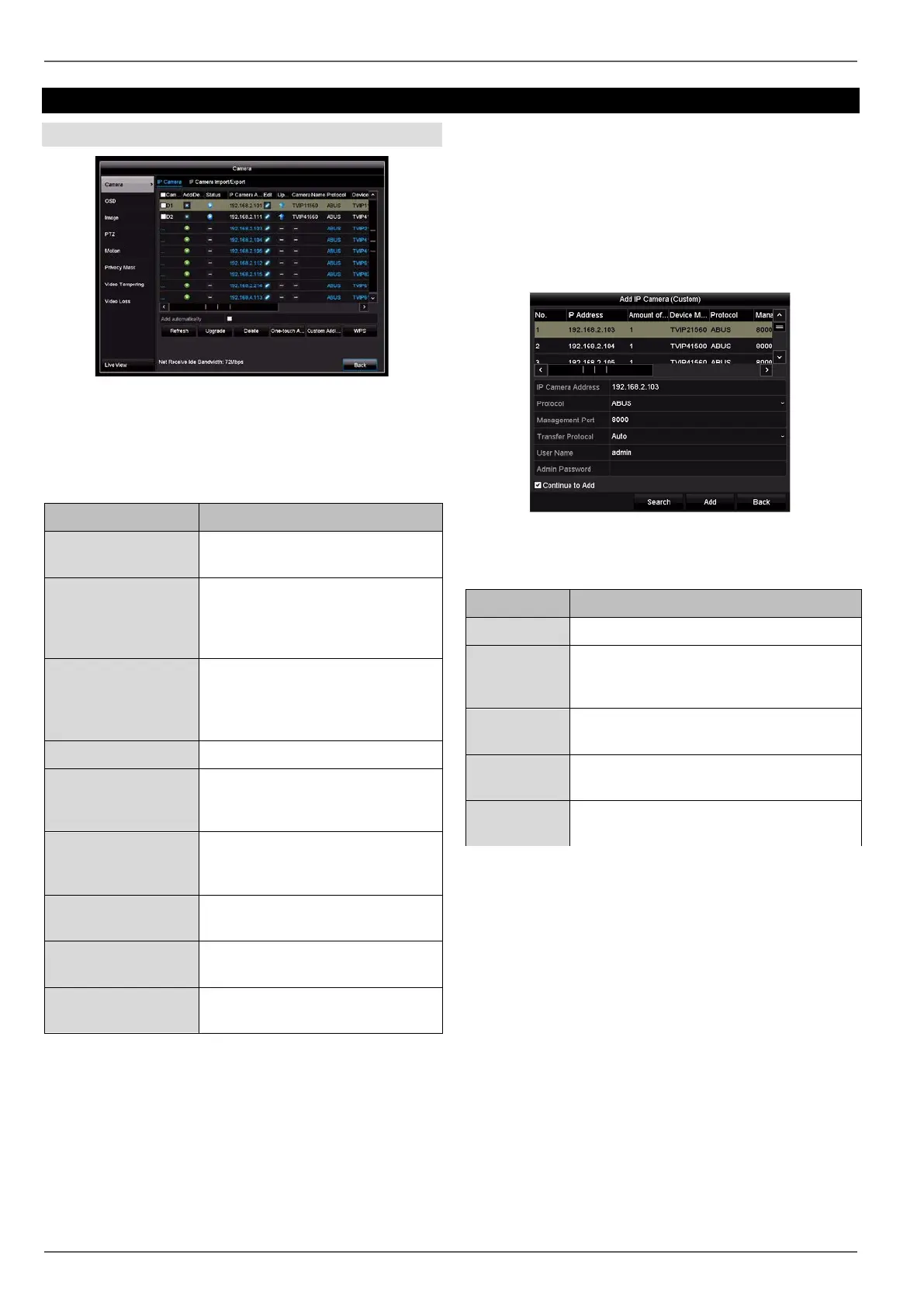
Here you can see an overview of all cameras currently
found on the network and a status display of cameras al-
ready integrated.
IP Camera tab
Parameter Setting
Camera No.
Channel port starting with
D1…D6.
Add/Delete
X: manually delete the camera
+
: quickly add the camera. To do
this, the camera must be set to the
standard user and port settings.
Status
>
: camera is online, click to view a
preview
!
: there is a camera fault or the
camera is offline.
IP Camera Address Displays the IP address.
Edit
Manually change the settings for
the IP address, protocol, port and
user name.
Update Start the firmware update (storage
medium with firmware is neces-
sary)
Name
Displays the camera name (see
OSD menu item).
Protocol
Displays the manufacturer device
protocol.
Device Model Displays the camera model num-
ber.
Click on Refresh to display the cameras on your net-
work.
Click on Update to start the camera’s firmware update.
(storage medium with firmware is required)
Click on Delete to delete the selected cameras.
Click on Add All to add all the cameras displayed.
Please note that no more than six cameras can be
added.
Select Custom Adding to manually add a camera.
Custom Adding
Here you can manually add IP cameras by entering the
IP address and protocol and specifying the port and user
ID.
Click on Search to refresh the device list.
Select a camera from the list and add to/change the cor-
responding parameters when necessary:
Parameter Setting
Address IP address of the IP camera.
Protocol
Manufacturer communication protocol
The recorder can only add cameras with
the ABUS protocol
Port
The network camera’s communication
port (usually port 8000)
User name
User name for the admin account of the
IP camera.
Admin Pass-
word
Password for the admin account of the IP
camera.
37



 To Next Page