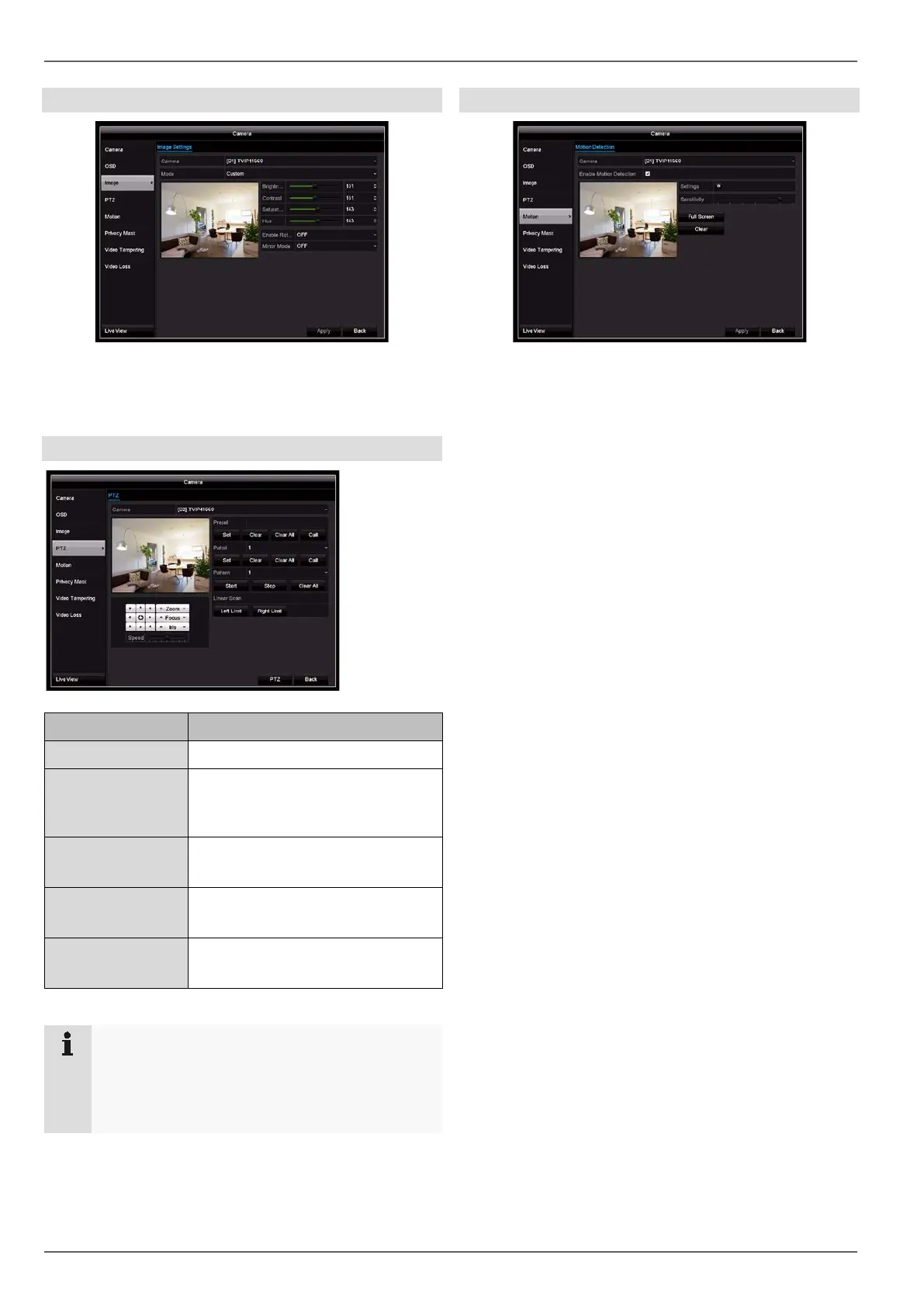
Camera
Image
Select the camera channel to be processed under “Cam-
era” and adjust the image settings based on the lighting
conditions.
PTZ
Parameter Setting
Camera Select the camera channel
Preset Preset selection
Set, delete or call up a preset num-
ber
Patrol Patrol selection
Set, delete or call up a tour number
Pattern Pattern selection
Start, stop or delete a pattern.
Linear scan Remove left limit
Remove right limit
Note
These settings are only relevant for cameras with
external PTZ control.
Patrols, patterns and linear scans are not availa-
ble with the TVIP21560 and TVIP41660 cameras.
Motion
Motion detection is controlled solely using the motion in-
formation on the recorder, which has been detected by
the camera. When the camera is connected to the sys-
tem, the recorder automatically sets a standard setting
for motion detection directly on the IP camera web inter-
face. The settings therefore have to be manually ad-
justed on the camera’s web interface based on the cur-
rent conditions.
To set up motion detection, proceed as follows:
1. Select the camera channel to be processed under
“Camera”.
2. Tick the “Enable Motion Detection” box and define
any other optional parameters under “Settings”.
3. On a PC, open the web interface for the camera you
have selected and adjust the advanced settings for
the motion mask, threshold and sensitivity.
4. Repeat the process for any additional cameras.
5. Click on Apply to save the settings.
6. If you wish to record based on motion detection,
switch to the “Record” menu item and select the rel-
evant cameras under “Time Schedule”. Here you
can configure the time schedule using the “Motion”
event in order to set up a motion-detection-based re-
cording.
7. Click on Apply to save the settings.
39



 To Next Page