Configuration
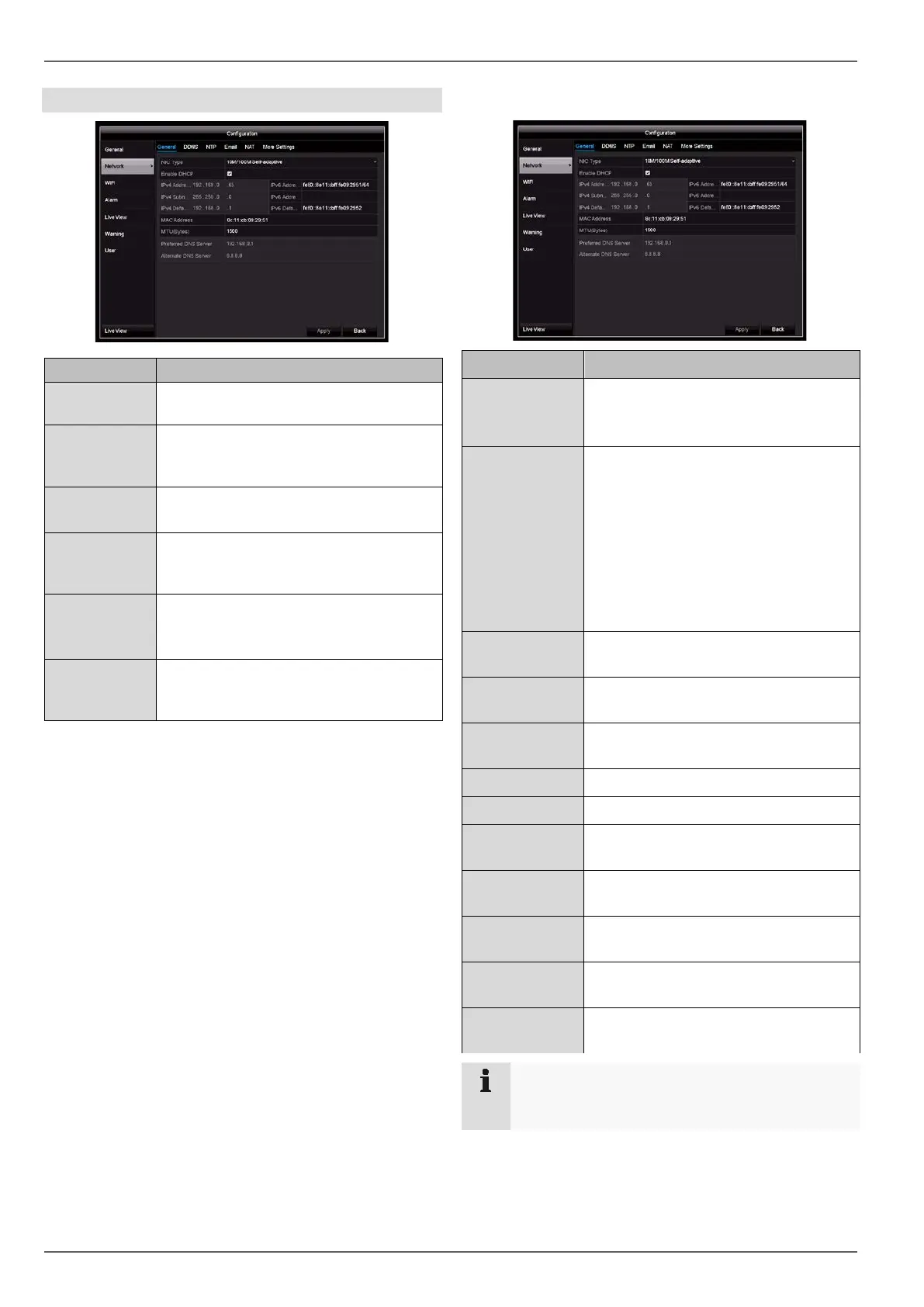
Network configuration
Settings for the local network and select-
ing the network mode.
Server for Dynamic Domain Name Sys-
tem management used to update host
names and DNS entries
NTP Network Time Protocol
Server for time synchronisation
Specify email settings to be used when
an email is sent to a specific address in
the event of an alarm.
Universal Plug and Play
Settings for the convenient control of
network devices on an IP network.
Settings
Used to configure the IP address of the
PC where a notification should be dis-
played in the event of an alarm.
General tab
Parameter Setting
NIC type Set the transmission speed of the inte-
grated network card here.
Tip: 10M/100M/1000M Self-adaptive
DHCP Tick the box if the IP addresses on the
network are assigned dynamically via
DHCP.
DHCP enabled: subsequent entry
fields are set to disabled because pa-
rameters are obtained via DHCP.
Note:
If the IP addresses are assigned man-
ually, ensure that DCHP is not enabled.
IPv4 address
Address of the network device on the
network when assigned manually
IPv4
subnet mask
Usually 255.255.255.0.
IPv4 default
gateway
Gateway address for internet access
IPv6 Address 1 Local (link local) IPv6 address
IPv6 Address 2 Global (global unicast) IPv6 address
IPv6 standard
gateway
IPv6 gateway address for internet ac-
cess
MAC address
Hardware address of the integrated
network card
MTU(Bytes)
Describes the maximum protocol
packet size
Preferred DNS
server
Address of the domain name server,
usually the IP address of the gateway
Alternative DNS
server
IP address of the alternative DNS
server
Note
In certain modes some of these settings cannot be
selected.
30



 To Next Page