Data Export
Data Export
In the menu, go to Video Export to export recorded
video data and images from the recorder. The following
options are available:
Duration Export video data which was rec-
orded with continuous record.
Event Export video data which was rec-
orded with event record.
Duration
Note
The export function is used to store important re-
cordings on connected external media, such as:
• USB media
• USB hard disk drives
• DVD writers
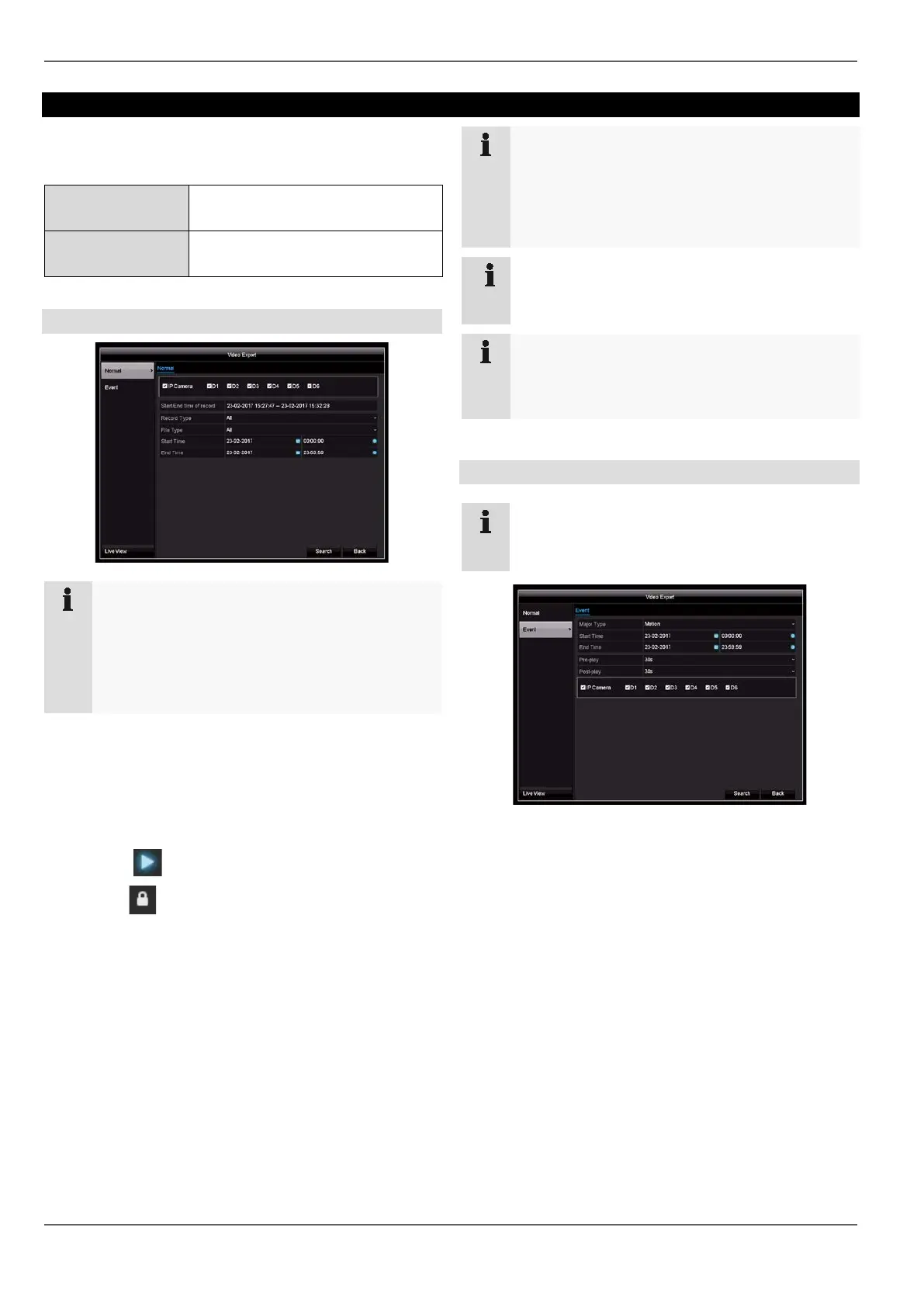
1. Enter the parameters.
2. Click on Search to start the search and the events
screen will appear.
• The file size of each of the recordings and the total
size of all recordings found are displayed.
3. Click on to view the corresponding recording.
4. Click on to lock and unlock a file. Locked files can
no longer be overwritten by the system.
5. Click on Export to go to the Export screen.
6. Select the connected medium to be used for storage
from the drop-down menu.
7. If the medium is not displayed in the list, click on Re-
fresh.
• If the medium is still not displayed in the list, discon-
nect it from the device and then reconnect it. See
also the manufacturer’s specifications.
8. Click on Export to start exporting. The progress of
the storage process will then be displayed.
Note
Once the storage process is completed, you can
select the data on the medium and play it back on
the player (which has to be exported separately).
This way you can check that the export was suc-
cessful.
a
Note
Pre-play recordings can only be viewed if record-
ing was started before the alarm.
Note
Because the recorder only has a USB port, either
use a USB hub or start the export via the re-
corder’s web interface.
Event
Note
The “Duration” and “Picture” sub-menus are simi-
lar and will therefore not be described separately.
Define the period of the recordings to be searched for us-
ing the “Start Time” and “End Time” selection fields. Se-
lect the camera by ticking or unticking the box and then
click on Search.
For both types of event, the following window will appear
after clicking on the Search button:
Select the files to be exported by ticking or unticking the
box. Under “Pre-play” and “Post-play”, you can set the
time before and after the alarm, which allows you to de-
fine the length of the video you export.
Click on Details to view the selected video. See
DURATION for more information about the Details win-
dow. See page49
49



 To Next Page