HDD
HDD
Hard disk drives
Note
The device can manage one 2.5" S-
drive.
The installed hard disk drives have to be initialised
before the device can be used for recording. It is
only then that the device will recognise the hard
disk drive.
Warning
All data will be deleted from the hard disk drive
during initialisation.
Ensure data is backed up beforehand.
Installing the hard disk drive
Warning
Switch the device off and disconnect it from the
mains electricity.
Ensure proper grounding to avoid static discharge.
1. To install a hard disk drive, see separate quickstart
guide.
2. Open the lower flap on the recorder
3. Push the hard disk drive into the intended slot
4. Check that the hard disk drive is mounted correctly
to the recorder’s plug connections
5. Close the housing
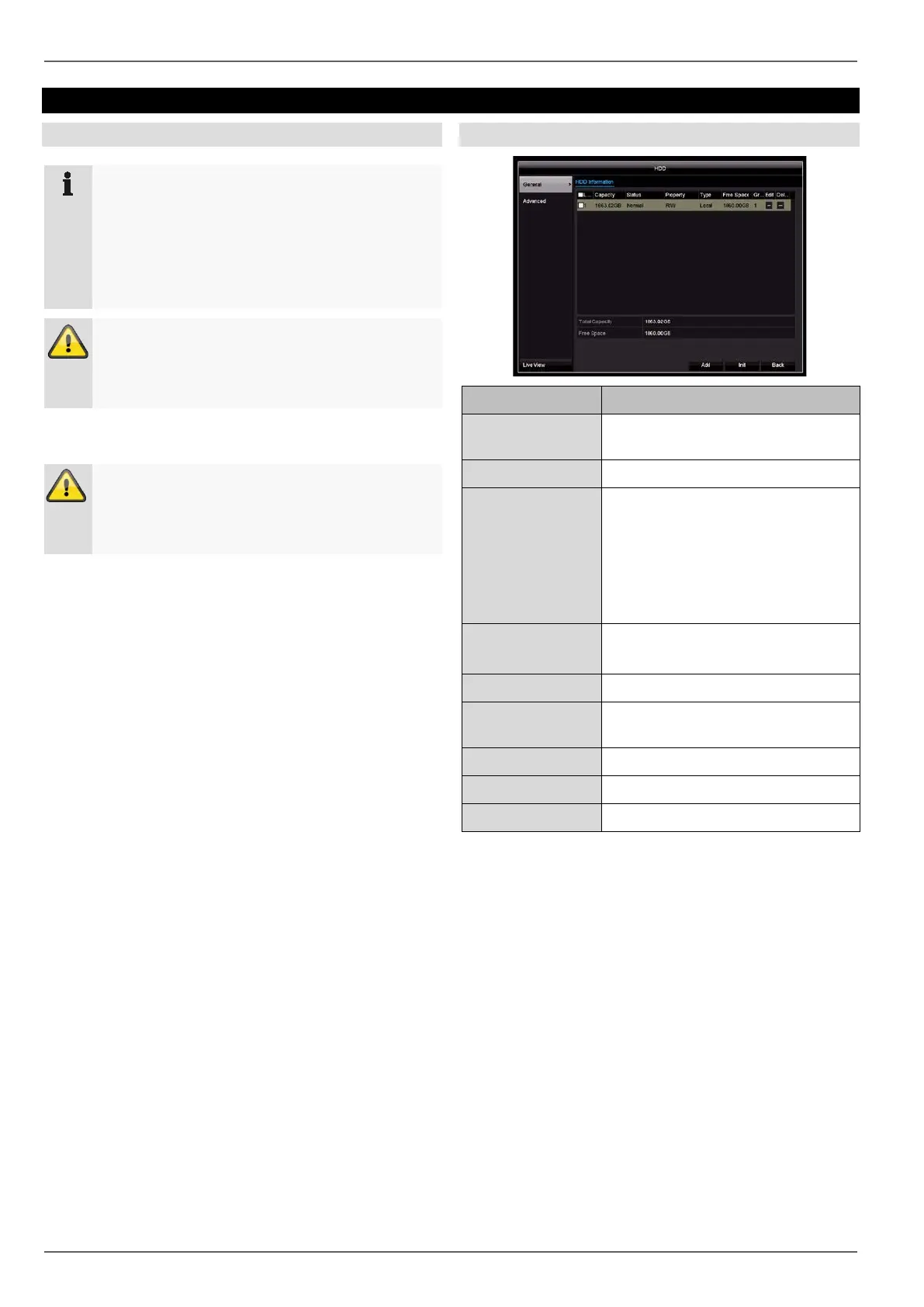
General
HDD Information Description
No. Shows the internal connection num-
ber
Capacity Hard disk drive capacity (in GB)
Status Shows the current status of the
hard disk drives:
Not initialised
Normal
Error
Standby
Attributes Read-only: write protection
R/W: read and write
Type Local: device hard disk drive
Free Space Shows the approximate amount of
free memory for recordings
Group Group ID
Edit
Delete Remove the hard disk drive.
Initialising the hard disk drive
1. Select the hard disk drive by ticking the box.
2. Click on Init. to start the process.
3. Click on OK to acknowledge the security prompt.
4. The status bar will show the progress of the initialisa-
tion.
5. Once the process has finished, the hard disk drive
will appear.
46



 To Next Page