- 104 -
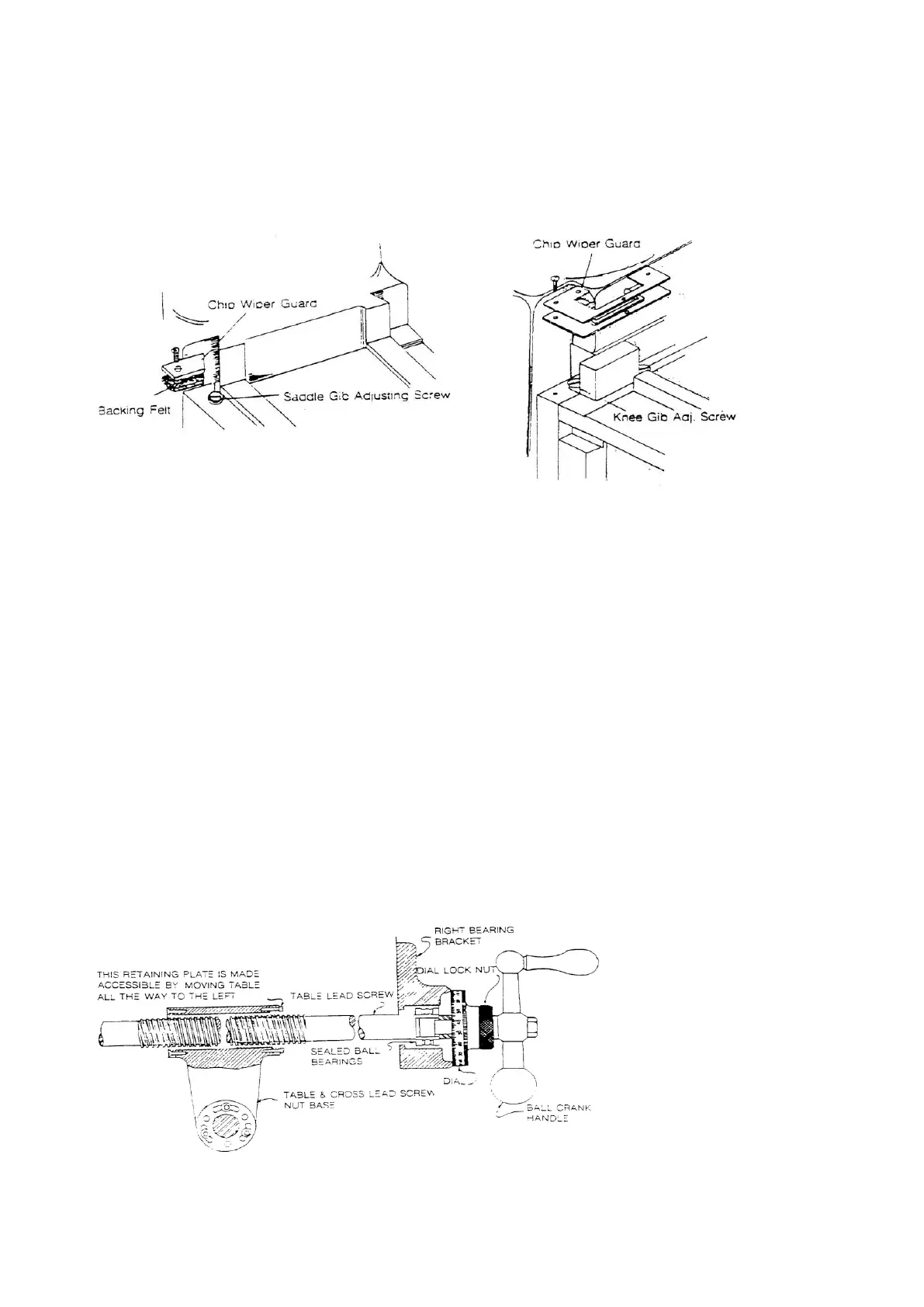
Adjustment of knee gib:
Remove chip wiper and adjust screw until smooth movement is attained. Replace
chip wiper.
For 3VS, 3VSII, 3VK For 3VKH, 5VK & 6VK
Figure 20. Knee/column gibs
7-3 Removing Table & Saddle
Remove the following: ball crank, handles, dial holders and bearing brackets.
Remove the lead screw and slide the table from the saddle.
Removing saddle
Follow the same procedures above; however, it is necessary to remove the entire
front bracket assembly. Next, remove the cross feed nut bracket with can only be
done by remove the table.
7-4 Leadscrew Backlash Adjustment
For 3VS, 3VSII, 3VK, 3VKH & 5VK
Table leadscrew adjustment
Crank the table to the left, loosen 3 screws, turn adjusting nut while slowly turn
handle until 0.004” or 0.005” is obtained, then tighten 3 screws again.
Figure 21. Table leadscrew assembly



 To Next Page