14
6.2 Mesh Topologies
Following are the mesh topologies:
•
Topology – One agent
•
Star topology – 2 agents
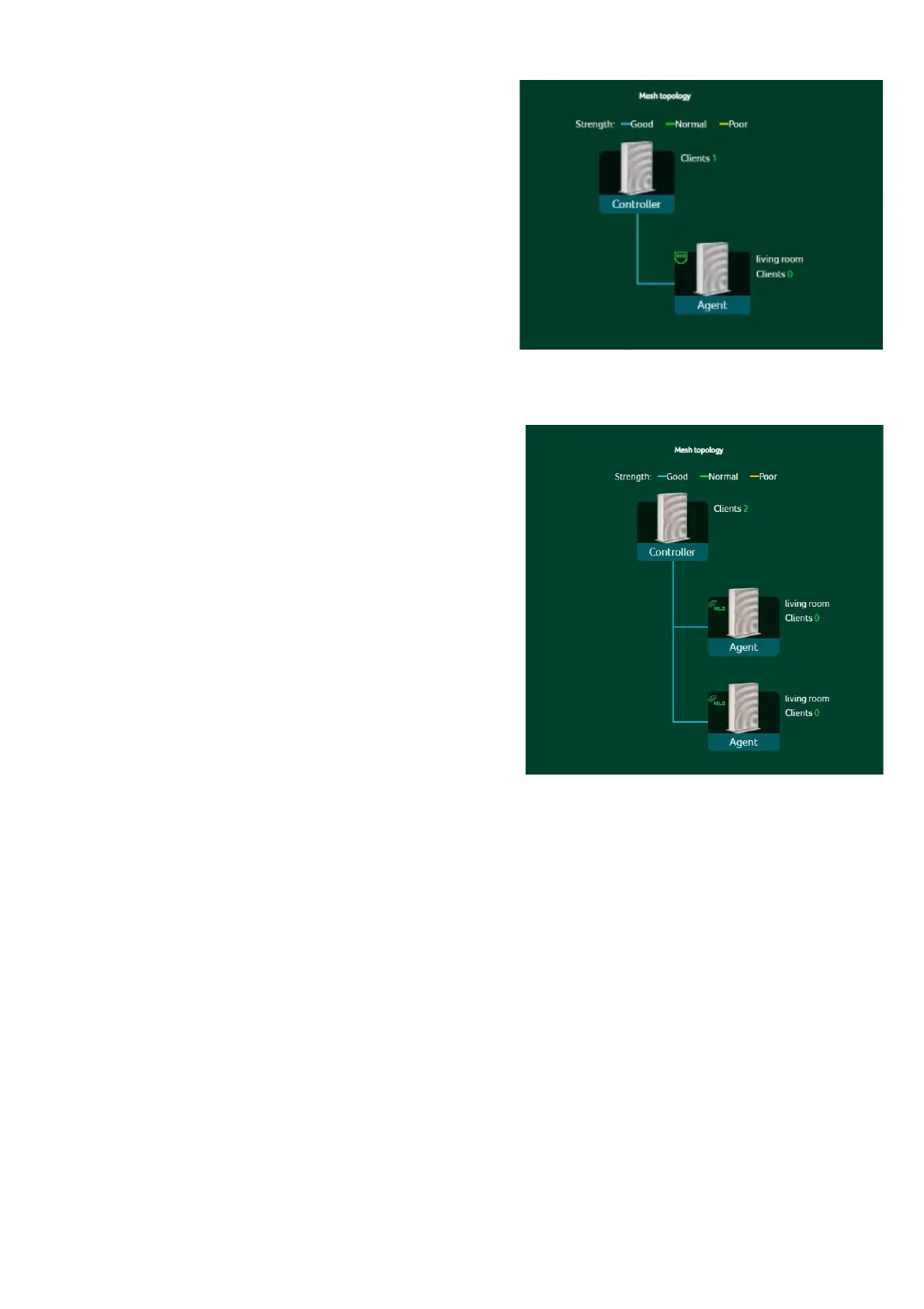
Topology – One Agent
In one agent topology, a controller is
connected with one agent, and the interface
between a controller and the agent can be
wireless or wired connectivity.
Blue color line indicates the good signal
strength between a controller and the
agent, so it is always recommended to place
an agent close to the controller.
Star topology – 2 agents
In star topology of 2 agents, a
controller is simultaneously connected
with three agents, and the internet
between a controller and the agents
can be wireless or wired connectivity.
There are some limitations in our mesh which are listed below:
I.
Due to the adoption of front-haul and backhaul sharing bandwidth to
connect various nodes in the Mesh network, if the Mesh agent is in a daisy-chain
configuration, each layer of connected nodes needs to simultaneously handle
communication with both upper-layer nodes and lower-level devices. As a result,
the available bandwidth speed will be halved and evenly distributed. Based on
this limitation, we recommend that users assemble the Mesh network using
Ethernet cables to connect the nodes. This will avoid rate loss due to shared
bandwidth (achieving lossless conditions). If users must connect the nodes
wirelessly, we suggest forming a star topology network to prevent significant
rate reduction caused by multi-tiered connections.
II.
Each device has a default
(pre-configured) mode, such as being preset as
Agent Mode. Even if the factory reset is performed, it will revert to the agent role.
To switch to another role, please use the Quick Setup to make the change.
III.
Once a device is preset as an agent, you can change the role by factory reset
and then accessing the Web UI (http://192.168.76.1). Alternatively, you can log



 To Next Page