20
8.4
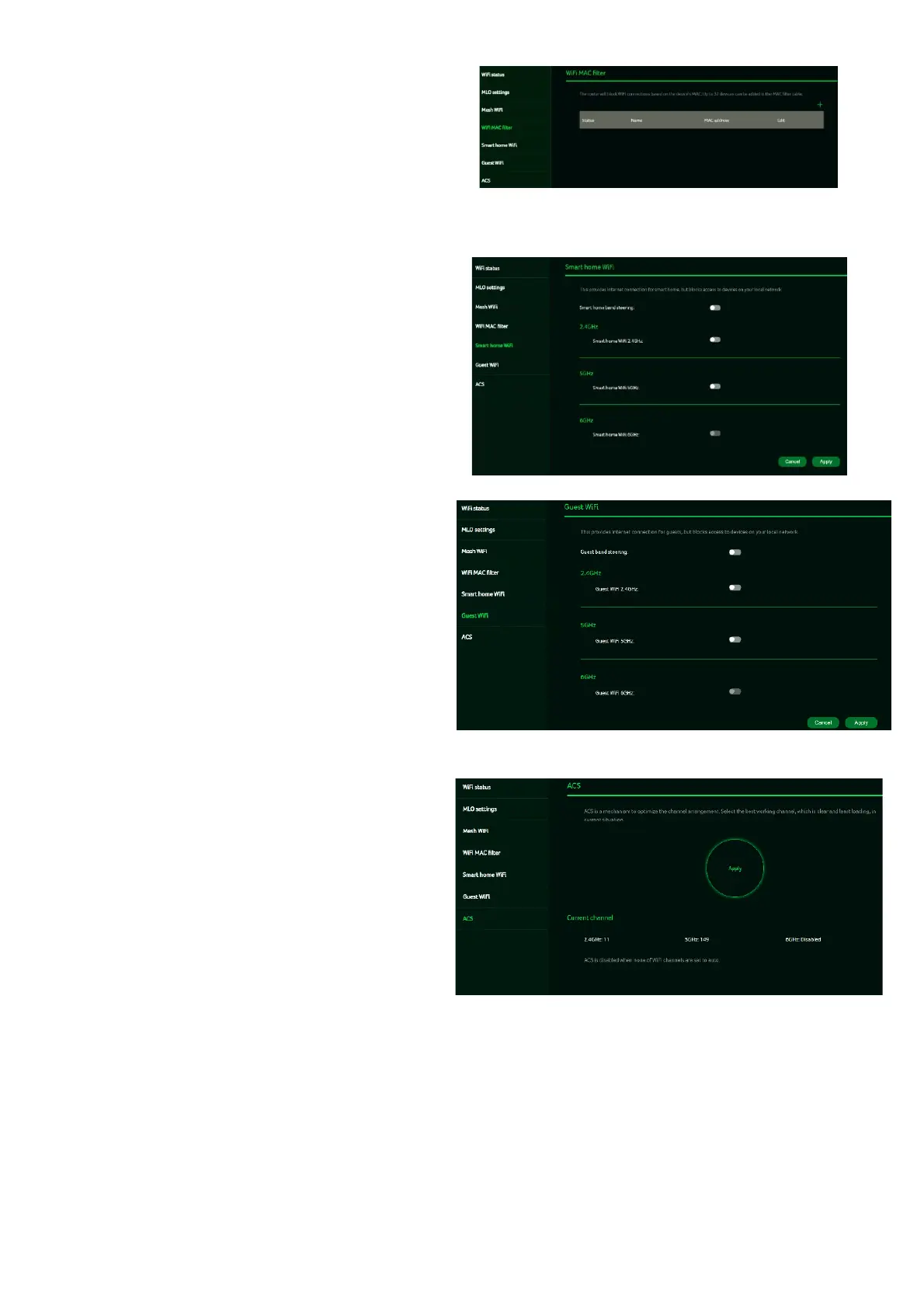
Wi-Fi MAC filter
Devices added to the Wi-Fi MAC filter will be
blocked from accessing the Internet.
To add a device to the filter table, click the (+)
icon and enter the device’s name and
MAC address. You can add up to 32 devices
to the MAC filter.
8.5 Smart home Wi-Fi
You can enable / disable smart home Wi-Fi
on this tab. It will provide the internet
connection for the devices, however no
connection will be provided to the other
devices.
8.6
Guest Wi-Fi
This tab provides information about the
Internet connection for guests and their
devices accessing your network.
Guest Wi-Fi password is set by the
default for all bands, so it is suggested
changing the passwords for security
reasons.
8.7 ACS (Automatic Channel Selection)
ACS is a mechanism to optimize
the channel assignment. It selects
the best working channel dynamically.
One that is clear and has the least
traffic.
Note 1: There will be a small delay,
rescanning, and then cycling OFF
and ON if the client is associated
with the ACS enablement band.
Please check your device’s wireless
connection and select the best Wi-Fi
T7c router SSID after the ACS process
is completed.
Note 2: The ACS is not applicable if all
three bands (2.4GHz, 5GHz, and
6GHz) are configured as fixed channels.
ACS also works in a Mesh mode and
when the device is in mesh mode, this
will trigger channel planning.



 To Next Page