23
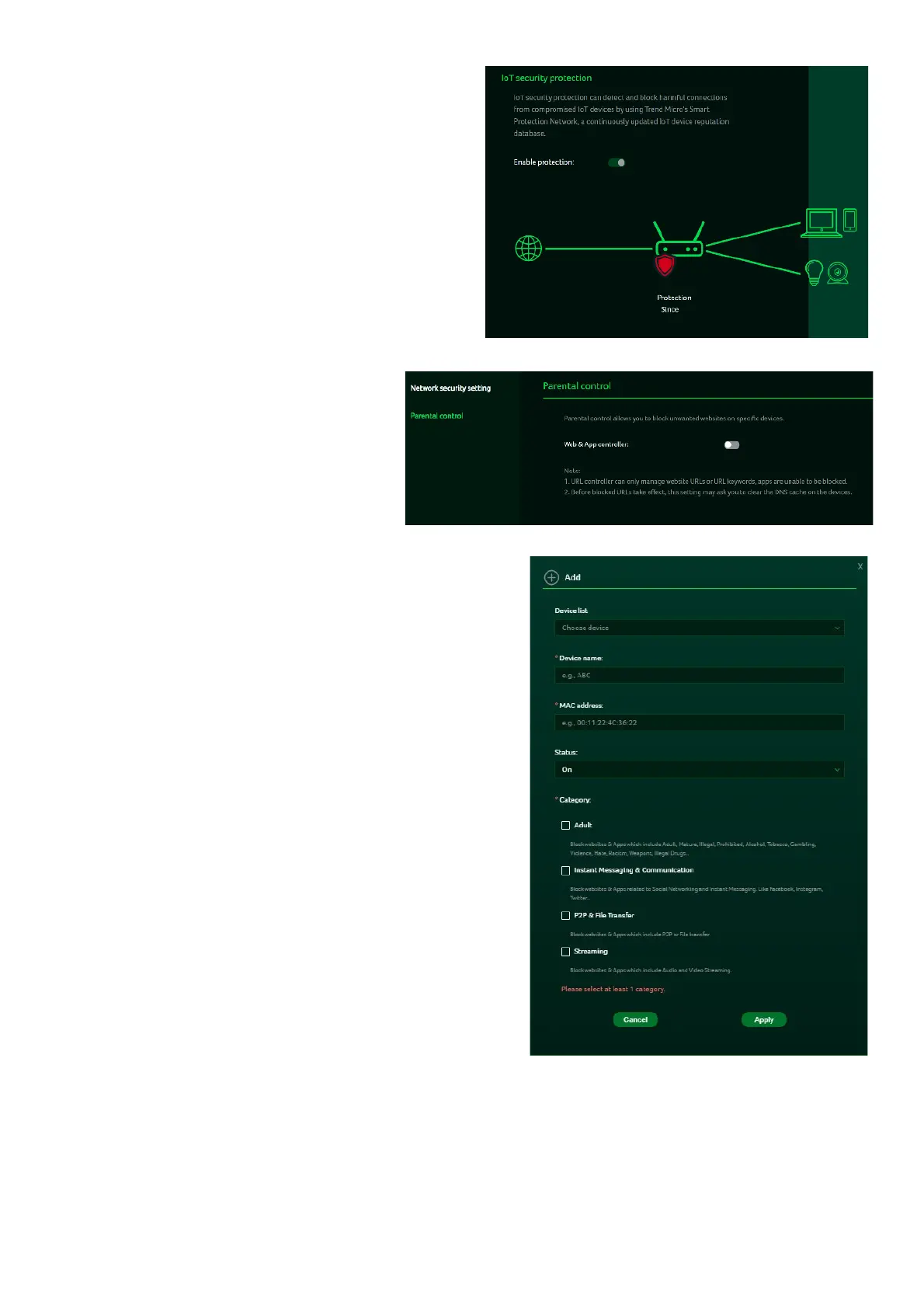
Enabling the IoT security
protection feature detects and
blocks harmful connections from
compromised IoT devices using
Trend Micro’s smart protection
network.
This feature utilizes a continuously
updated IoT device reputation
database to prevent false
connections and ensure
network security.
11.2
Parental Control
This feature allows you to control
and block unwanted sites on
specific devices.
You can enable/disable URL
controller.
Clicking the (+) icon will open a
window where you can enter details for
the device list, including the device name,
MAC address, URL, status, and Internet
access time limits.
Note: If the end time is earlier than the
start time, the block period will extend to
the next day. If the start time is the same
as the end time, the block will apply for
the entire day.



 To Next Page