12
6. Quick Setup
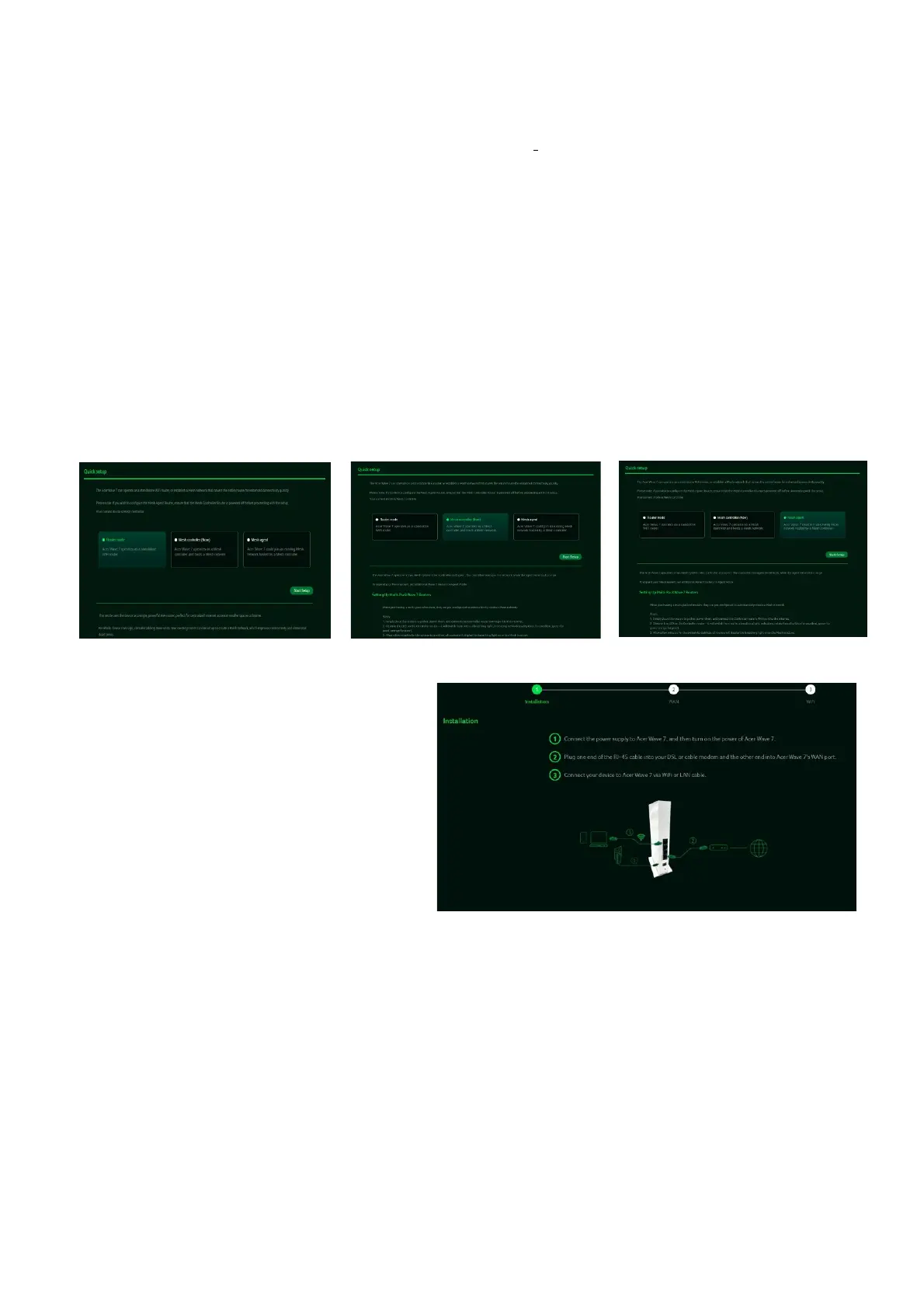
The Acer Wave 7 router is pre-configured as one of the three operation modes and can be re-
configured in Web UI
1) Router Mode
2) Mesh Controller
3) Mesh Agent
1-pack router is pre-configured as Router Mode, which can be switched to support mesh
network consisting multiple Acer Wave 7 routers.
2-pack and 3-pack routers are pre-configured as Mesh Controller and Agent modes to
support automated mesh setup process, all you need is plugging in the power cables,
inserting Internet cable in Mesh Controller, and then wait for XXX minutes to monitor the
LED indicators turning from Blue to Red and then finally blinking (breathing) Blue.
In
Router Mode(1-Pack) or Controller
Mode(2-Pack or 3-Pack)
, connect one
end of the RJ-45 cable to your DSL or
cable modem and the other end to the
Acer Wave 7's WAN port.
Connect your device to Acer Wave 7 via
Wi-Fi or LAN cable.
If you want to setup mesh network with routers from different pack options, the mode of
some routers needs to be changed. In this page, you can see the current mode of router and
switch to other modes:
Important:
When switching the router from Agent Mode to Mesh Controller or Router Mode, you must define
the SSID first



 To Next Page