18
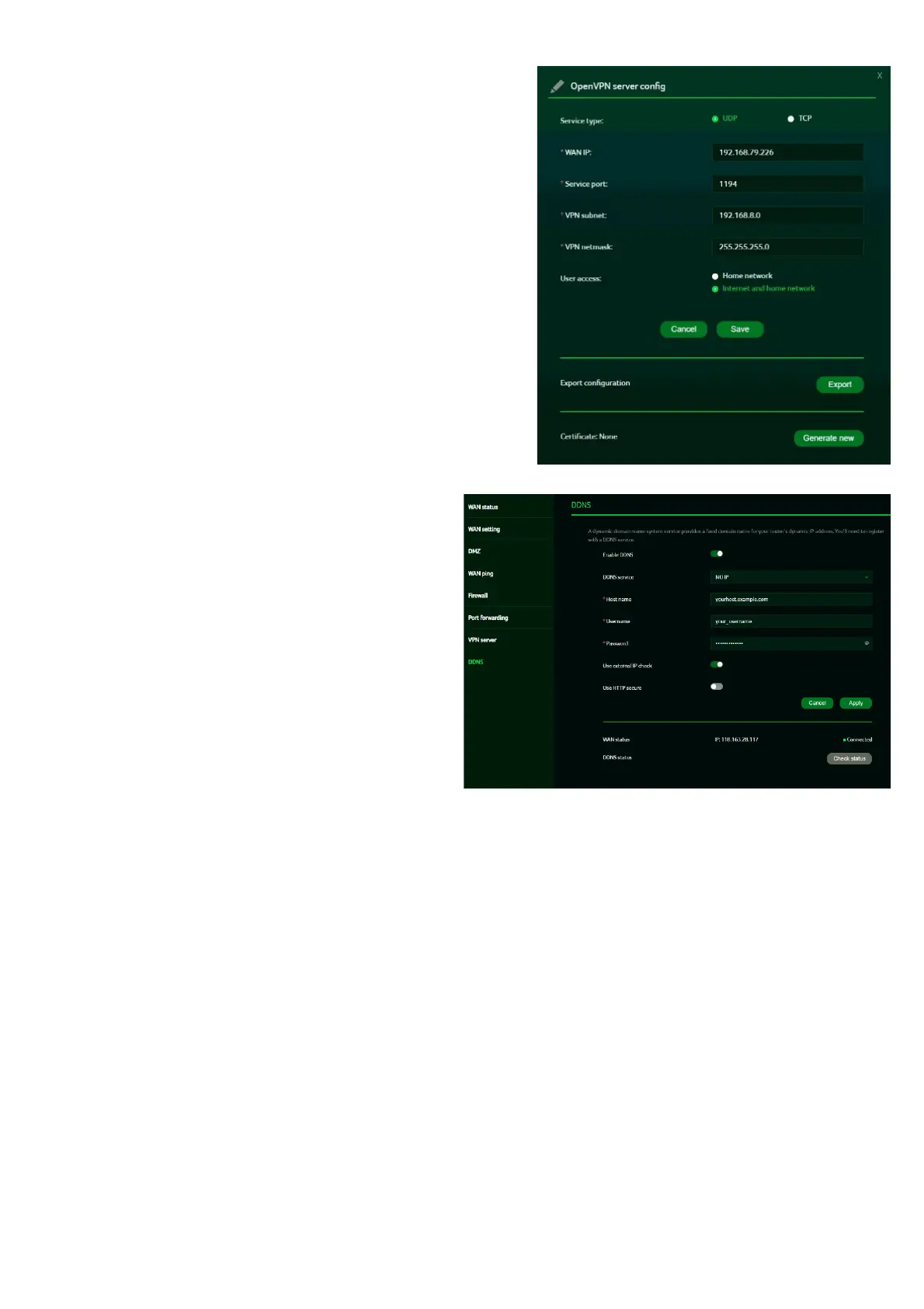
OpenVPN
is an SSL VPN that uses a selected UDP
or TCP port, providing flexible configuration
options. User access includes two options: Home
Network and Internet, as well as Home Network
only. Additionally, users can export the OpenVPN
configuration file (client.ovpn).
Enter the following information to
configure Open VPN services.
1) WAN IP address
2) Service port
3) VPN subnet
4) VPN netmask
7.8
DDNS
A DDNS service assigns a fixed domain
name to your router’s dynamic IP address.
You need to register with one of the
following DDNS providers:
1.
Dyn.com
2.
No-IP
3.
Google Domains
4.
Cloudflare.com
After selecting your DDNS provider, enter
the hostname, username, and password,
then click the 'Apply' button to activate
DDNS.
The DDNS and WAN status will be displayed
once the DDNS information is entered.



 To Next Page