ES700 User’s Manual 9
PROGRAM THE TIME RECORDER
Press SELECT. The unit changes into the program mode showing S on the display positioned
under the "TIME" mark.
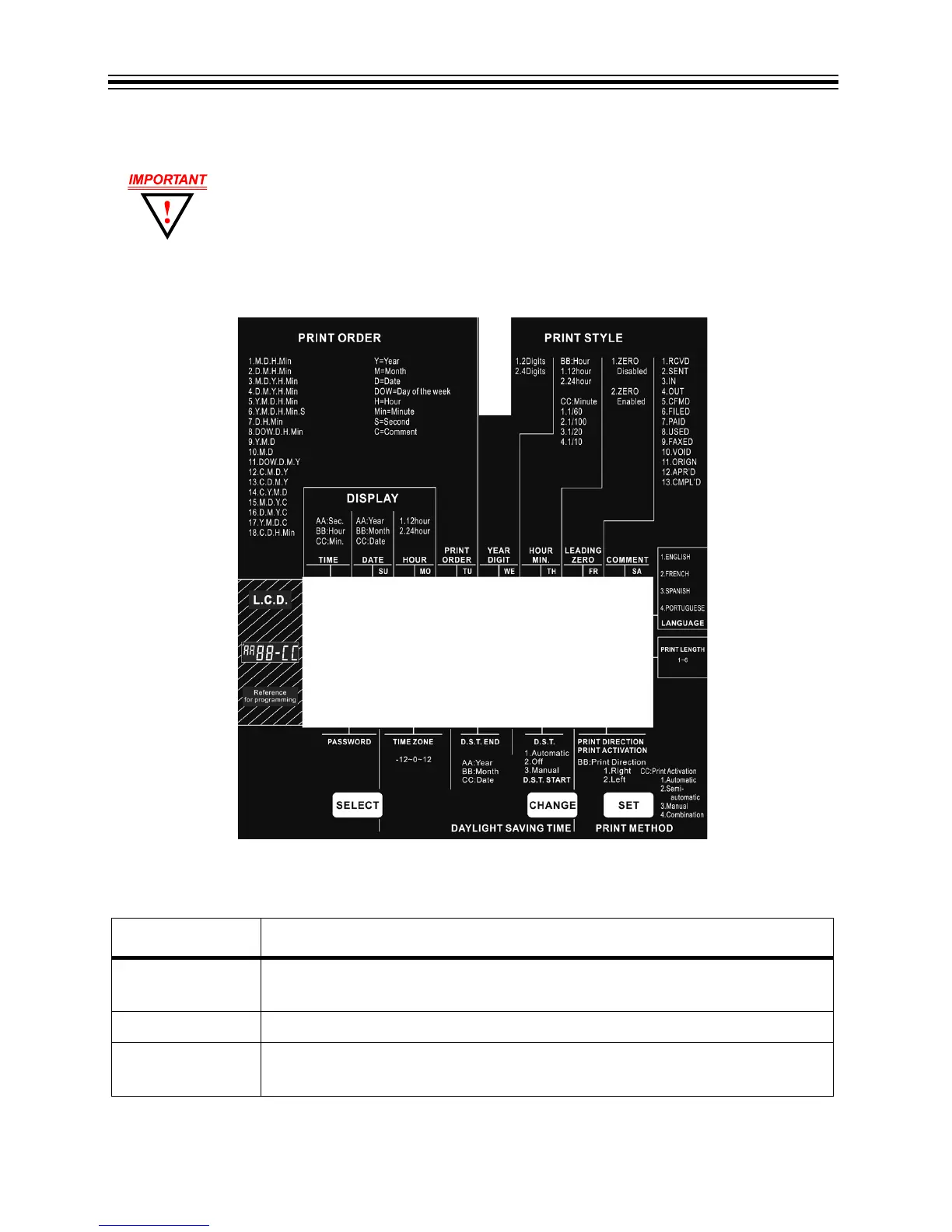
Time Recorder Menu
Time Recorder Function Buttons
Most of the procedures in this manual are performed from the Time Recorder
menu. Refer to Time Recorder Menu below. Refer to Time Recorder Function
Buttons below.
CONTROL FUNCTION
SELECT Press SELECT to choose the desired program setting mode. The selected
program mode is indicated by S on the display.
CHANGE Press CHANGE to cycle through the options.
SET Press SET to set the option. After an option has been set, always press SET
again to return the unit to normal operation mode.



 To Next Page