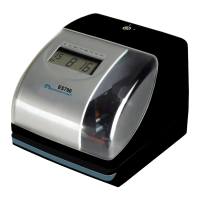
ES700 User’s Manual 1
INTRODUCTION
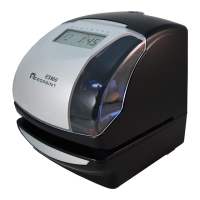
Thank you for purchasing an Acroprint Model ES700 Time Recorder. We are confident this unit
will give you full satisfaction. Items such as the time and date are preset at the factory. After
plugging in the power cord to the wall outlet, this unit can be used. However, we recommend
reading this manual before you start using this unit.
FEATURES
Main Applications: Payroll/job cost recorder or time stamp.
• Atomic Synchronization Sets Time and Date Automatically
• Quartz Time Recorder
• Digital LCD (Date, Hour, Minute, Day of the Week)
• Perpetual Calendar
• Dot-Matrix Printer
• Automatic Daylight Saving Time (DST)
• Automatic Date, Month Year Change to 2099
• 3-way Print Activation
o Automatic
o Semi-Automatic
o Manual
• Durable Snap-in Ribbon Cartridge
• Adjustable Print Positions
• Prints in 4 languages
•Prints Date
• 13 Preset Comments
• Selectable 2 or 4 digit Year
• 12 or 24-Hour Format
• Regular Minute, Tenths, or Hundredths of an Hour
• Password Protection
• Wall or Desktop Mount


 To Next Page