34
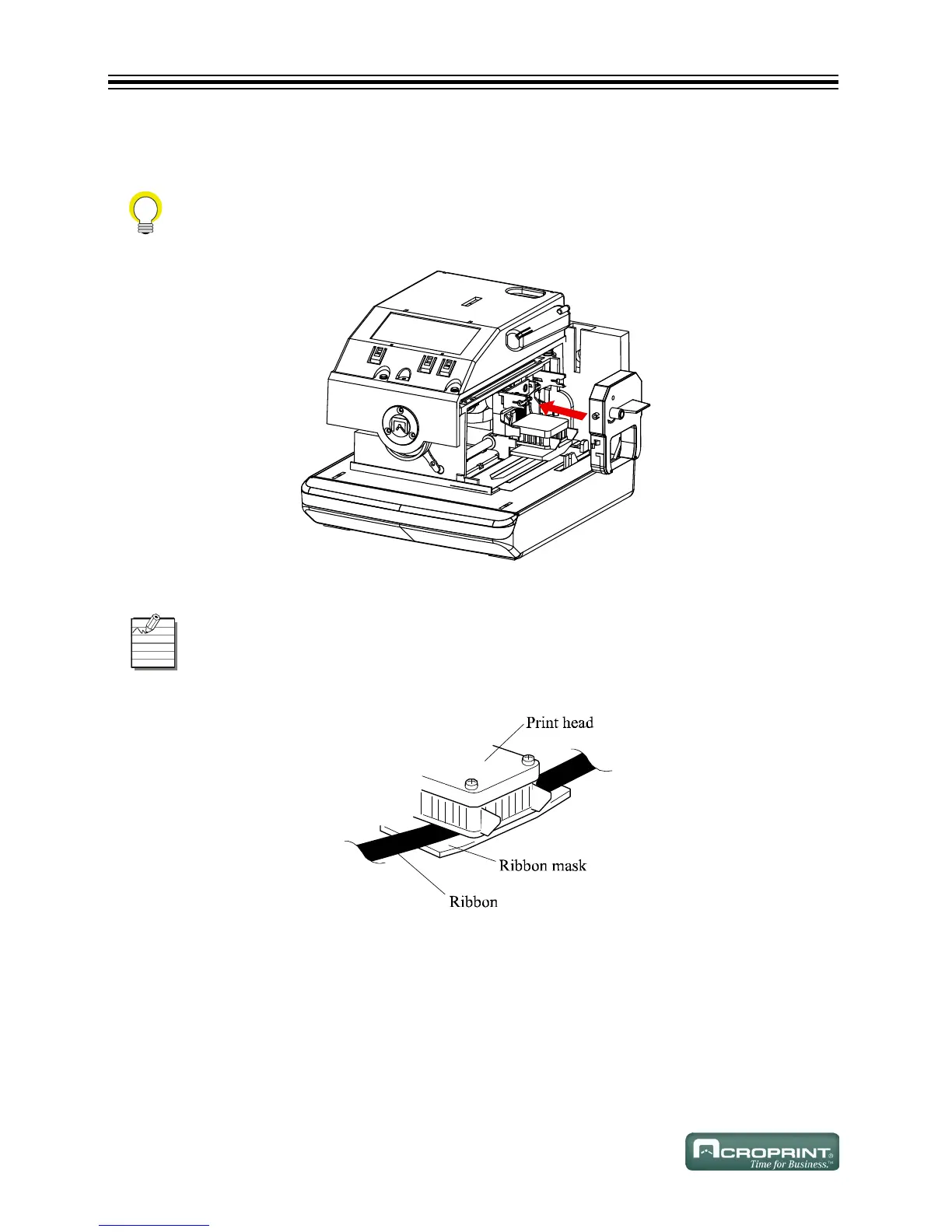
4. Install the ribbon cassette inside the unit as shown. Refer to Install Ribbon Cassette below.
Push the ribbon cassette until it snaps into position.
Install Ribbon Cassette
Install Ribbon Cassette Between Print Head and Ribbon Mask
Turning the knob on the ribbon cassette may make installation easier.
Install the ribbon cassette so that the ribbon is between the print head and the ribbon
mask. Printing will not function properly if the ribbon is placed behind the ribbon mask.
Refer to Install Ribbon Cassette Between Print Head and Ribbon Mask below.



 To Next Page