ACTpro 1500 and 1520 Operating and Installation Manual
Page 13
5.3 Changing Static IP address
1. Connect ACTpro 1500 or 1520 to IP network
2. Open Web browser on PC (use Microsoft Internet explorer or Firefox)
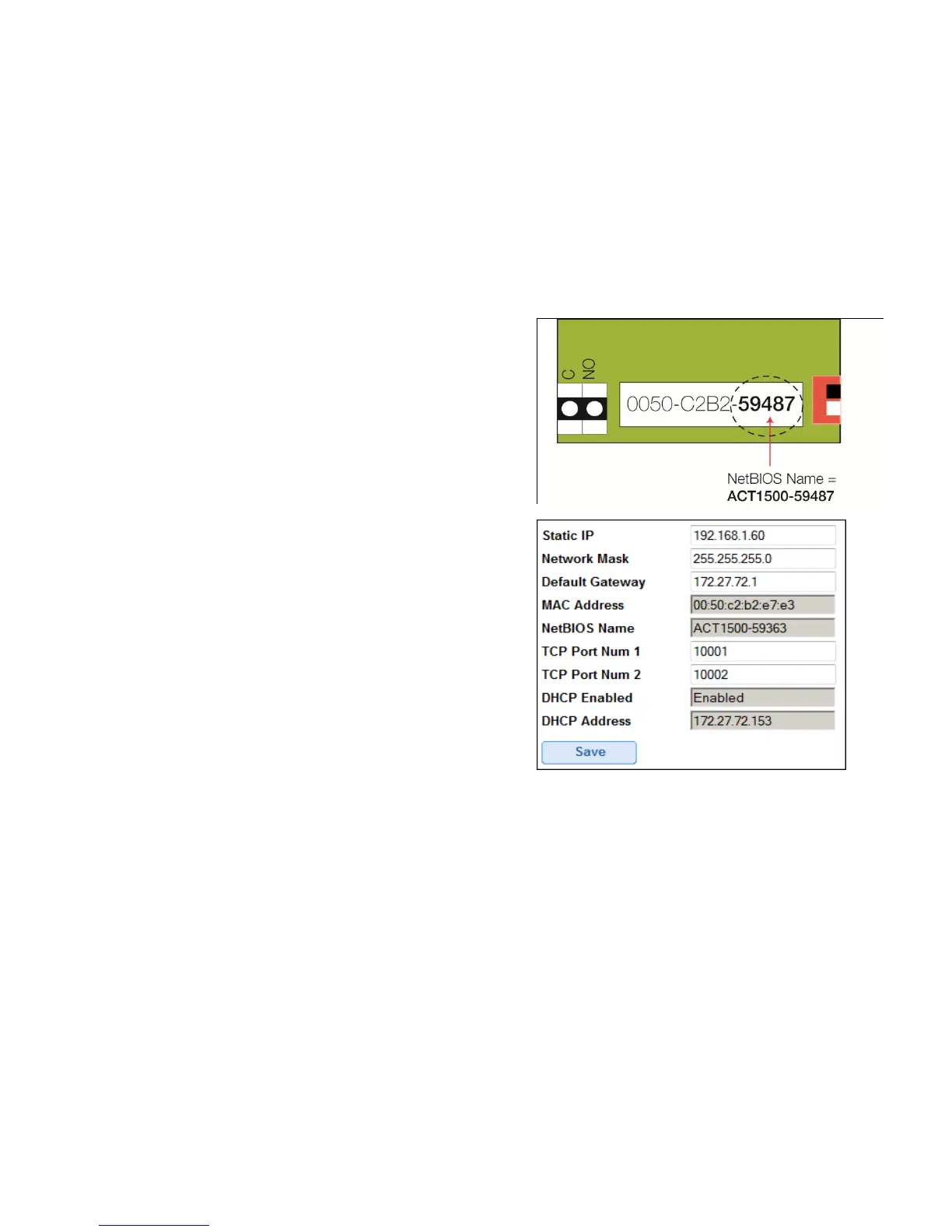
3. Enter http://act1500-(folowed by the NetBIOS address)
e.g. http://act1500-59487 (see label on PCB)
4. Logon details:
Username: installer
Password: 999999
5. Choose Communication menu and set the
following
Static IP Address
Network Mask
Default Gateway
Note: ask the network administrator for the
above
6. Press Save
Note: use the new IP address when connecting to the controller.
Quick Setup is now complete.



 To Next Page