ACTpro 1500 and 1520 Operating and Installation Manual
Page 27
Password: 999999
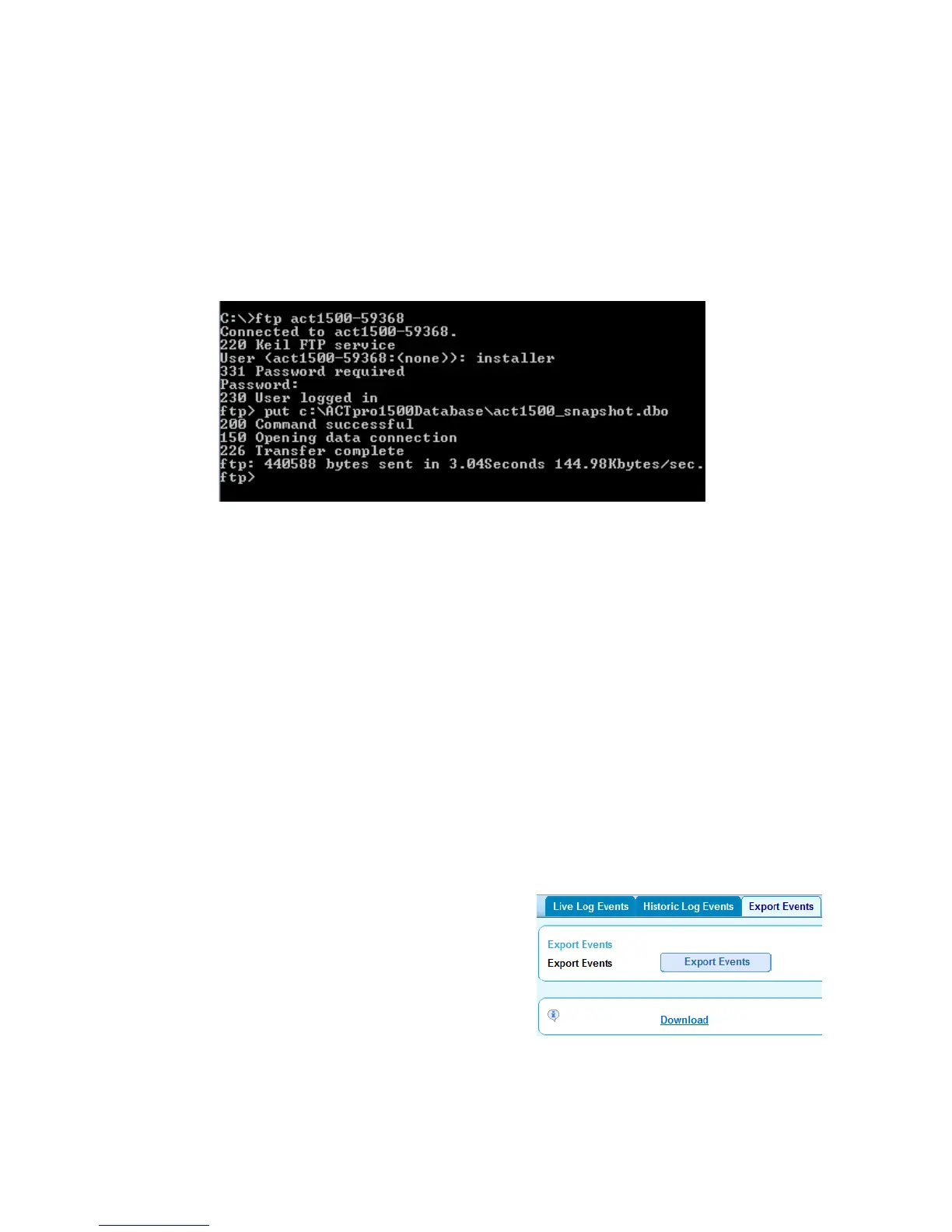
3. Copy the database to the controller
From the FTP command prompt enter put directory\filename. The directory is the
location where the backup file is stored and the filename must be act1500-
snapshot.dbo. When successful the database is restored as a snapshot.
e.g. put C:\ACTpro1500Database\act1500_snapshot.dbo
4. Restore Snapshot.
Press the Restore Snapshot button and the database is now fully restored for the
backup file. For scheduled and unattended backup refer to section Backup/Restore
from ACTWin.
13.3 Export Log events
The user can export log events in CSV format to the PC which can be analysed in detail by
external applications.
Login in to the controller using the User account (default passward is 123456 which may
have changed).
Select the Reports menu from the menu tree on the left.
Select Export Events tab
Select Export Events button
After the controller generates the report
select Download and save to the
computer.



 To Next Page