GNR-3000 System Administrator’s Manual
143
Advanced Administrative Tasks
To assist the NVR administrator in monitoring the server status and basic trouble-shooting, the
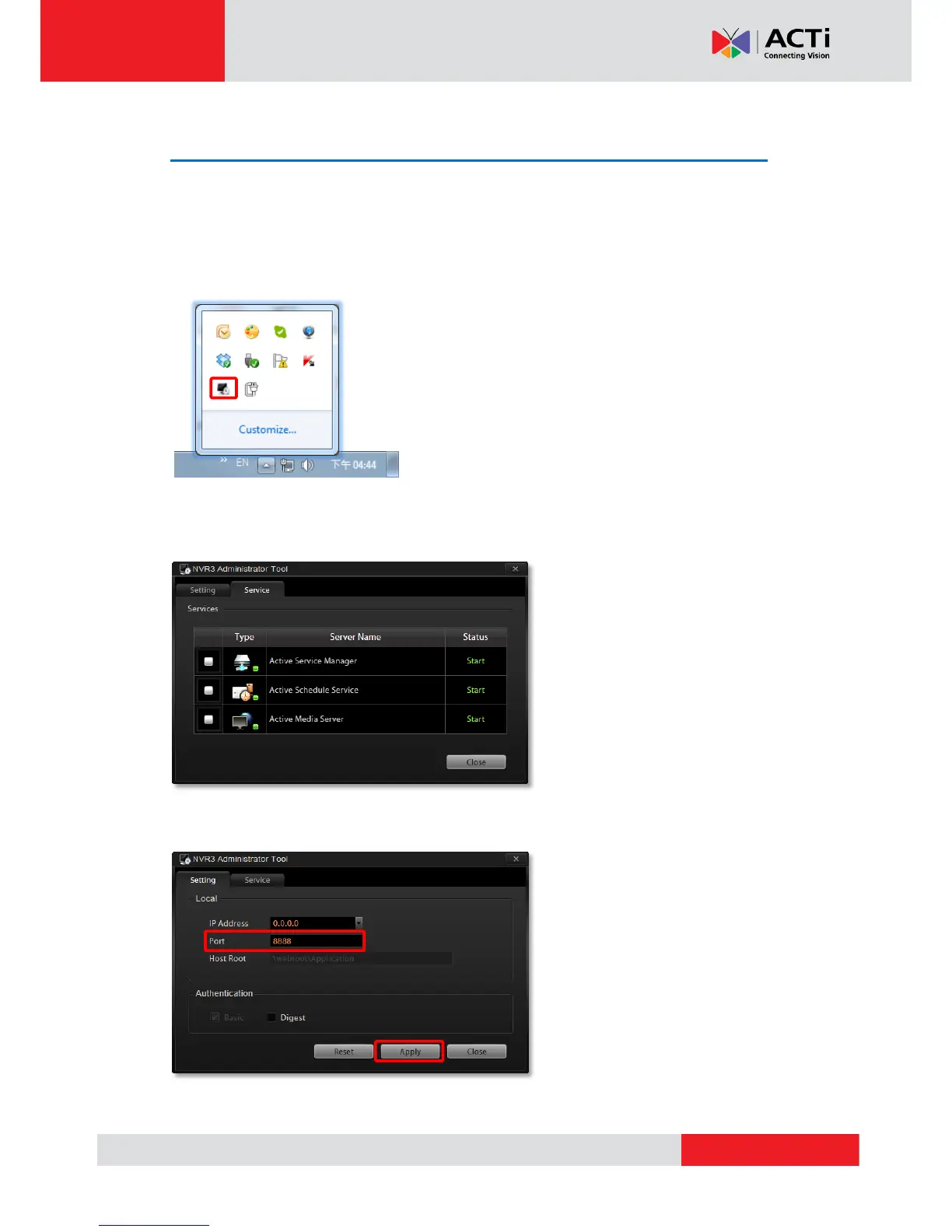
NVR3 Administrator Tool is installed along with NVR server program on the server computer.
This tool will start running as the server computer starts up, and resides in the system tray. You
may double-click the icon to open this tool.
NVR Server Status
You may observe the NVR services status on Service tab.
Change Server Port
On Settings tab, input a new port and then click “Apply”.



 To Next Page