GNR-3000 System Administrator’s Manual
48
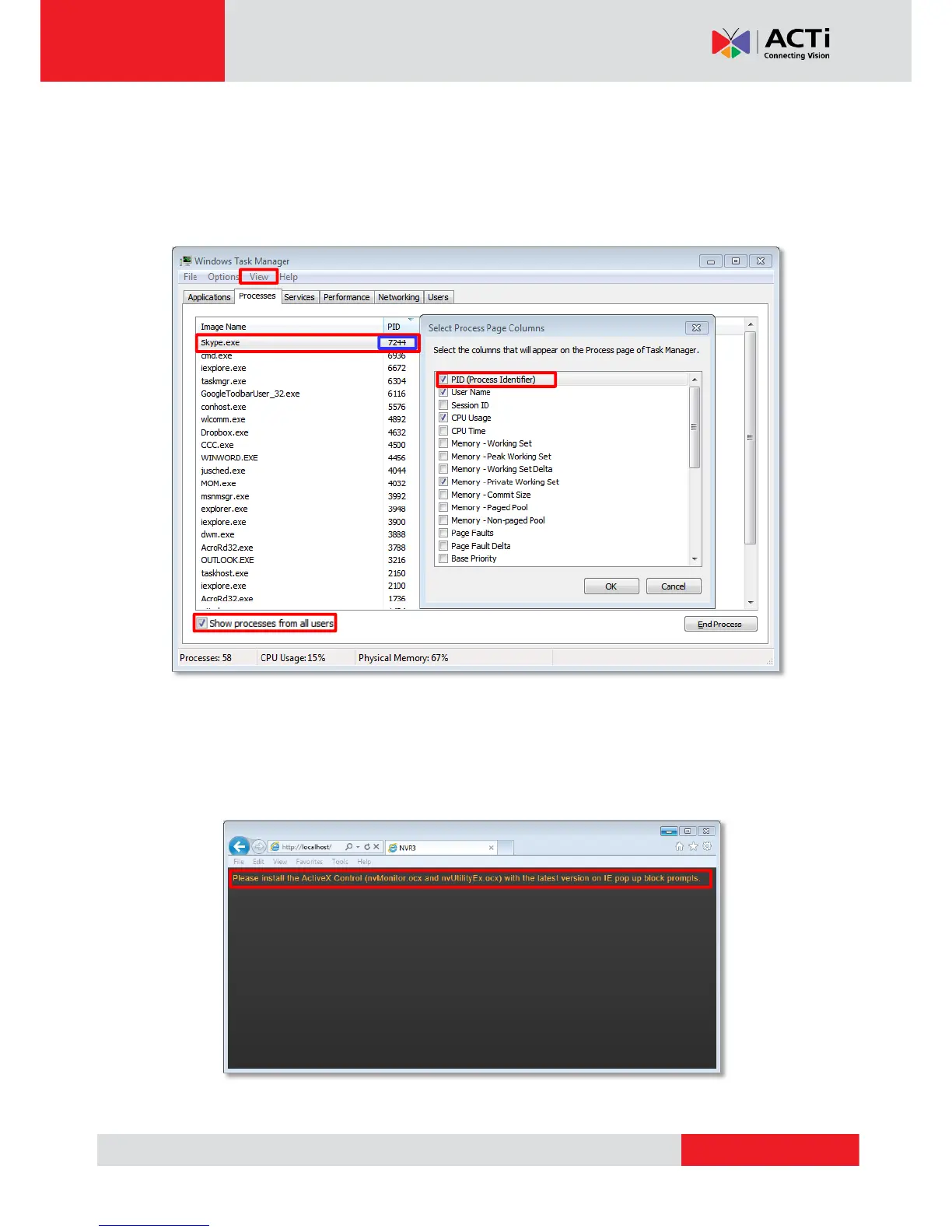
3. Press down “ctrl”+ “alt” + “Delete” keys to bring up Windows Task Manager. Select
“View”, then “Select columns”, and enable the “PID (Process Identifier)” to appear
on search results. Please also make sure “Show process from all users” is enabled.
4. On Task Manager Process tab, locate the PID number of the service using port 80.
The service name is shown under “Image Name” column.
Condition 2: Why can’t I install Active X controls after logging in?
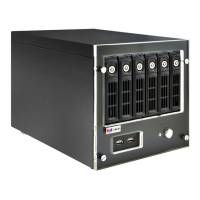
ActiveX Control components are essential for the NVR server to present user interface. The
message below will show if these controls were not installed. Please try refreshing the browser
first, making IE pop up the prompts again.
Cause 1: Your Internet Explorer browser version does not support NVR 3.0 system.


 To Next Page