GNR-3000 System Administrator’s Manual
65
Enter the camera’s IP address or host name.
Select the manufacturer of device.
Select the device model of the IP cameras / video servers. In most
cases, this is automatically filled in after you perform Get Device
Setting for ACTi cameras.
Select one of the streaming modes this device supports.
The channel ID you set for a stream of a multi-streaming device.
Enter the HTTP port for IP cameras/ video servers. Most cameras
use the default port number - 80.
Enter the user name to access the camera.
Enter the password to access the camera.
Default Live View
Stream*
3
Choose the streaming id for Live View.
Choose the streaming id for Recording.
Connection
Timeout(0~99 secs)
Enter length of time allowed for a device to respond to NVR. If the
response is to late as to exceed this time, NVR will consider this
device “disconnected”. We recommend you to set different values for
different types of connection. The default setting is 5 seconds. For
devices located over the WAN, you may wish to increase this value to
allow for occasional Internet lags.
*
1
Available when NVR is connected to a multi-streaming device.
*
2
Available when NVR is connected to a device that is concurrently in multi-streaming mode (Dual
Stream mode excluded).
*
3
Available when NVR is connected to a multi-streaming device in Dual Stream mode.
Device Status
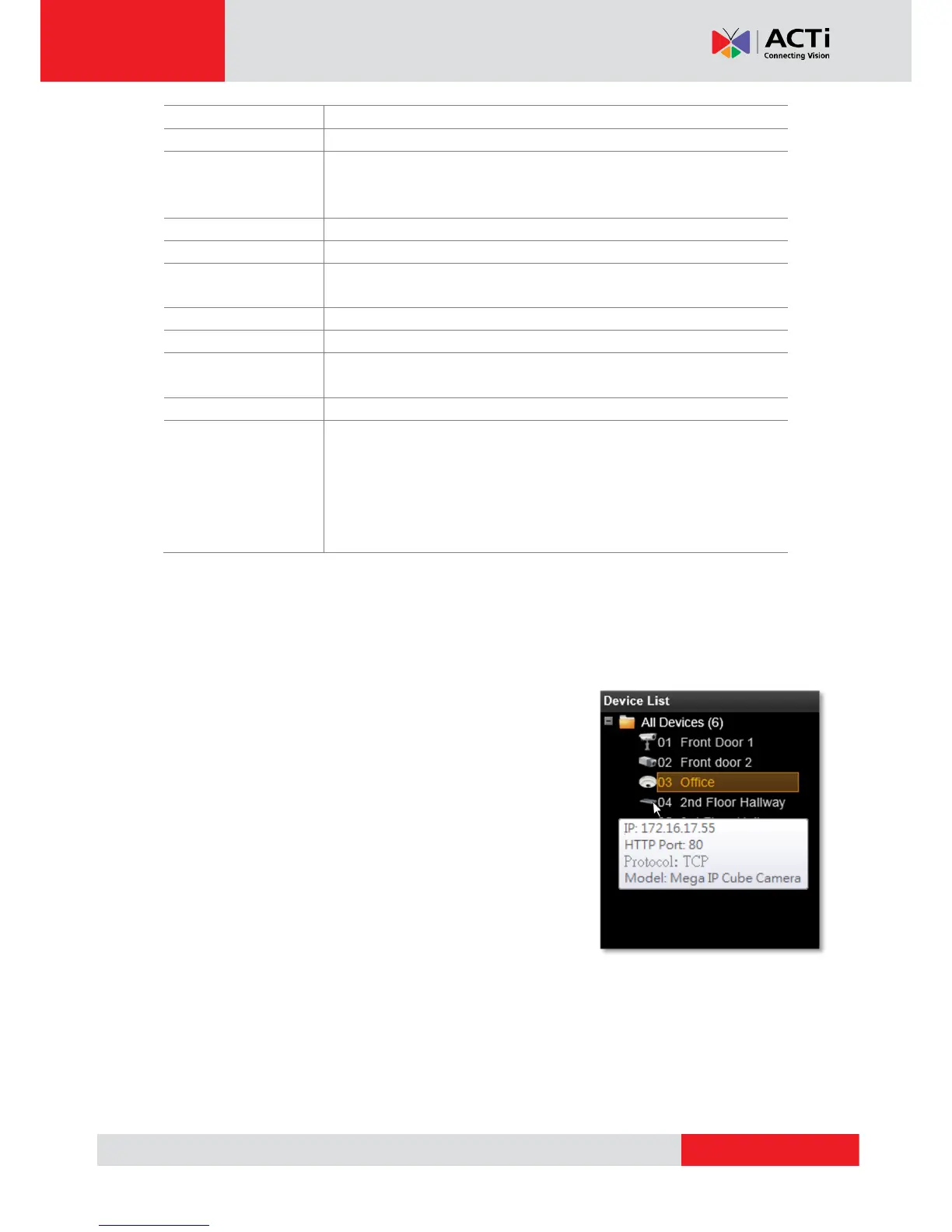
To validate if you have successfully added a device to NVR
system, simply check the Device List on the left of Setup
Devices tab to see if the device name appears in the tree.
Point your mouse cursor over the device icon will bring up an
information box containing the device’s IP Address, HTTP Port,
Protocol and device type.



 To Next Page