GNR-3000 System Administrator’s Manual
55
Verify Your License
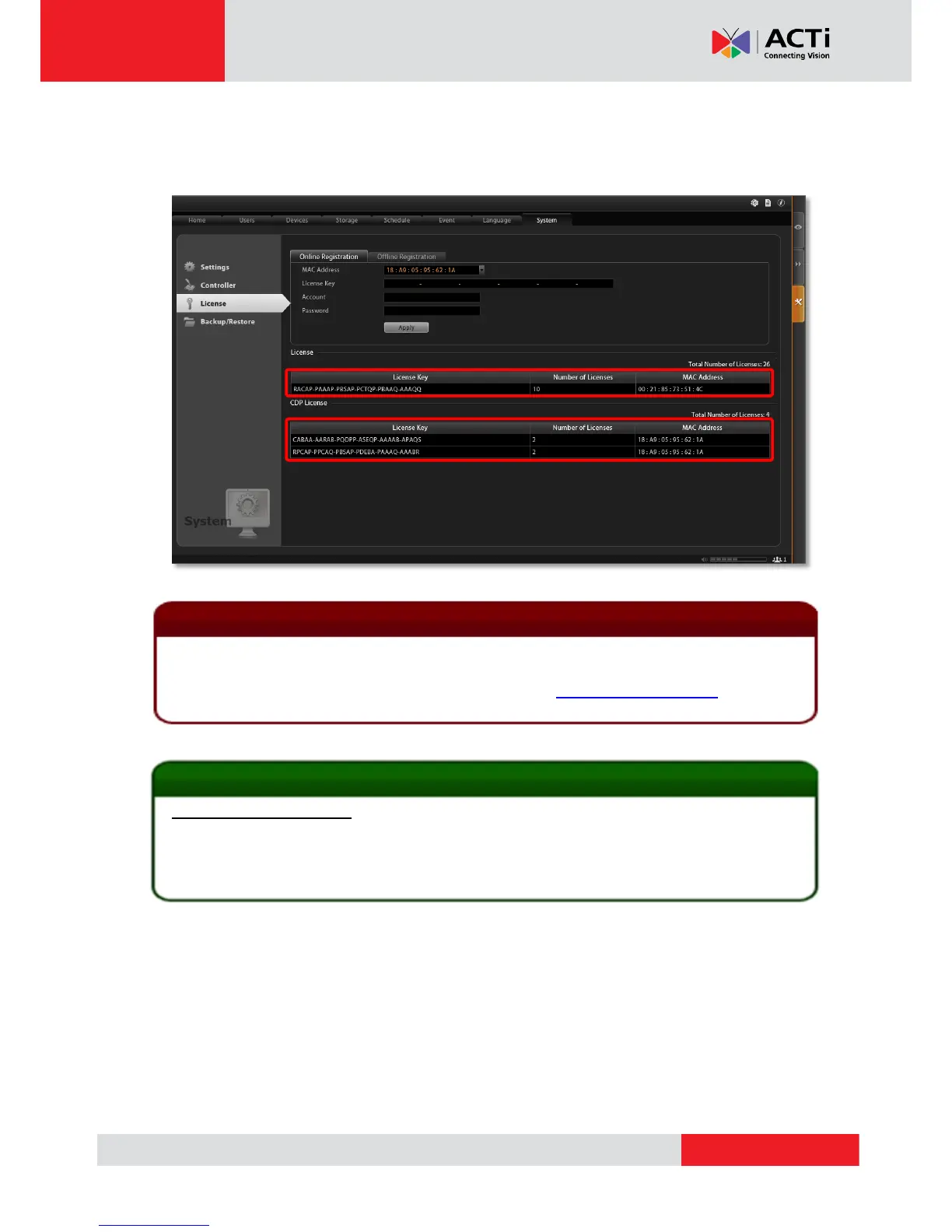
Once your license is successfully activated, the license information will be shown on License
page.
The license data will be erased once NVR 3.0 server is uninstalled. Be sure to retain your license
key information in a safe place because you may need to reinstall the software. After the software is
uninstalled, you should contact ACTi Customer Help Desk http://www.acti.com/CHD to clear the
original registration data in our data server, and then you may activate the license again.
1. How to find MAC Address
1. Click Windows Start, in the run box on Start menu, input “cmd”.
2. Execute the cmd program, and input the command “ipconfig /all” or “getmac”
3. The MAC address will be referred to as the Physical Address, made up of 12 characters
e.g. 00-1E-65-FE-8E-98
Activated Standard License


 To Next Page