GNR-3000 System Administrator’s Manual
93
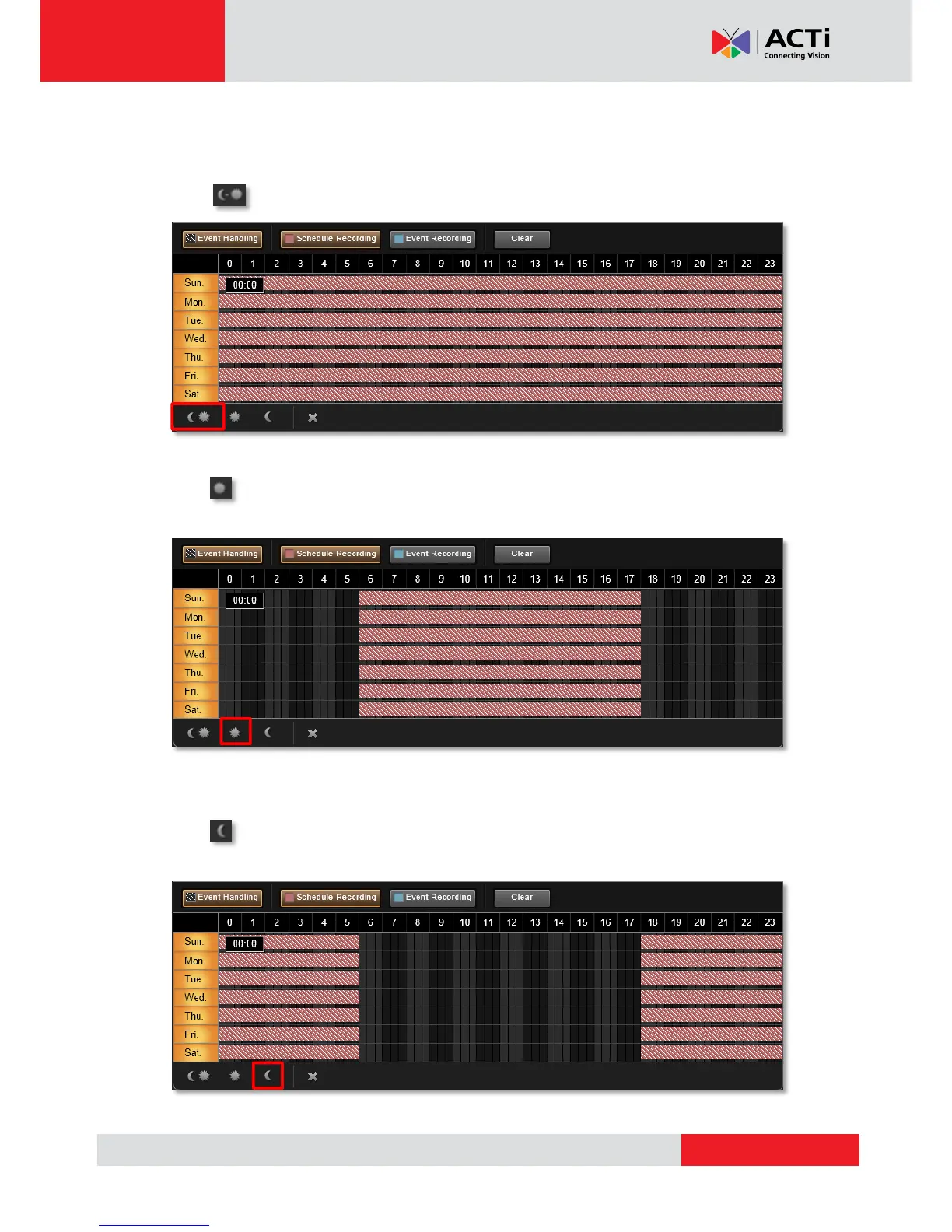
Use Time Setting Quick Buttons to Set the Time in One Click
Select the recording mode, then click one of these buttons to apply the mostly-used time
settings.
Click to apply schedule for all day.
Click to apply schedule from 06:00 to 18:00 every day, with the settings for the rest of
the time track being cleared.
Click to apply schedule from 18:00 to 06:00 every day, with the settings for the rest of
the time track being cleared.



 To Next Page