GNR-3000 System Administrator’s Manual
40
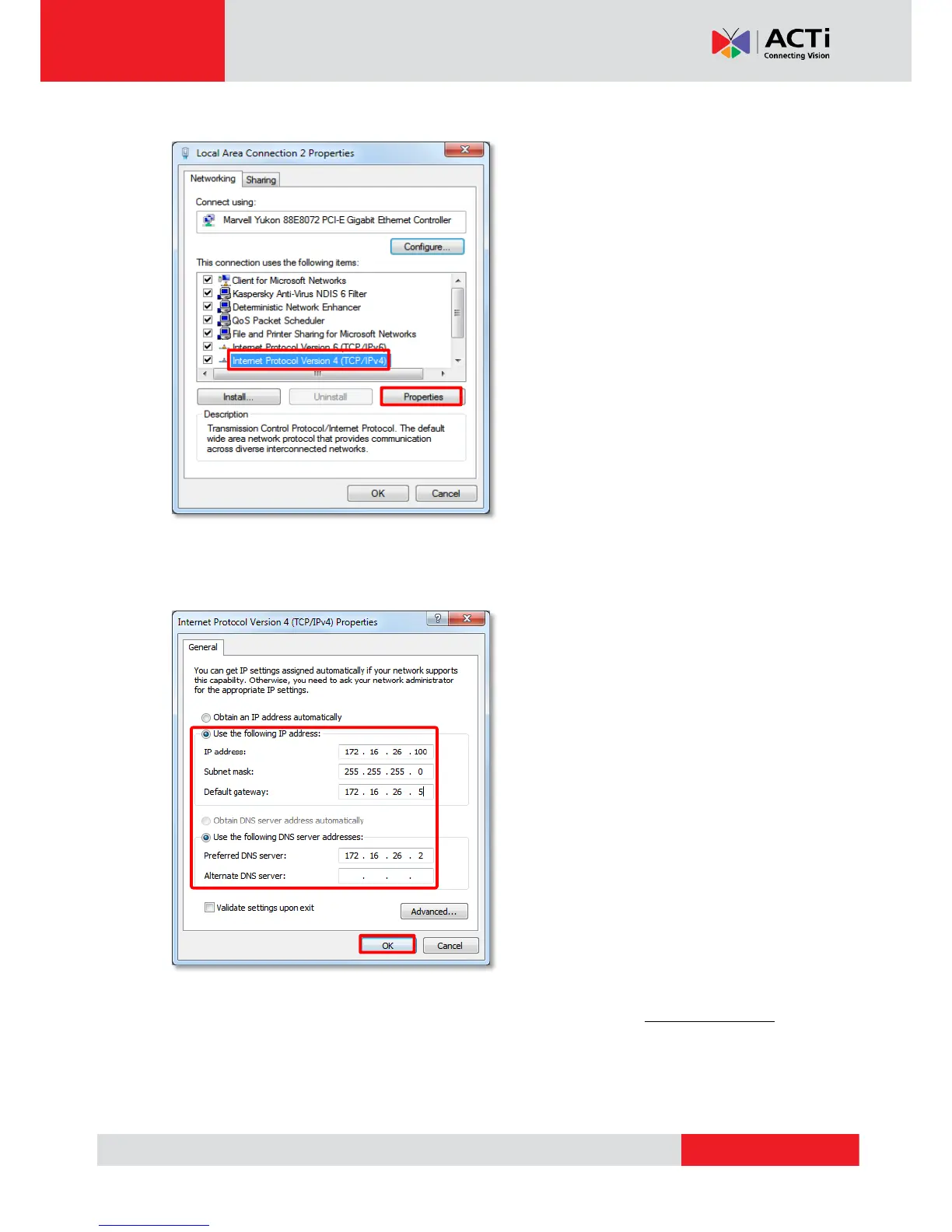
4. Select “Internet Protocol Version 4 (TCP/IPv4)" and then click “Properties”.
5. On Propertries window, select "Use the following IP address:" and enter the appropriate
values for the static IP address. Click “OK” to save the settings.
6. To change the current port number from 80 to another, please refer to Change Server Port
on page 143.



 To Next Page