GNR-3000 System Administrator’s Manual
68
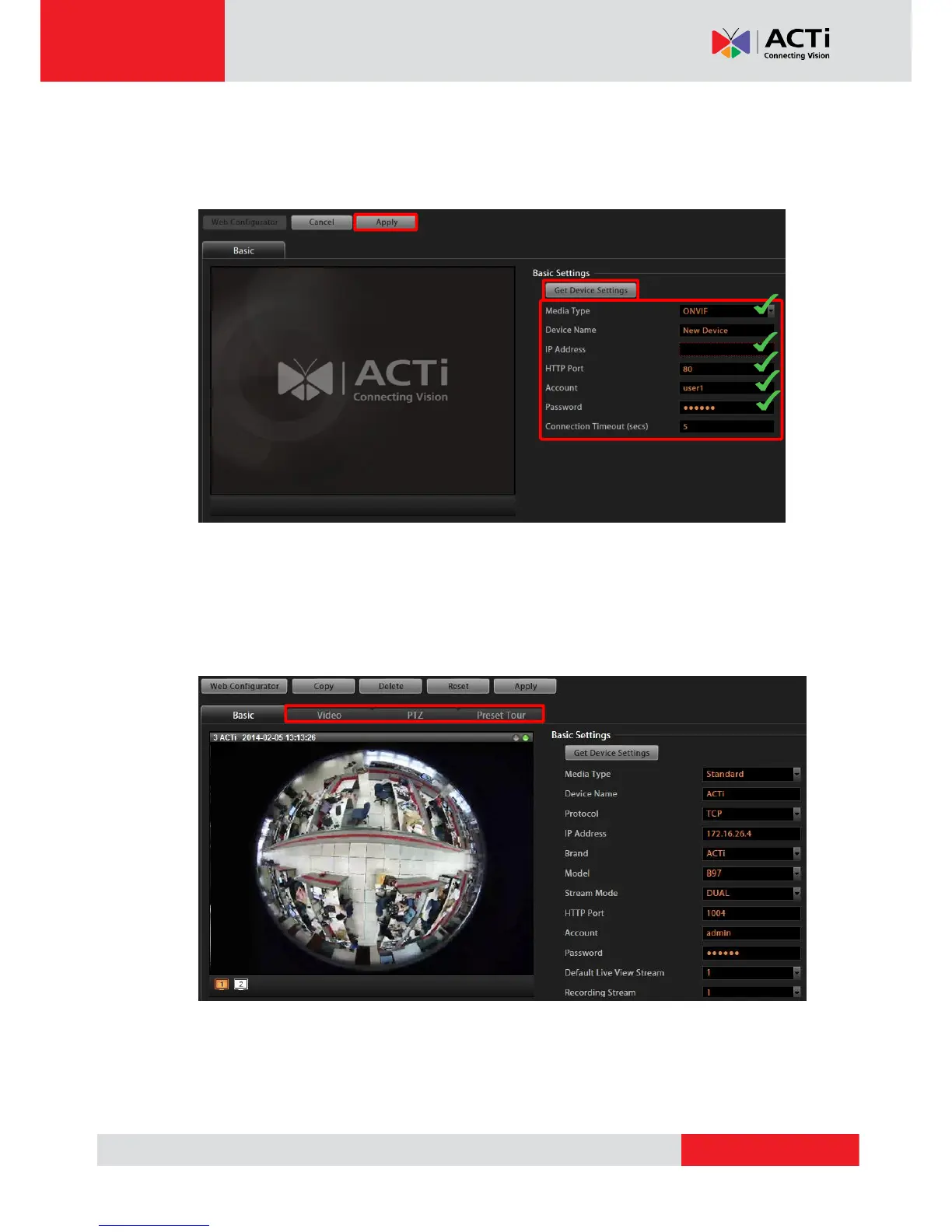
If the device you wish to add supports ONVIF, you can select “ONVIF” for Media Type,
and the settings page will appear as below. Please fill in the five marked fields shown
below that are required to communicate with the device - Media Type, Camera IP, HTTP
Port, User Name, and Password, and then click “Apply”.
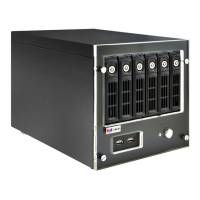
4. By applying the settings, the NVR server will get the video stream, and the camera will
have been successfully added to the NVR system. You may click Video, PTZ, or Preset
Tour (available for camera with pan/tilt/zoom capabilities) tabs to configure other
properties.
5. To directly access the device configurator webpage, simply click “Web Configurator” on top
left to open it. Certain advanced settings are only available through the web configurator
and not through NVR.


 To Next Page