24
Operation Manual
LC7-2 Wall Control
Operation Manual - LC7-2 Wall Control
Document: 0525-080 Ver. 1 190923
13.03. Temperature Set Back
Normally, the air conditioning system is turned off at unoccupied times or at night, which can result in the building
temperature becoming quite hot (e.g. 30
o
C) or quite cold (e.g. 12
o
C). When you Turn-ON the air conditioning
system, it can take a long time to achieve a comfortable temperature (e.g. 23
o
C). The temperature set back feature
will maintain the building temperature at a pre-determined and reasonable temperature closer to your chosen set
temperature (e.g. 23
o
C), thus giving you a big head start in achieving your comfortable temperature.
The system must be Turned Off before performing these procedures.
13.03.01. Activating the Temperature Set Back
NOTE
Activating Temperature Set back may cause unit to operate even if the LC7-2 Wall control is Off. Please proceed
with activating the Temperature Set back feature if you understand the purpose and operating parameters. For
further enquires, please contact ActronAir Technical Support on 1800 119 229.
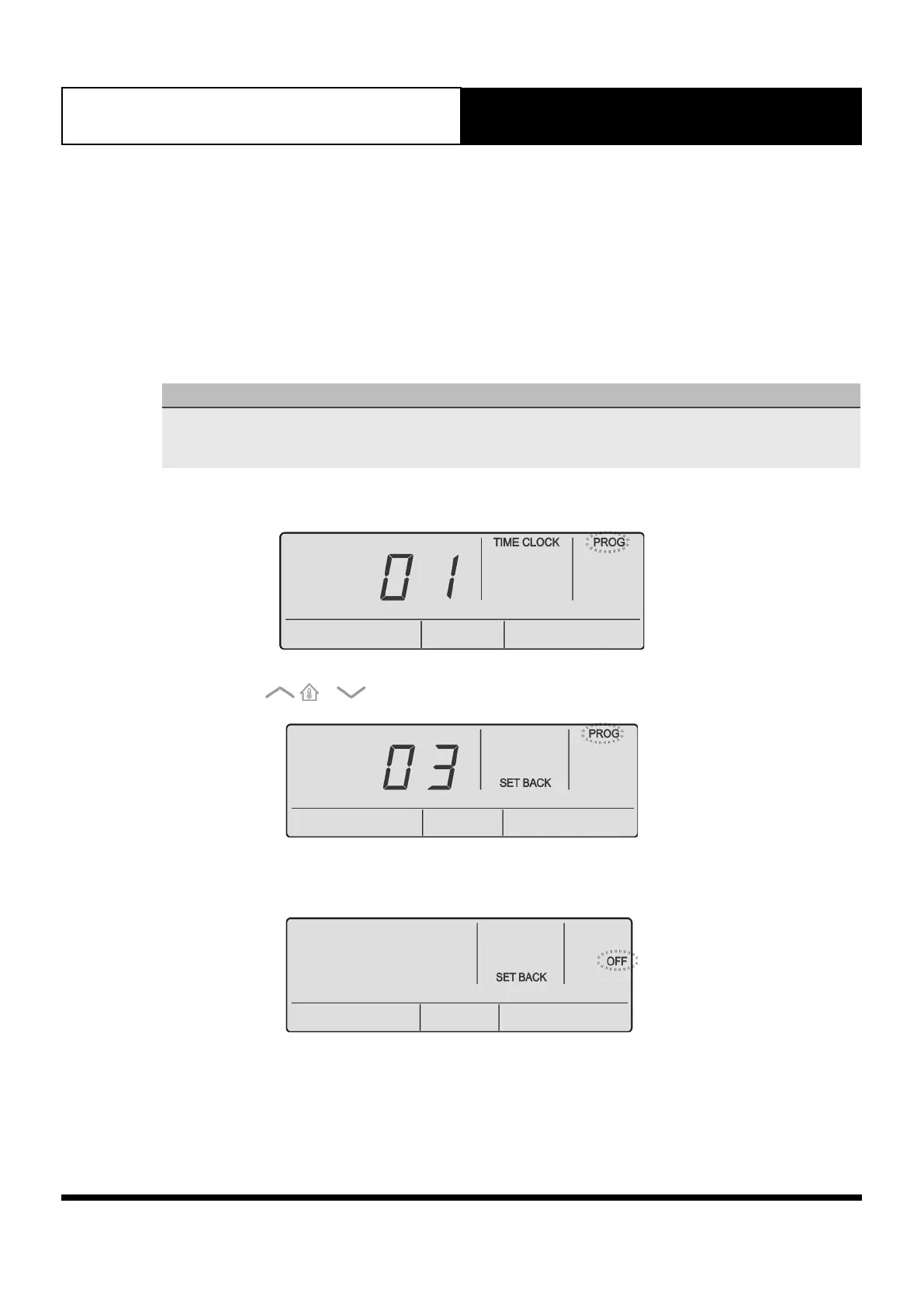
1. Press the PROG button to enter program Menu.
2. Press the or buttons to navigate to Program Menu 03. .
3. Press the PROG button to enter Program Menu 03. Display will show SET BACK indicator and OFF field is
blinking.



 To Next Page