16
Operation Manual
LC7-2 Wall Control
Operation Manual - LC7-2 Wall Control
Document: 0525-080 Ver. 1 190923
13.01.04. Setting the Programmable Time Clock
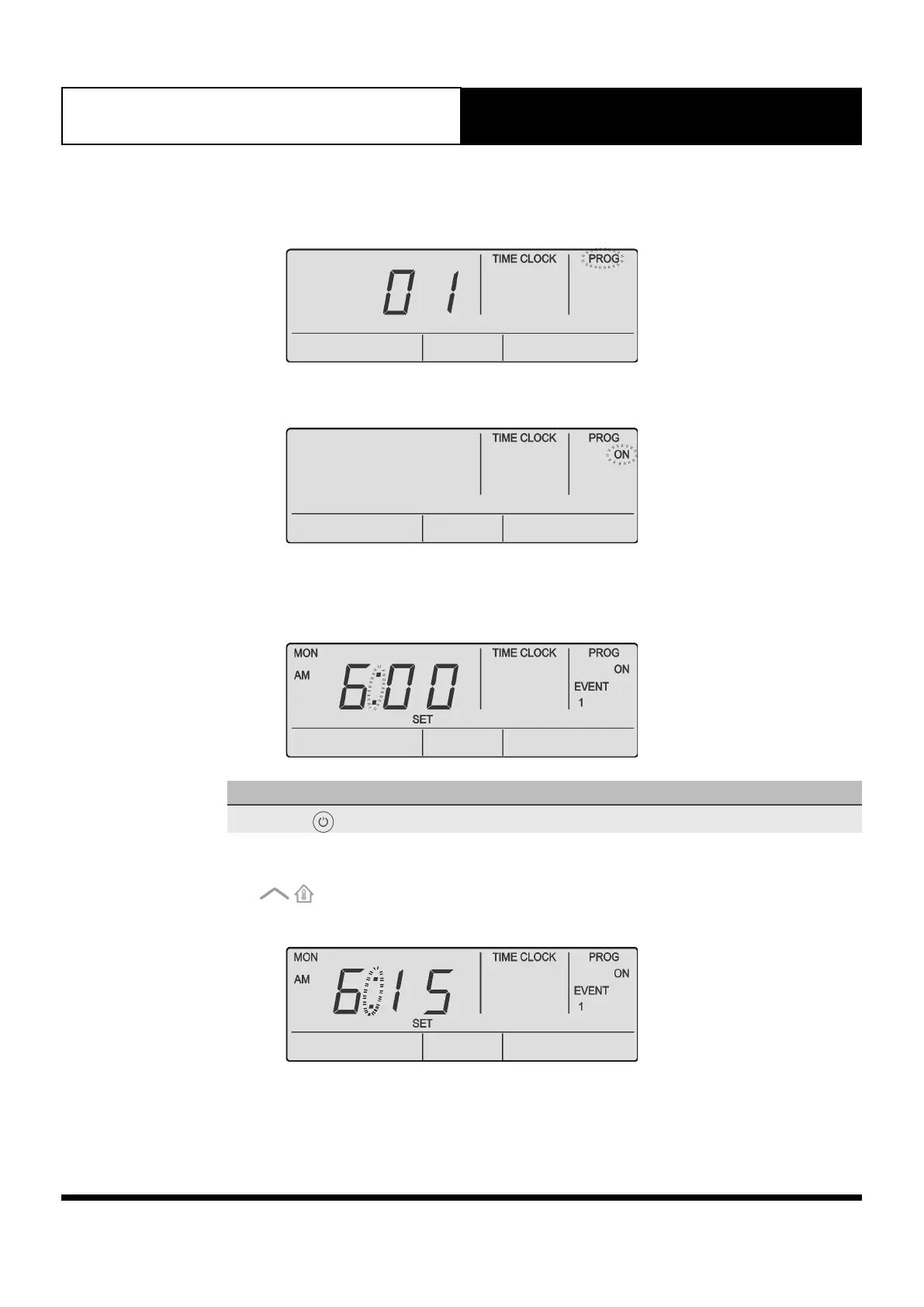
1. Press the PROG button to enter program Menu. TIME CLOCK and PROG indicators will be illuminated in
the screen.
2. Press the PROG button to enter the time clock menu. Time Clock program is currently On. TIME CLOCK
and PROG indicators are still illuminated. ON indicator will be flashing in the screen.
3. Press the PROG button (ON is selected) to program time clock. TIME CLOCK, PROG, ON, EVENT 1,
MON and SET indicators and Time Fields will be shown in the screen. You can now set the Event 1 On
time for Monday.
NOTE
Pressing the button will enable or disable the Time Clock program.
Example:
Press the button to adjust the time in 15 minutes increments. AM and PM will toggle after the
12th Hour.



 To Next Page