32
Operation Manual
LC7-2 Wall Control
Operation Manual - LC7-2 Wall Control
Document: 0525-080 Ver. 1 190923
13.06. Fan Speed Lock
NOTE
• Fan Speed Lock will prevent user from changing the fan speed on wall controller.
• Fan Speed Lock may be set independently on each wall controller connected.
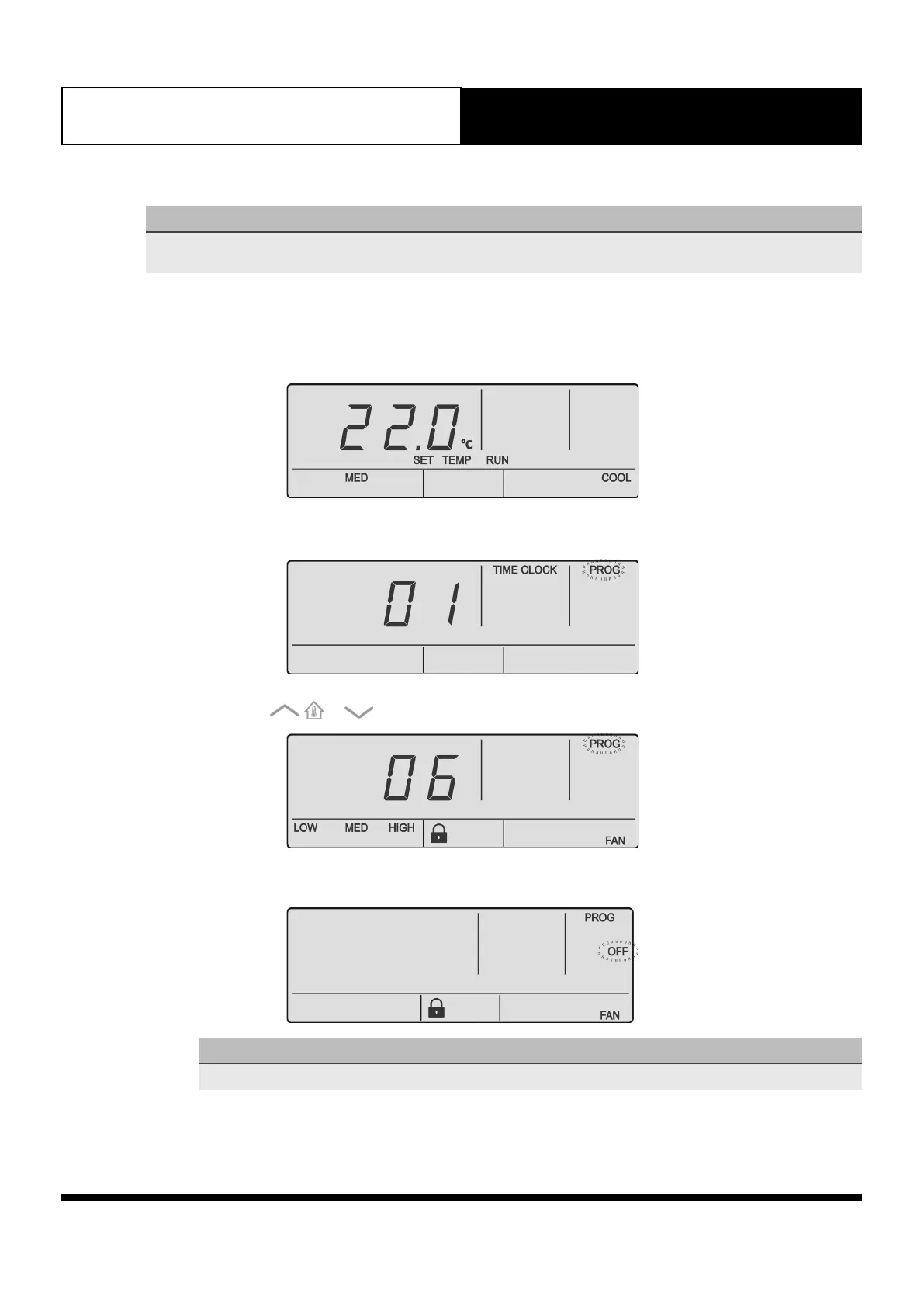
13.06.01. Activating Fan Speed Lock
1. Set the required fan speed you wish to lock.
2. Press the PROG button to enter Program Menu
3. Press the or buttons to navigate to Program Menu 06.
4. Press the PROG button to enter Program Menu 06.
NOTE
Fan speed lock is Off by default.



 To Next Page