30
Operation Manual
LC7-2 Wall Control
Operation Manual - LC7-2 Wall Control
Document: 0525-080 Ver. 1 190923
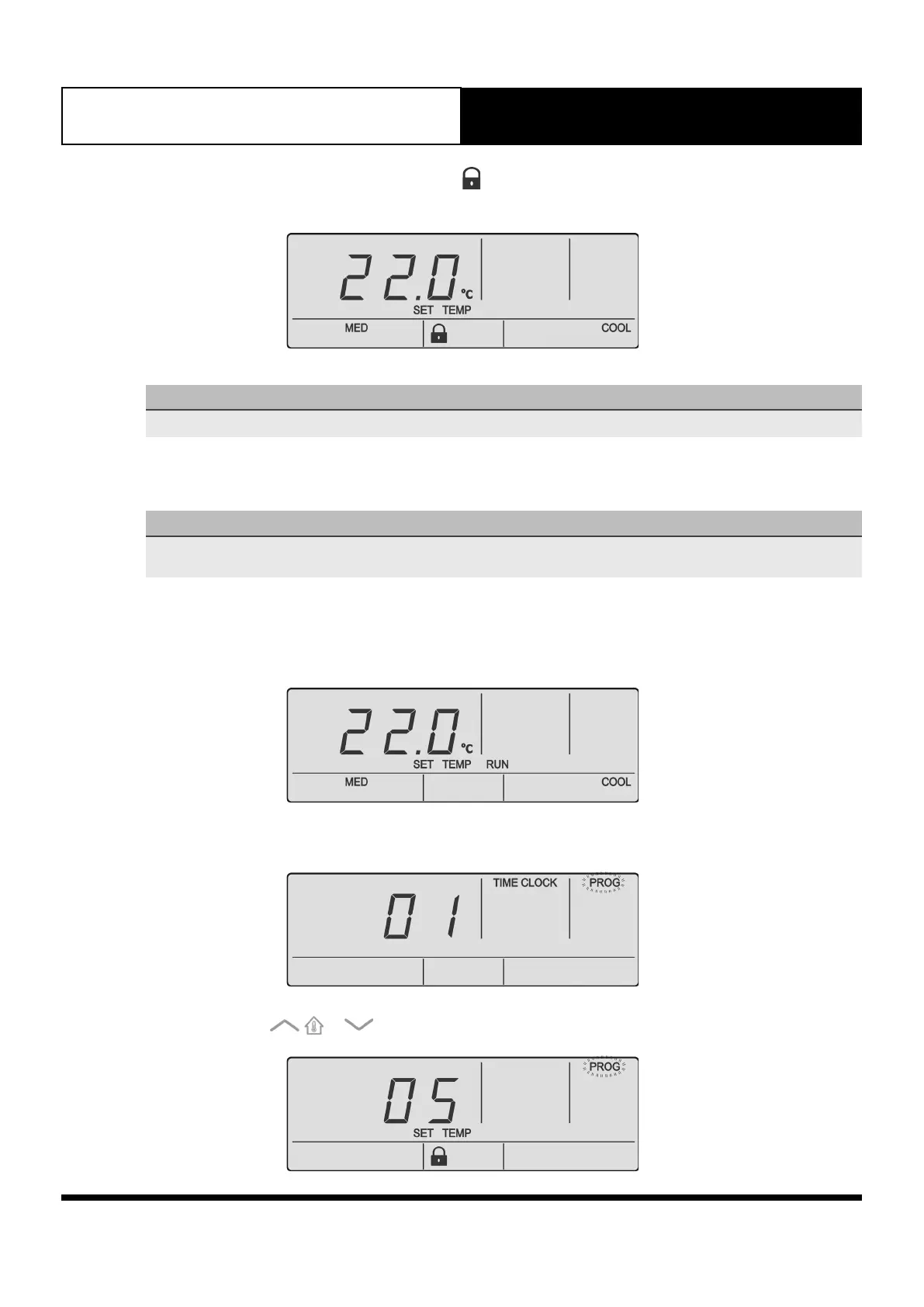
8. When the MODE button is pressed. The symbol will appear for 3 seconds and user won’t be able to
change mode.
NOTE
To disable Mode Lock, follow the same steps above. However, in step 5 select OFF.
13.05. Setpoint Lock
NOTE
• Setpoint Lock will prevent user from changing the setpoint on wall controller.
• Setpoint Lock may be set independently on each wall controller connected.
13.05.01. Activating Setpoint Lock
1. Set the setpoint based on the desired target temperature.
2. Press the PROG button to enter program Menu.
3. Press the or buttons to navigate to Program Menu 05.



 To Next Page