20
(1)
()
(1)
()
()
()
please unlock the screen by pressing ;
2 step: The screen is locked after the trigger status changed from
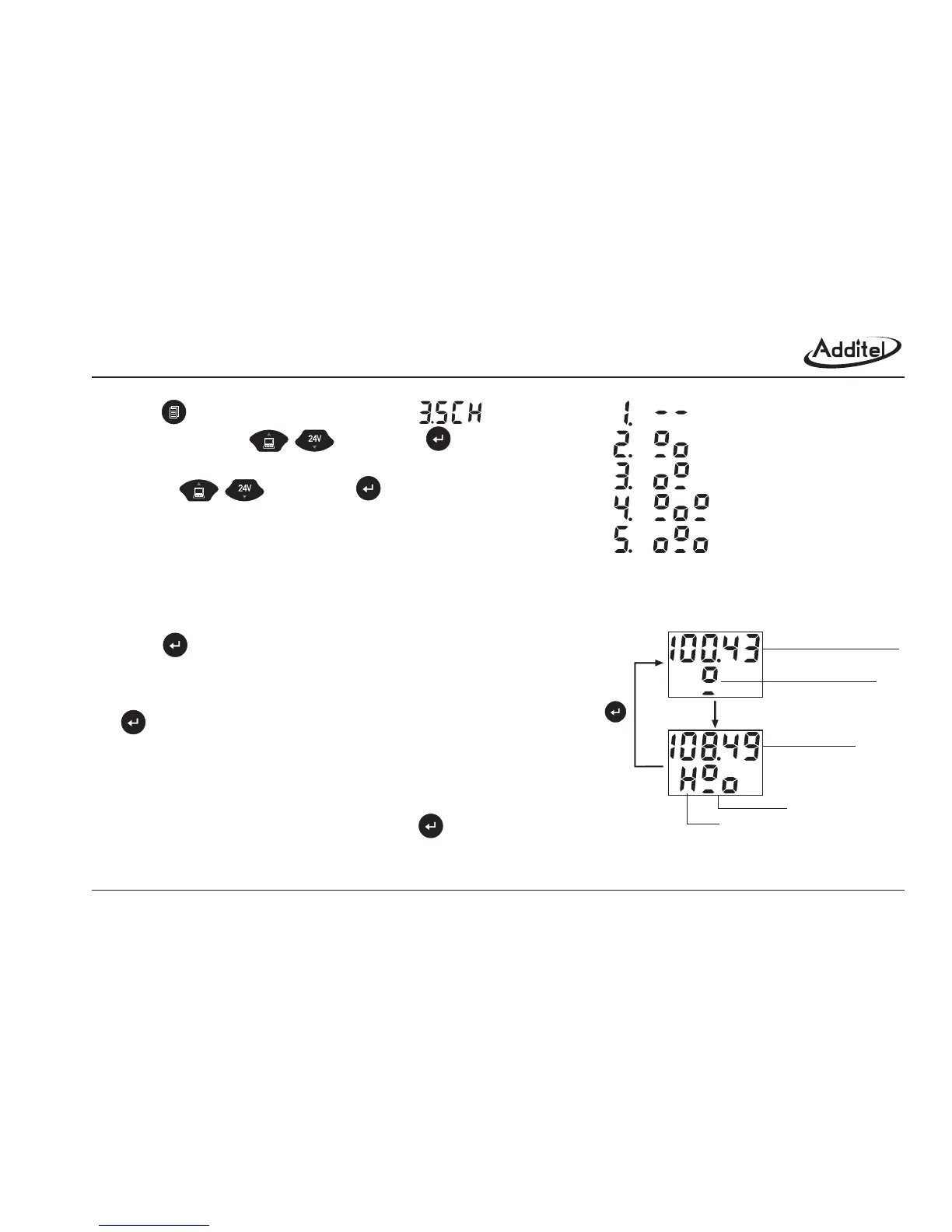
Press to enter into the main menu, select
(SWITCH) by using and confirm .
2 Screen shows triggering mode menu, please select the suitable mode
by using and confirm .
The factory default is trigger is off.
Monitor switch status and the screen is not in a locked condition.
2 The screen is locked while the trigger is being
changed. Also, the screen shows the pressure value and switch status.
Press to restart a new trigger.
3 The screen is locked while the trigger is changed.
Also, the screen shows the pressure value and switch status. Press
to restart a new trigger.
4 It is combined by the mode 2 (off→on) and
mode 3 (on→off), it have three steps as following:
1 step: The screen is locked after it is changed from "off" to "on",
2.2.5.1 Operation
No trigger:
T off→on:
Trigger on→off:
Trigger off→on→off :
riggering
st
nd
no trigger
off → on
on → off
off → on → off dual trigger
on → off → on dual trigger
pressure measure value
switch status is "off"
switch "on"
trigger lock the
pressure value
"off" → "on"
hold
restart
Figure 2-2-5: Trigger mode selection
Figure 2-2-5-1: trigger "off"→"on" process



 To Next Page