27
()
()
then press to confirm.
()
b. Screen shows the 1st file's attributes: CODE (second gauge ), factory default is 111111.
2 Select File No. (File operation in menu)
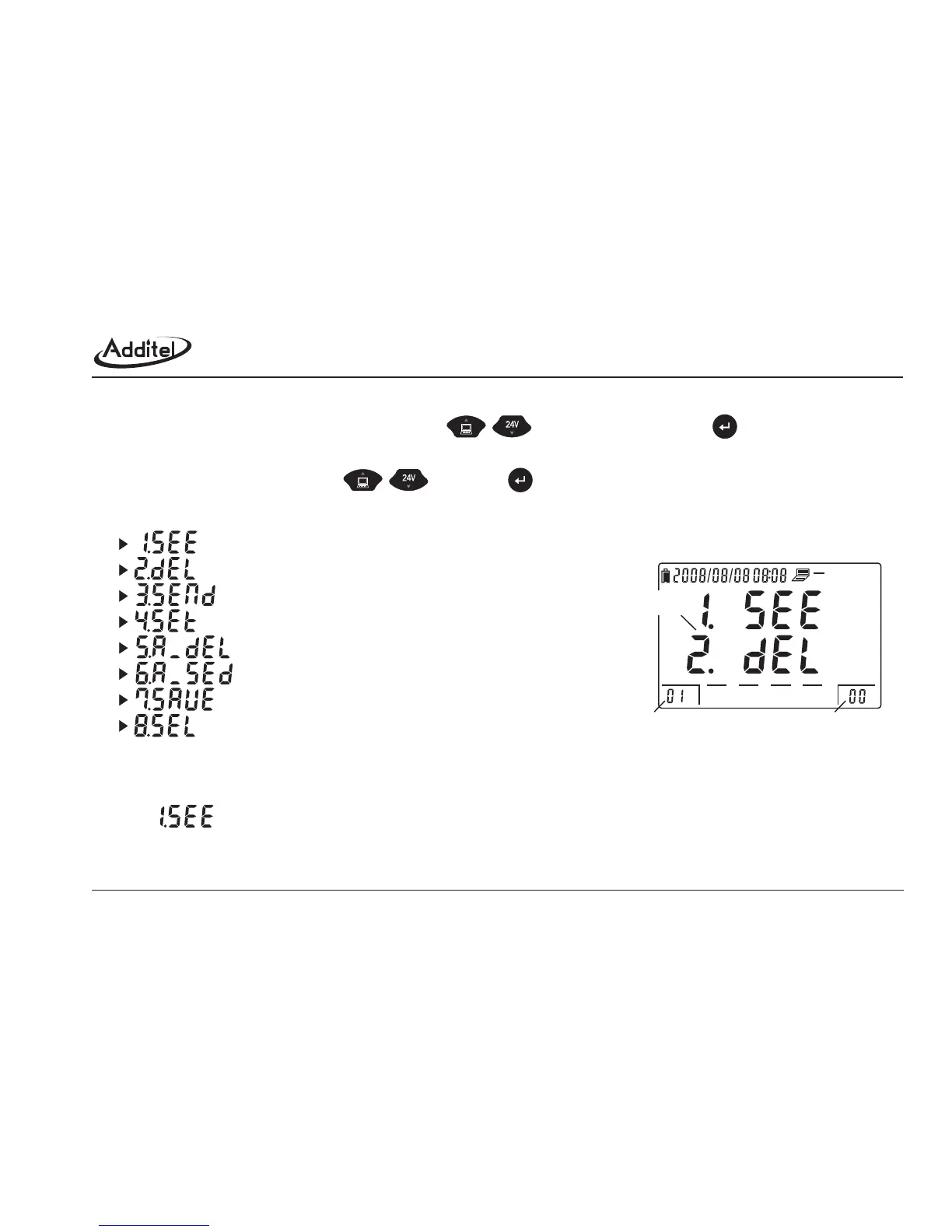
As figure 3-1, select the suitable File No. by using (Range: 1~30), then press to confirm.
3 File menu options
Select the suitable option by using .
4 File menu's conten
Operation method:
a. Select .
serial No.
3.1.1 See the saved file
Figure 3-1: Select operation files
0255075100
menu
selected file %file capacity saved records
menu option
total 8 items.
(SEE) see the saved file
(DELETE) delete the file
(SEND) send out the file
(SET) set file attributes (second gauge #, min scale)
(ALL_DELETE) delete all files
(ALL_SEND) Send all files
(SAVE) Save the file
(SELECT) Select to enter into save mode.



 To Next Page