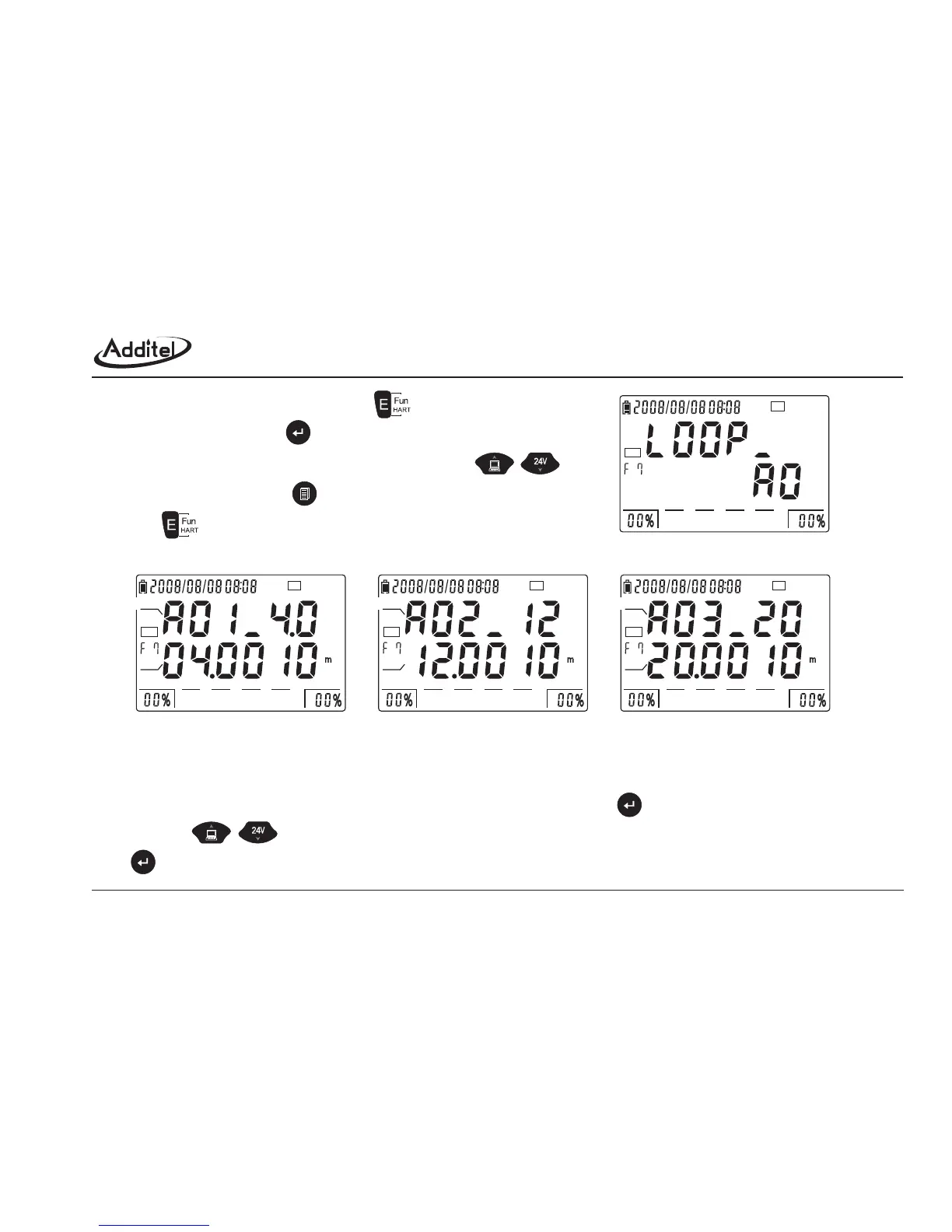
Figure 4-5-7-1: F7 Entrance
Picture 4-5-7-2: Fixed loop current output
(3) To recalibrate, proceed as below:
a. Under the interface of figure 4-5-7-2, enter into AO calibration by pressing (As picture 4-5-7-3).
b. By using to select the sequence of 4mA calibration or 20mA calibration. After The CA value is steady, press
to finish the calibration. Once every point is calibrated, the first line shows the character [END] (as figure 4-5-7-4).
24V
HART
0255075100
24V
HART
0255075100
CA
A
24V
HART
0255075100
CA
A
24V
HART
0255075100
CA
A
1st point
2nd point
3rd point
(1) Switch to HART Function 7 by pressing , as figure 4-5-7-1.
(2) As figure 4-5-7-2, press to display the analog loop current.
Switch the points among 4 mA, 12 mA, 20 mA by using .
Under this interface, press to the interface as figure 4-5-7-1,
press to function 8.
45



 To Next Page