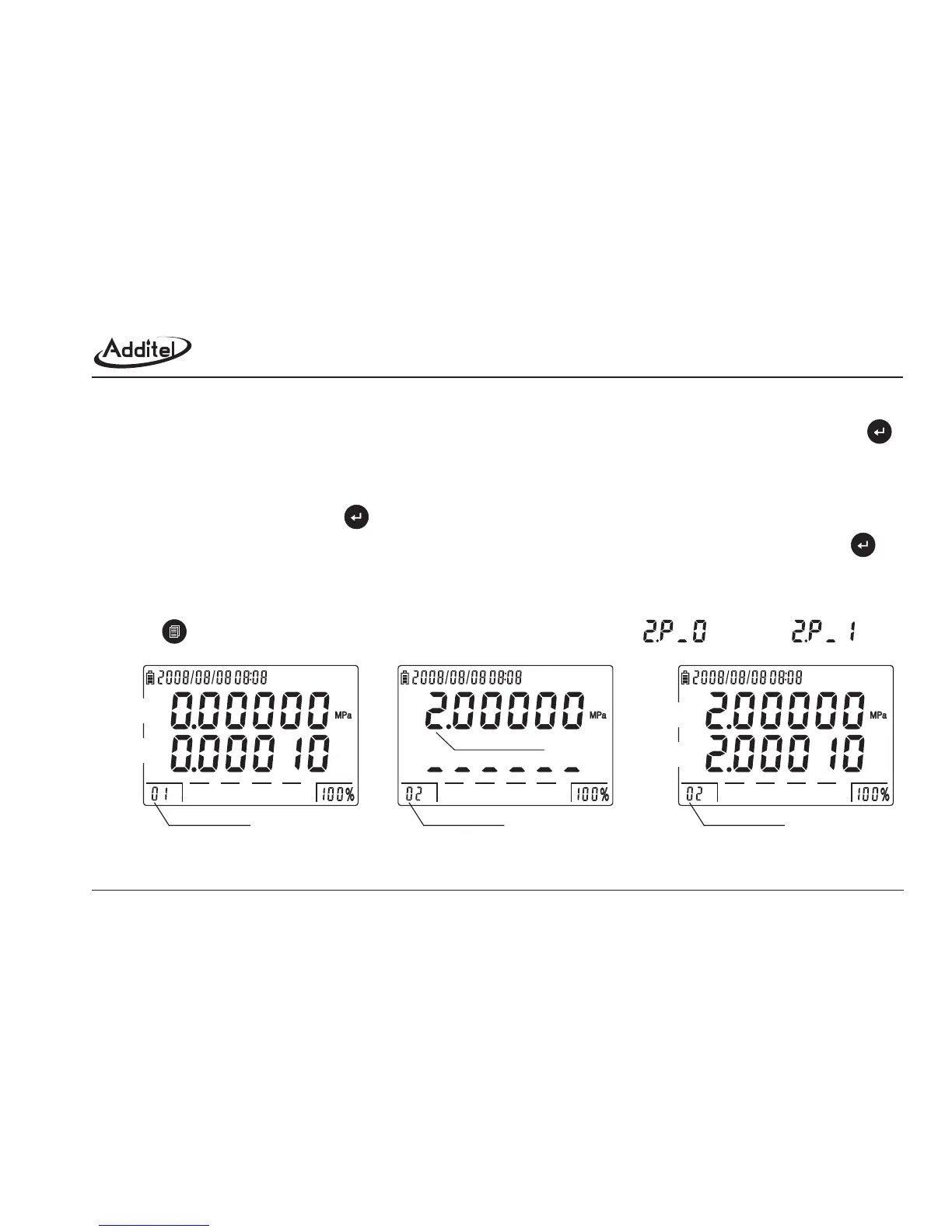
Figure 5-3-2: 1 point calibration Figure 5-3-3: 2 point entrance Figure 5-3-4: 2 calibration
st nd nd
0255075100
standard
pressure
calibration point
measuring
pressure
0255075100
calibration point
standard pressure
0255075100
calibration point
standard
pressure
measuring
pressure
(3) The first line flashes to remind the user to input the standard pressure of 1 point. (In this example, it is 0.00000 MPa)
(4) As figure 5-3-2, screen displays the interface of 1 calibration point. Please supply 0.00000 MPa pressure, and press
to finish the 1 point calibration after it is stable. As figure 5-3-3, switch to the 2 point calibration interface.
(5) Under the interface of 2 calibration point, the first line flashes for new standard pressure. In general, it is the default (In this
example, it is 2.00000 MPa), press for next step.
(6) As figure 5-3-4, screen displays the 2 point calibration interface. Please supply 2.00000 MPa pressure and press to
finish the 2 point calibration after it is stable. The screen switches to the interface as figure 5-3-1 and the calibration is
finished.
(7) Press to return to the calibration function menu. The calibration is effective if changed to .
st
st
st nd
nd
nd
nd
51



 To Next Page