Advanced RF Technologies, Inc.
7.2 Administrator/User Mode
7.2.1 Common
7.2.1.1 Navigation Tree
The navigation tree located on the left hand side of the Web-GUI allows the user to switch between the
various modules that are connected to the system.
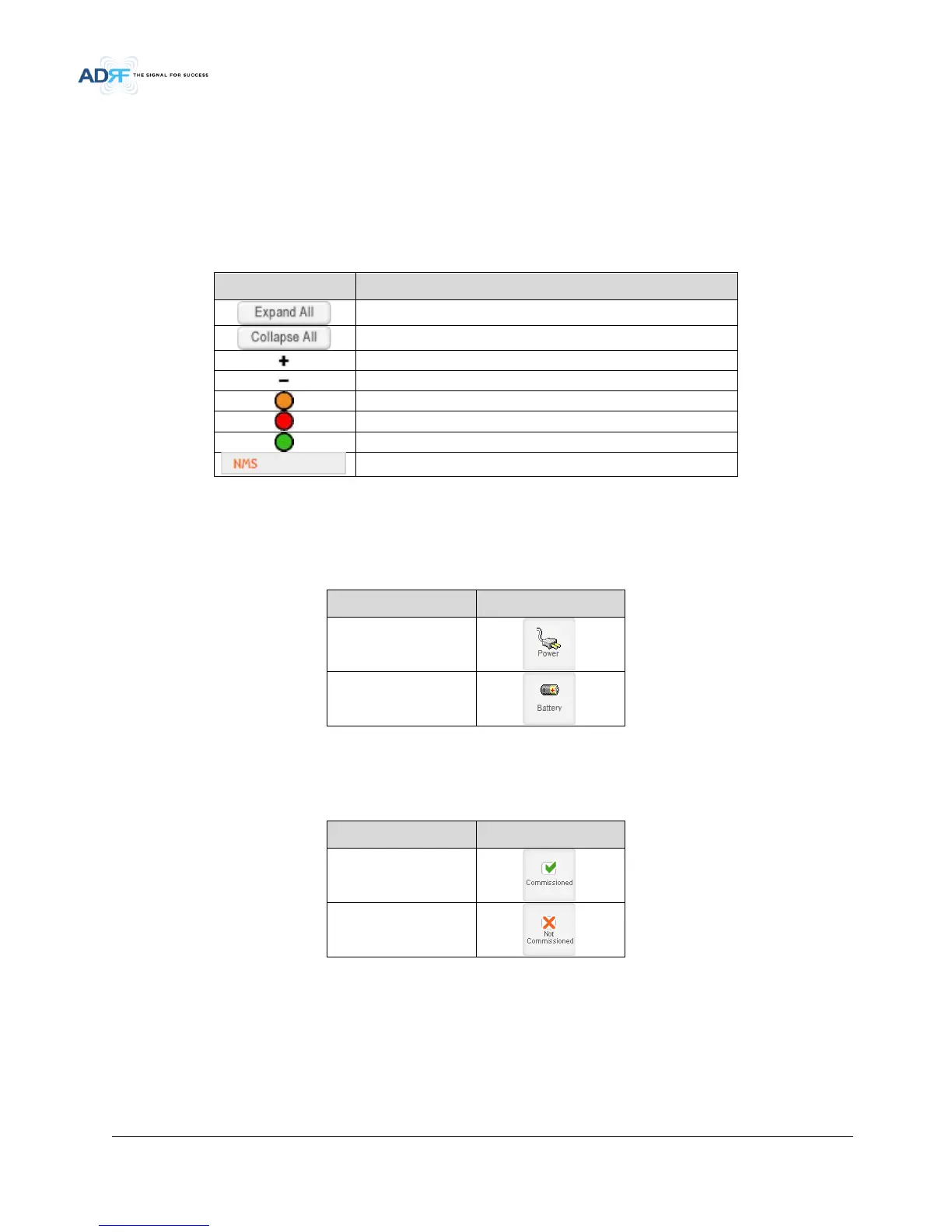
Table 7-2 Navigation tree
Parameters Description
Expands the entire navigation tree
Collapses the entire navigation tree
The module has the expandable subordinate modules
The branch is currently expanded
The module has soft fail alarm
The module has hard fail alarm
The module has no alarms (normal)
The selected module will have orange colored text
7.2.1.2 Power Status
Display the power source that is currently being used.
Table 7-3 Power Supply Status
Input Power Status Display Image
AC
Battery
7.2.1.3 Commissioning Status
Display whether or not the module has successfully been commissioned.
Table 7-4 Commissioning ICON
Status Display Image
Commissioned
Not-Commissioned
7.2.1.4 Information


 To Next Page