Advanced RF Technologies, Inc.
7.2.3.3 System: Update
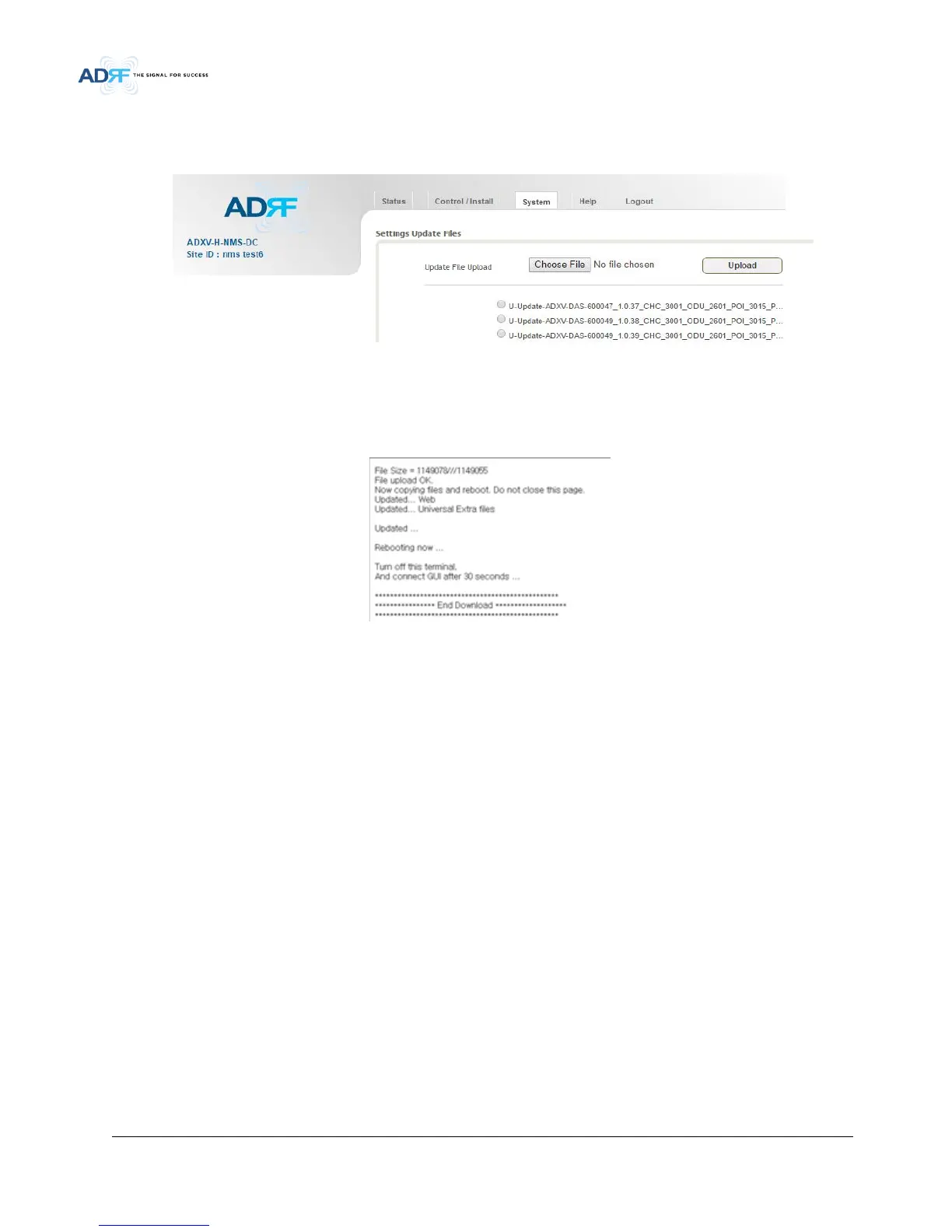
• To perform a firmware update, click on the System:Update tab and the following screen will show up.
Figure 7-15 System update
• Click on the ‘Browse’ button and locate the firmware file.
• Click on the Update button to perform the firmware update.
• Once the firmware update is complete, the following message will appear.
Figure 7-16 Message after System update is complete
7.2.4 Help
If an internet connection is available, clicking on the Help Tab will redirect the user to our Technical Support
page.


 To Next Page