8 Meadowbank Road, Carrickfergus, BT38 8YF, Northern Ireland www.advancedsensors.co.uk
Page 83 of 93
OIW-HBO-0002-EX-005
OIW EX SERIES-SIDE STREAM
OPERATION MANUAL
Rev. 004 MAY 2015
5.3.3.1 – System Folder Contents
Problems detected in the routine operation of either the hardware or software will result in a system log which activates
an alarm indicator in Feedback Display (see Section 3.2.1.5 – System Log and Alarm Indicators on p. 30 for display
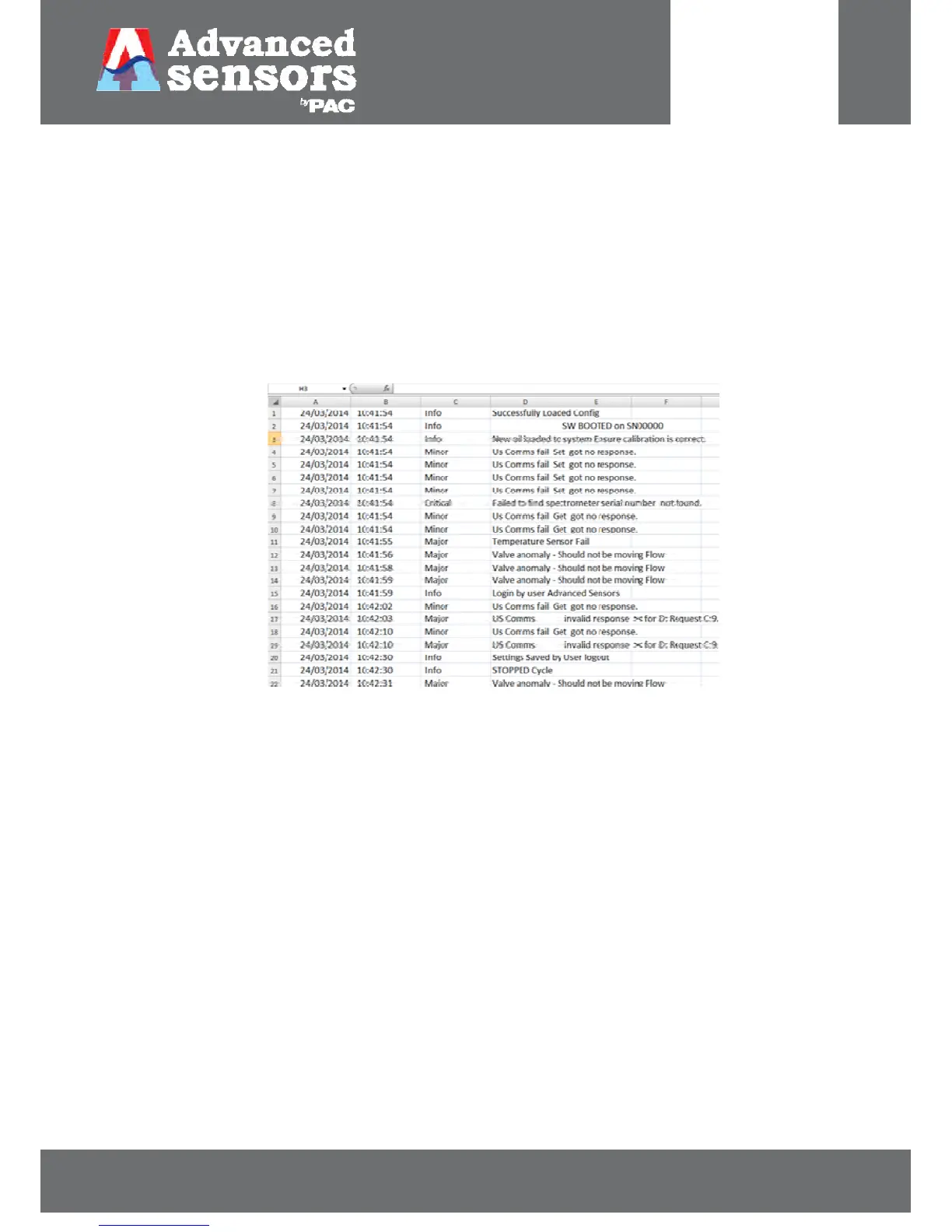
information). The SysLog files are therefore a record of only these system logs, no other data, which can be viewed in
Excel or Notepad as shown in Figure 91. Unlike the Data Logs, this is a summary file in order to save file size it will not
continually log a recurring alarm during each report log. During normal operation, where the unit is left to run
continuously over a long period of time, the SysLog may span months or even years allowing a long term view of the
operation of the unit.
See Section 4 – System Logs and Troubleshooting on page 61 for addition information.
Figure 91: System logs in Excel



 To Next Page
 Loading...