UPS IST7 (10KVA-40KVA)
User Manual 3 Installation
31
When changing the mode of IST7 series (10kVA-40kVA), power down the UPS, the
connection must be strictly according to the above step wiring. After completion, UPS is only
connected to the mains and the bypass breaker must be disconnected. Set work configuration
(for touch screen) on the screen display of the UPS is consistent with the actual wiring. After
above operation is completed, please ensure that the wiring be consistent with work
configuration (for touch screen) of screen display, and then startup the UPS, close the bypass
breaker after inverter output was normal.
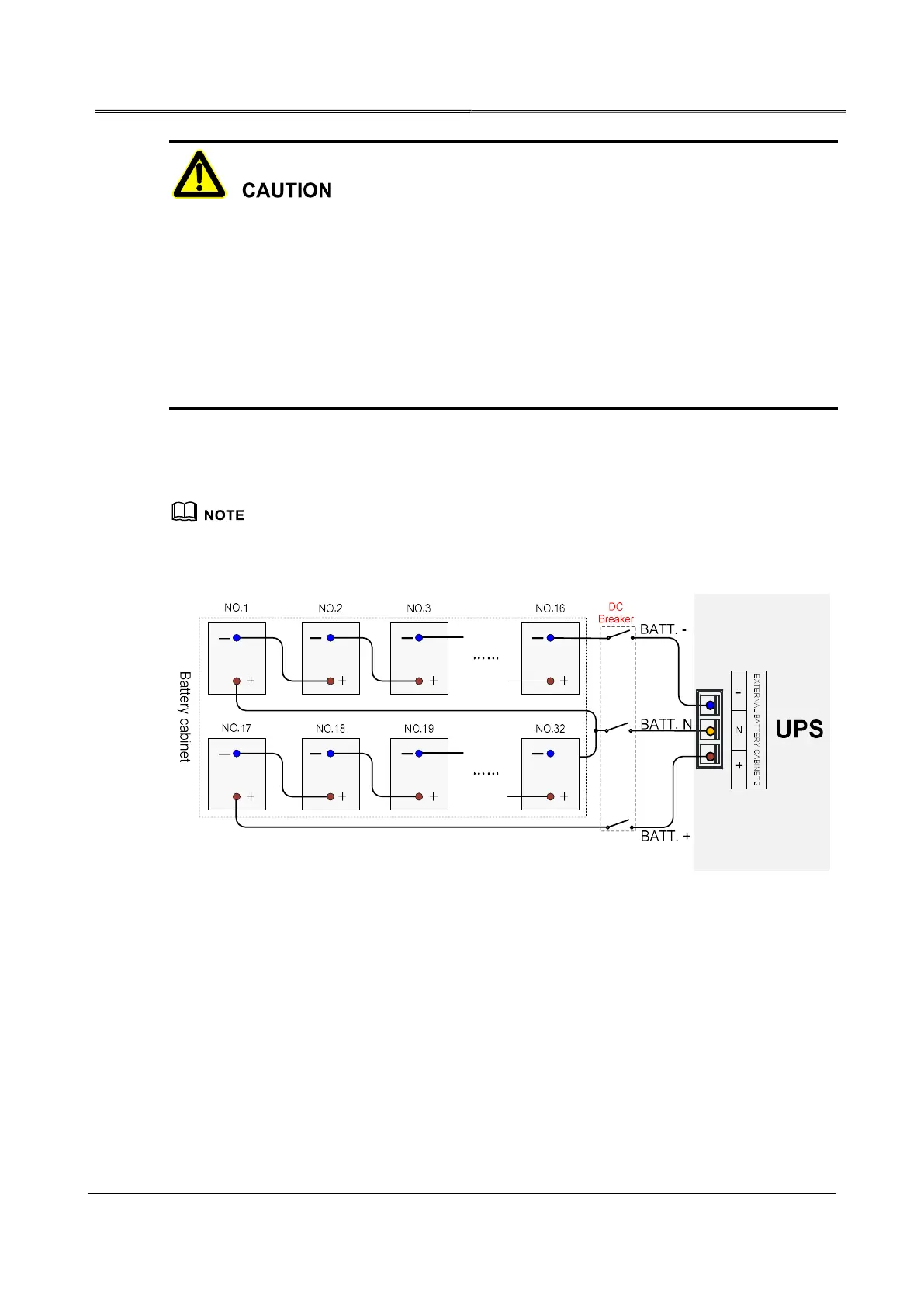
3.5.2 Wiring Between UPS and External Battery
You can connect with external battery when you purchase internal battery of the UPS to prolong back-
up time.
You must connect with external battery when you purchase without internal battery of the UPS.
Wiring diagram 1 of external batteries



 To Next Page