UPS IST7 (10KVA-40KVA)
User Manual 4 Touch Screen Operation
45
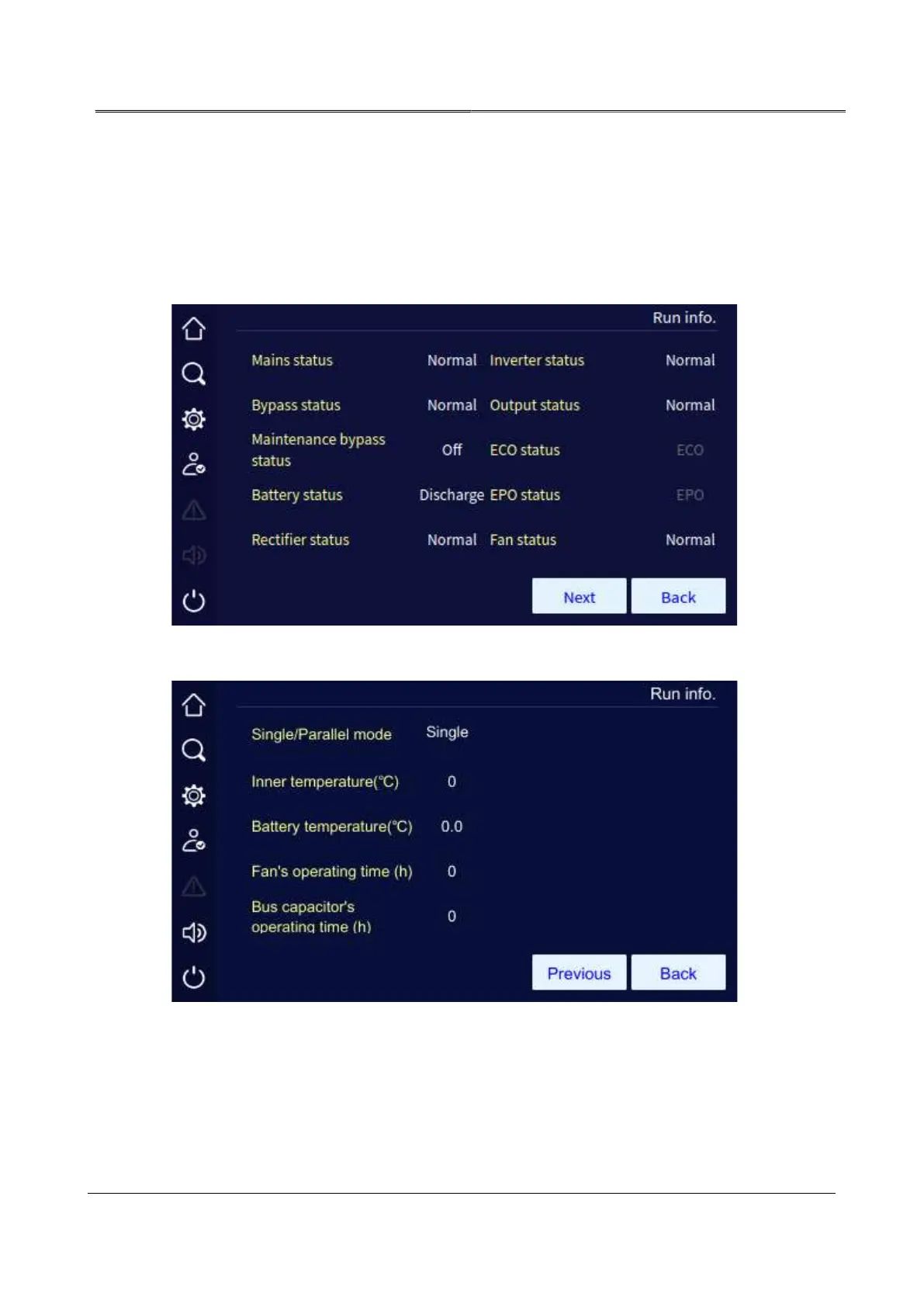
5.2.3 Run Information Page
In the information management page, click the run info icon, it will enter the run information
page. The page shows the UPS current status, including mains status, bypass status, battery
status, output status, load status, rectifier status, inverter status, work mode, input loop,
bypass loop, battery loop, fan status, inner temperature.
Run info page 1 (single UPS)
Working status page 2 (single UPS)



 To Next Page