UPS IST7 (10KVA-40KVA)
User Manual 4 Touch Screen Operation
37
4 Touch Screen Operation
In the touch screen, user can scan input parameter, output parameter, load parameter, battery parameter,
get UPS status and warning information and perform relative setting. Besides, it also can query event log
for fault diagnosis.
The parameters values and other details in the pictures in this chapter are for illustration only. Detailed
information should be based on the touch screen of the product.
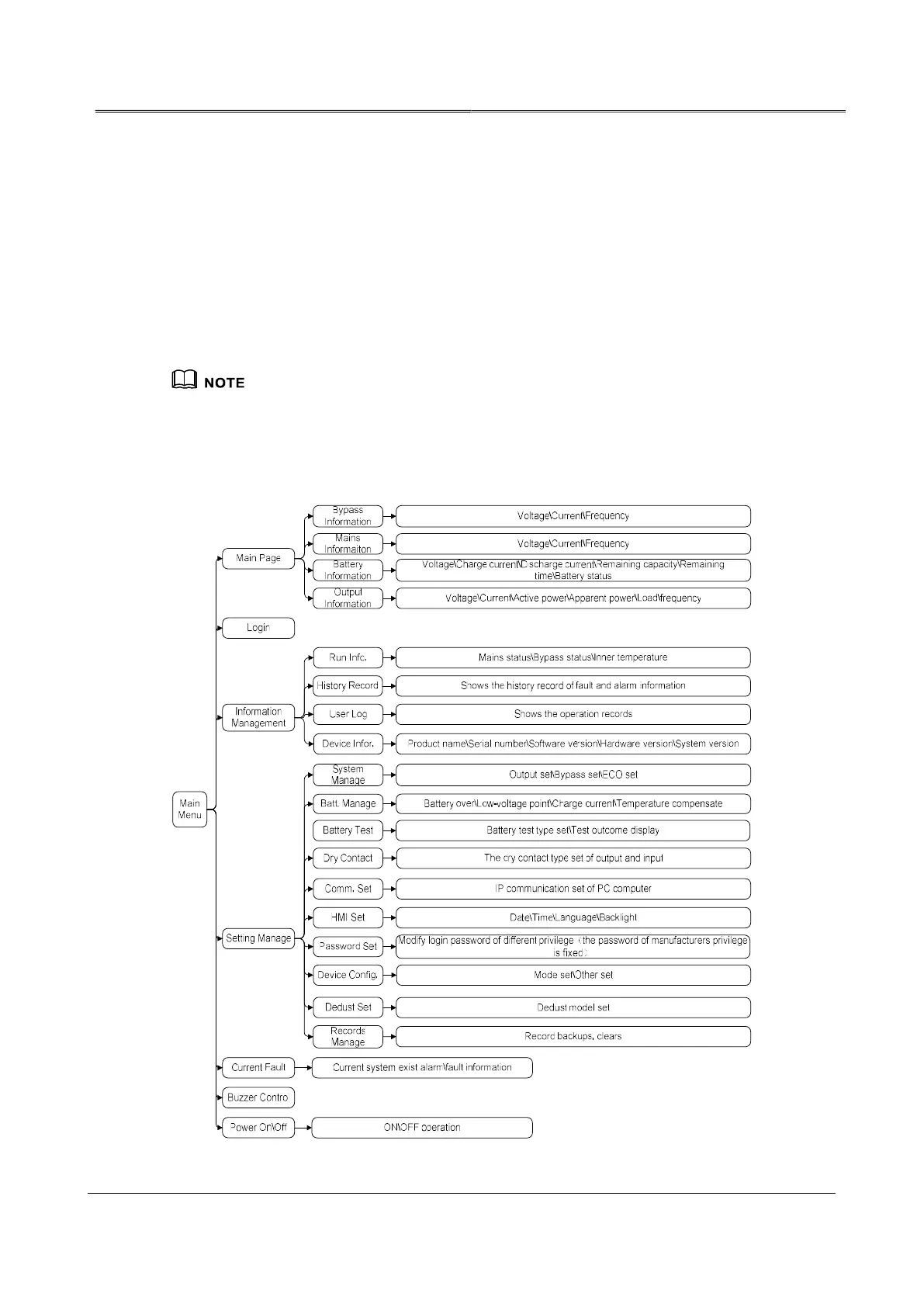
4.1 Menu Hierarchy
Menu structure of the touch screen



 To Next Page